4.0
exporting of audio is awful. I just use this to layer sound samples for drumline shows and I cant figure out how to export audio that sounds right. I went back to audacity 3
MuseHub is the official distribution channel for Audacity by Muse Group — download the genuine app and its MuseHub-powered effects here.
Audacity is extremely popular for podcasting, music recording, and sound editing. The software supports a wide range of audio formats and is extensible through plugins, making it a versatile choice for both beginners and experienced audio professionals.
The audio editor you love, reimagined.
Audacity is extremely popular for podcasting, music recording, and sound editing. The software supports a wide range of audio formats and is extensible through plugins, making it a versatile choice for both beginners and experienced audio professionals.
The audio editor you love, reimagined.
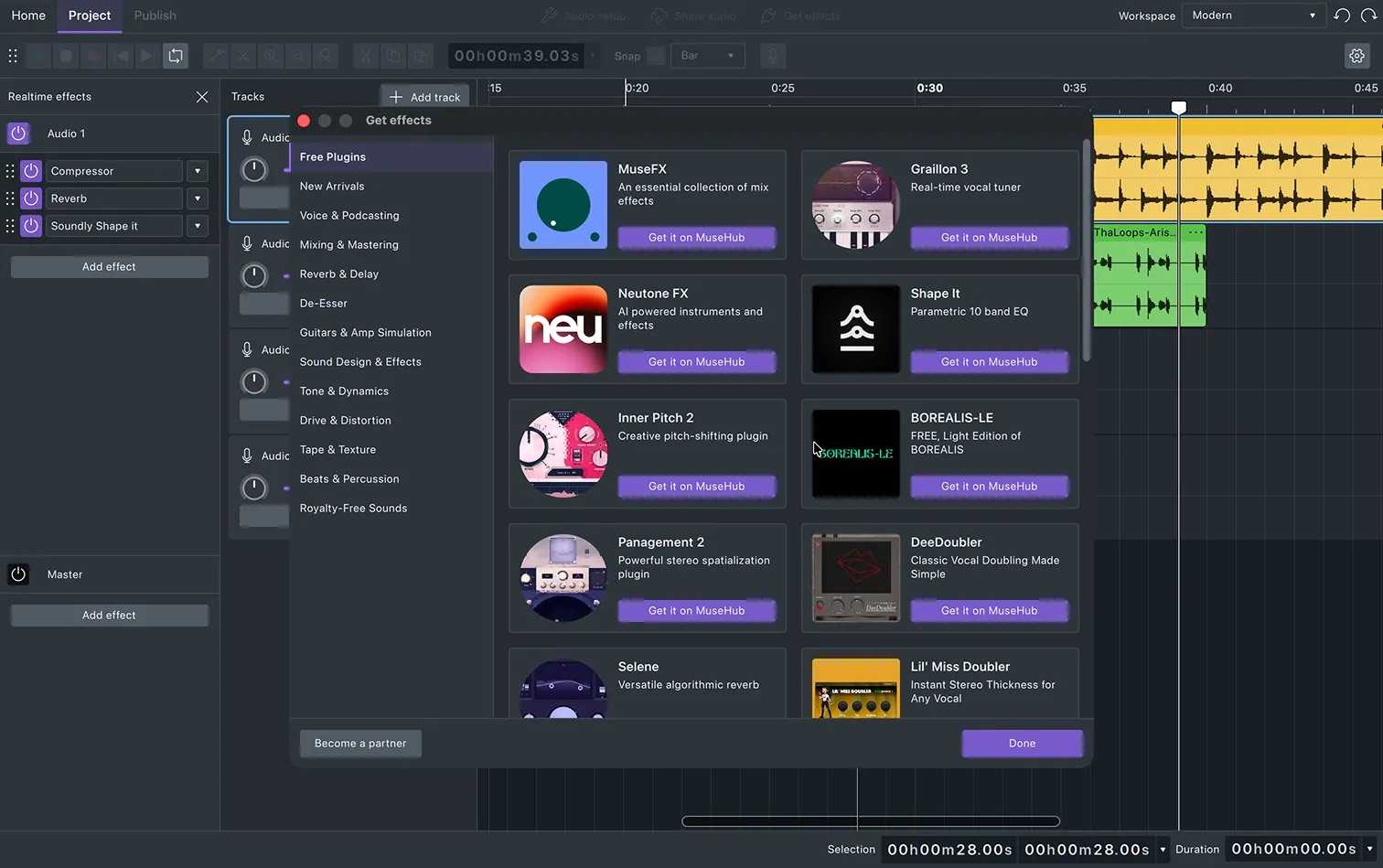
With audio.com you get Cloud Storage for your Audacity projects, audio hosting and much more.
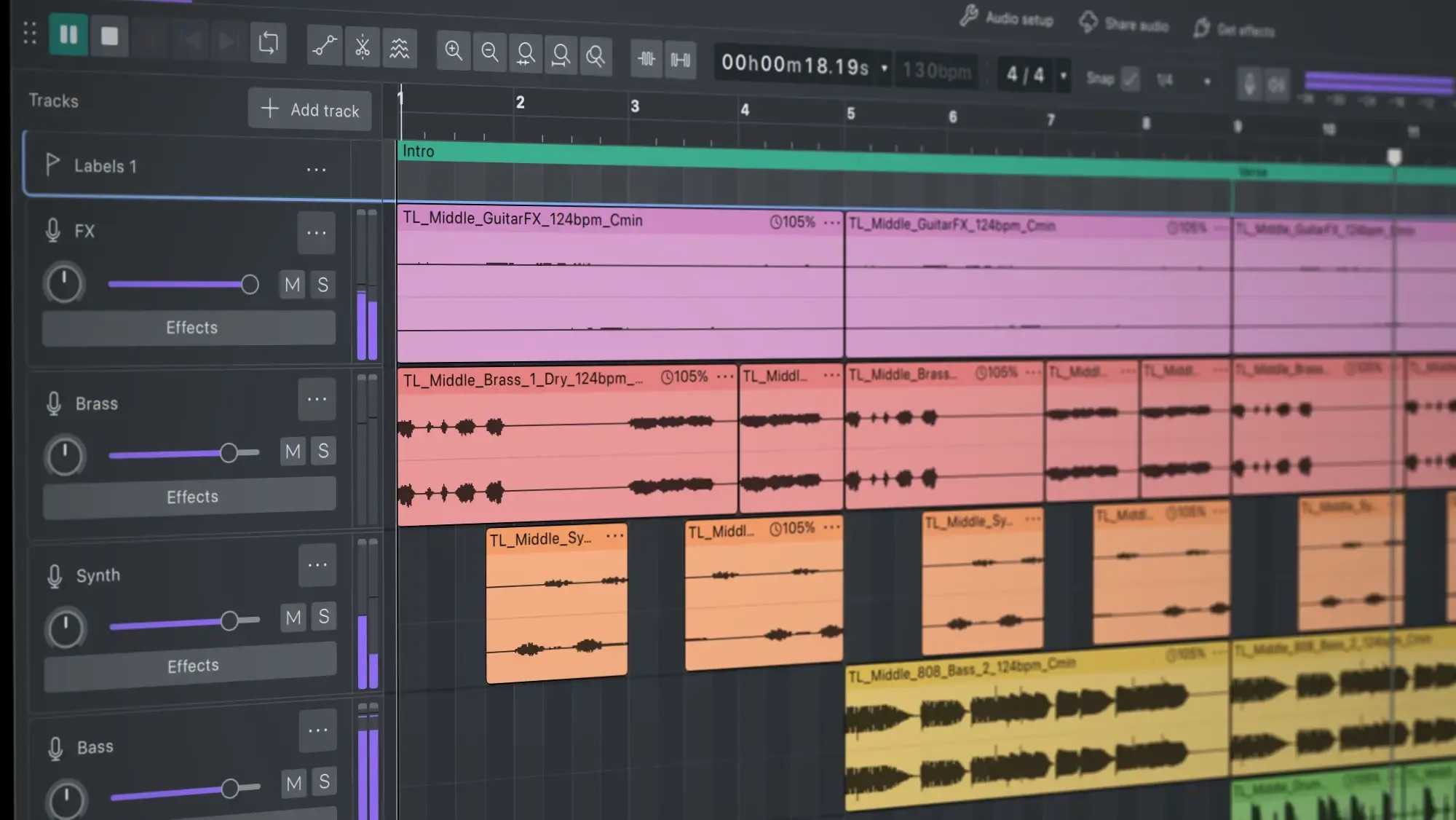
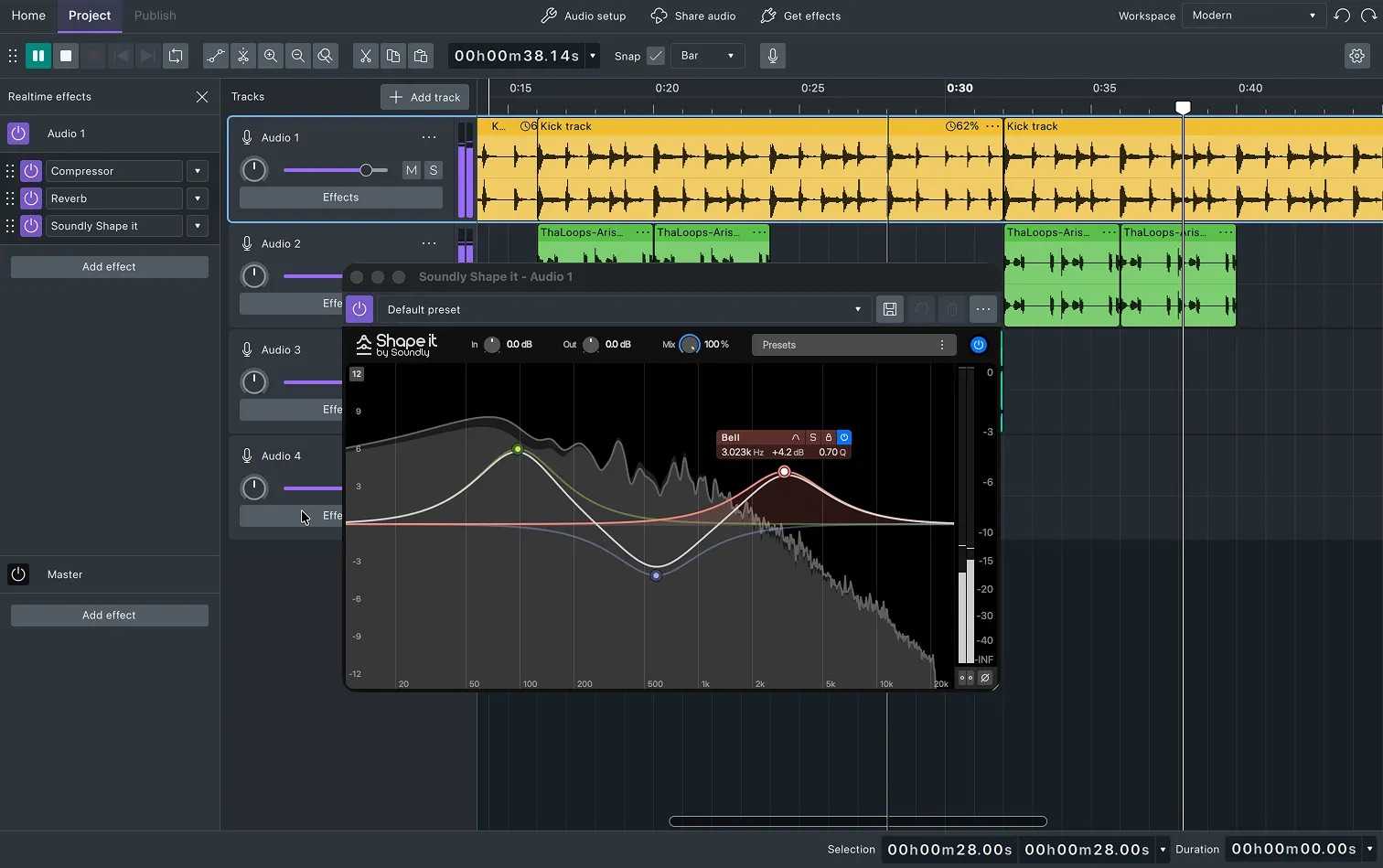
Audacity 4 is a modern, open-source audio editor built for recording, editing, restoring, and producing audio. Featuring a redesigned interface, customizable workspaces, cloud integration, and rebuilt effects, it streamlines everyday audio workflows for music production, podcasting, voiceovers, and video editing. The updated editing experience introduces gain envelopes, trim and stretch handles, markers, loop regions, direct sample editing, and per-track metering, while customizable themes, accent colors, and workspaces let you tailor the interface to your workflow. Audacity 4 also supports LV2, VST3, and Audio Unit plugins, opens Audacity 3 projects natively, and integrates directly with MuseHub for discovering effects, instruments, and sound libraries. A handful of things from Audacity 3 aren't coming with us: Tempo tracks, LADSPA, and Vamp analyzers won't be in Audacity 4.

Create music. Record vocals. Own everything.
The world's most popular audio editor.

Turn your recordings into sheet music and MIDI!

Turn your piano recordings into sheet music!
Turn Guitar Audio into Sheet Music and Tabs
Visual Sound Design Studio
Auto mastering for your songs

Mastering, start to finish

Offline Audio Analysis Tool for Music Creators
Workspace for samples, MIDI-files and DAW-projects