
Music Transcription Studio
Turn your recordings into sheet music and MIDI!
CA$11.67/m
Create a practical first draft of piano fingering inside MuseScore Studio. Work on a selected passage or a whole score, choose either or both hands, and adjust fingering detail and comfortable reach. Fingerings stay native and editable, with your manual changes respected. For MuseScore Studio 4.7.5 on Apple Silicon Macs.
Automatic fingering inside MuseScore
Create a practical first draft of piano fingering inside MuseScore Studio. Work on a selected passage or a whole score, choose either or both hands, and adjust fingering detail and comfortable reach. Fingerings stay native and editable, with your manual changes respected. For MuseScore Studio 4.7.5 on Apple Silicon Macs.
Automatic fingering inside MuseScore
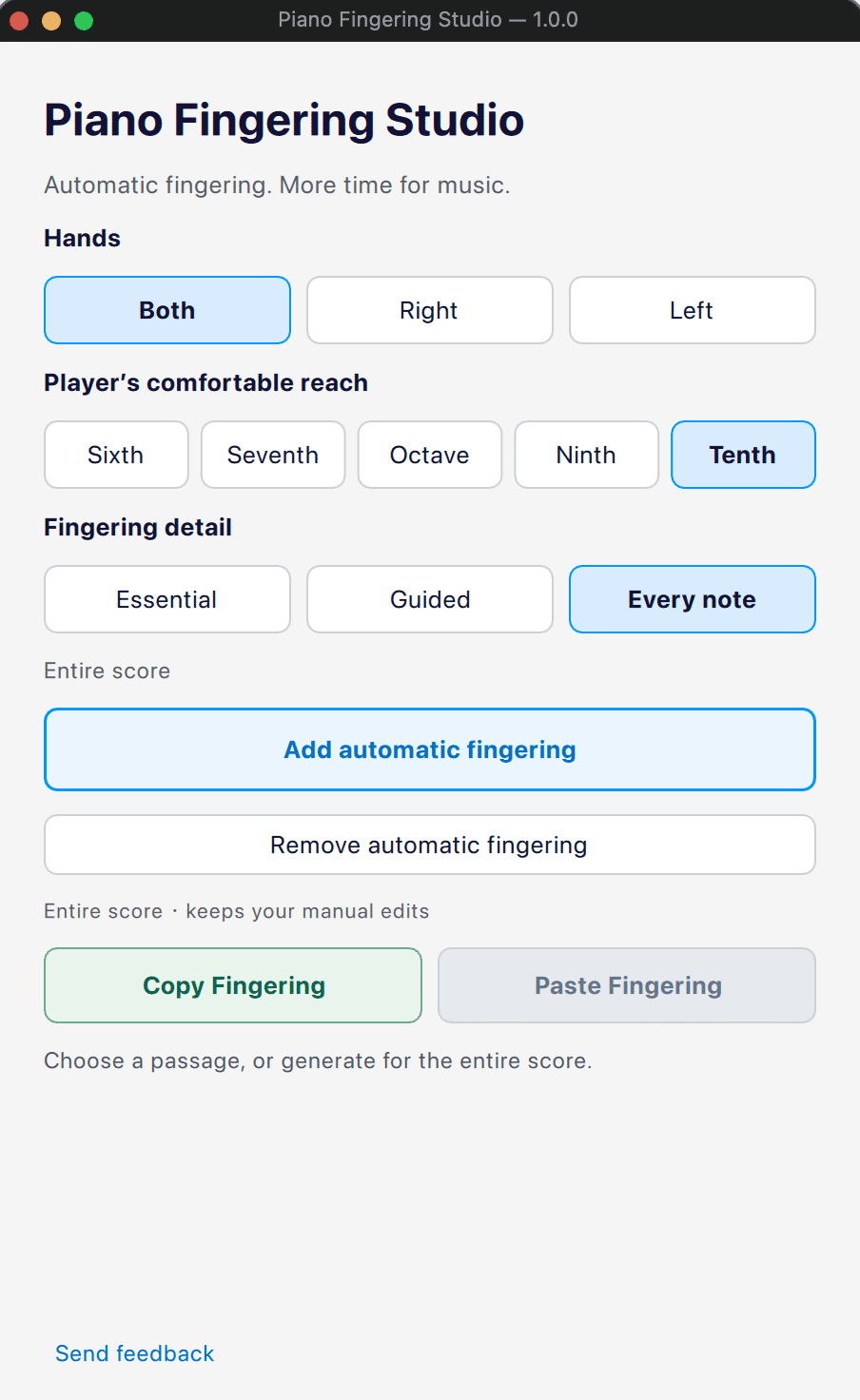
Never start fingering a piano score from scratch again! Piano Fingering Studio (PFS) automatically generates piano fingering suggestions directly inside MuseScore Studio. Apply it to a selected passage or an entire score, choose which hand to work on, and adjust how much fingering guidance to show. Tailor fingerings to the player: Whether you're preparing a score for yourself, a student, or your readers, choose a comfortable hand reach and the level of fingering detail that suits the player. PFS also flags stretches that may exceed the selected reach, helping you identify passages that need extra attention. Make corrections once, reuse them: Copy your reviewed fingerings to matching passages within the same score. PFS checks note, voice, and chord correspondence, protects existing manual fingerings by default, and lets you undo each paste in one step. Fully editable, always in your control: Fingerings are added as native MuseScore notation, so you can review, adjust, and refine them as needed. All fingering calculations happen locally on your Mac. Try every feature free for 3 days: A MuseHub account is required. After the trial, a one-time purchase lets you continue using the current major version. Your existing scores and fingerings remain editable in MuseScore even after the trial ends. PFS gives you a practical starting point, not a single "correct" fingering. Review the suggestions, make them your own, and spend less time entering numbers and more time making music.
Not enough reviews yet
Turn your recordings into sheet music and MIDI!

Turn your piano recordings into sheet music!

The world's most accurate sheet music scanner.

The world's most popular notation app.

Turn Guitar Audio into Sheet Music and Tabs

Create music. Record vocals. Own everything.

Offline Audio Analysis Tool for Music Creators

Animated sheet music for your performance videos

Prototype art music in seconds

All-in-One Video Platform for Music Lessons Online
Not enough reviews yet