Cinesamples MuseSounds: all 13 libraries for MuseScore Studio
Cinesamples makes 13 of the MuseSounds libraries on MuseHub. They include the Cine orchestra recorded at the MGM Scoring Stage in Los Angeles, solo instruments played by named artists, a choir, pianos, harps and a few rarer instruments. Five of them, the four sections of the Cine orchestra and VOXOS Epic Choirs, are in MuseSounds Pro, and the other eight you buy once and keep.
Below is what each library covers and where it was recorded, a cello-and-piano excerpt played three ways, a table of the whole range, and when to subscribe to MuseSounds Pro and when to buy.
The Cine orchestra on MuseHub
Who Cinesamples is and where it records
Cinesamples makes sample libraries for film, TV and game scoring. Most of its MuseSounds libraries were recorded at the MGM Scoring Stage at Sony Pictures Studios in Los Angeles. The Cine orchestra was recorded by Dennis Sands, an Oscar-nominated scoring engineer known for his work on Forrest Gump and Back to the Future.
The strings, brass, woodwinds, percussion and harps form one line, CineOrch. They were recorded in place on that stage with the same setup, so the sections blend when you use them together. Three libraries come from other rooms. VOXOS Epic Choirs was recorded at Bastyr Chapel in Seattle, Dulcimer and Zither at Firehouse Recording Studios in Pasadena, and Randy’s Prepared Piano partly at Hollywood Scoring Studios.
Each one is a MuseSounds Edition. Cinesamples took recordings from its flagship libraries and reprogrammed them for MuseScore Studio, so they follow the slurs, dynamics and articulations in your score. The flagship versions, such as CineStrings Solo for Native Instruments Kontakt, are different products, intended for different platforms. These play only in MuseScore Studio.
Five libraries in MuseSounds Pro
MuseSounds Pro, the subscription that gives you 34 of the paid libraries, includes five from Cinesamples: CineStrings, CineBrass, CineWinds, CinePerc and VOXOS Epic Choirs. MuseSounds Pro welcomes Cinesamples shows how subscribers install them. The other eight, the soloists, pianos, harps and early and folk instruments, are sold on their own and keep working once you buy them. There is no Cinesamples bundle.
The easiest way to start costs nothing. The free Muse libraries cover most of the same instruments, with section and solo strings in Muse Strings, a Steinway grand in Muse Keys and a concert harp in Muse Harp. Write the piece with those, then add the Cinesamples library for the part that needs it. What are MuseSounds? explains how the free, paid and Pro libraries fit together.
The Cine orchestra
Four libraries make up the core of a film-score orchestra, and all four are in MuseSounds Pro.

CineStrings is the full string section, made for what Cinesamples calls the modern “Hollywood style” of film, trailer and game music. Start here if you want the whole CineOrch sound, since the other sections were recorded to blend with it.

CineBrass is the brass section, played by Los Angeles session musicians including members of the Los Angeles Philharmonic. Every instrument has true legato, which means the library recorded the move from one note to the next, so a slurred horn line connects the way a player would connect it.

CineWinds covers the essential instruments of the orchestral woodwind section. It is a curated selection from the original CineWinds Core and CineWinds Pro libraries, with the articulations Cinesamples considers most useful for modern orchestral writing.

CinePerc covers orchestral percussion, world percussion, big sound-design hits and small oddities, a typewriter included. Staff text, such as a mallet change or a different drum size, switches the sound without adding an instrument. Its staff presets also print that instruction in a box above the staff, so a percussionist reading the part sees what you meant.
Soloists and named artists
A solo instrument carries a melody that a full section would blur. Cinesamples offers three ways to get one.

CineStrings Solo gives you a solo violin, viola, cello and bass, played by Los Angeles scoring musicians, with true legato recorded for every note change up to an octave. Use it alone for a chamber texture, or over CineStrings when a tune needs one player above the section. Compare it with other string libraries in the best strings VSTs.

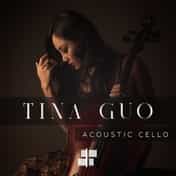
Tina Guo is a cellist known for her work on film, television and game scores. Her library, recorded at the MGM Scoring Stage, is built around a “seamless legato” preset with a wide, passionate vibrato and a swell as each note sustains. A lighter “leggiero” preset, with less vibrato, suits faster playing. Spiccato, marcato, harmonics, sul ponticello and vibrato pizzicato complete the set.

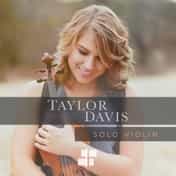
Taylor Davis is an American violinist best known for her covers of video game music on YouTube. Her library, part of the Cinesamples Artist Series, uses the same “seamless legato” technique as the Tina Guo cello and adds an upward portamento, a slide into the next note. Spiccato, marcato, tenuto, pizzicato and open strings round it out. She plays a handmade Italian violin from the 1780s.
Pianos and harps

CinePiano is a 9-foot concert grand sampled at the MGM Scoring Stage, where the Cine orchestra was recorded, so it blends with those sections. Cinesamples recorded it with several microphone and mixing techniques, which it describes as four distinct characters of the piano.

CineHarps has three orchestral harps, each recorded at its own place on the stage. The main concert harp, in the center, has the full set of articulations, harmonics included. Harp 2, on the left, and Harp 3, at the front right, play standard plucked sustains.

A prepared piano is a piano physically altered to make new sounds. Randy Kerber, a Los Angeles film composer and session pianist, plays three of them in this Artist Series library, with muted strings, harmonics shaped with putty, metal preparations and percussive gestures. Reach for it when a cue needs tension or atmosphere that an ordinary grand would not give.
Choir

VOXOS Epic Choirs has a mixed choir of men and women, a boys choir, a boy soloist and a soprano soloist. It sings 30 syllables, short or sustained, which you choose by typing them as lyrics under the notes (Men, Women and Full Chorus presets, MuseScore Studio 4.4 or later). Ahh and Ooh have true legato, and X noteheads trigger unpitched shouts and effects. VOXOS Epic Choirs is in MuseSounds Pro.
For a choir that sings the words of a text, look at Cantai, a singing synthesizer that is also in MuseSounds Pro. The best choir VSTs compares both with other choirs.
Early and folk instruments

The viola da gamba is a six-string, fretted, bowed instrument that first appeared in Spain in the late 15th century and was most popular in the Renaissance and Baroque. Cinesamples recorded it at the MGM Scoring Stage, with articulations for melodies and for held beds of sound. It suits period writing, and film cues that want an older color than a cello gives.

Dulcimer and Zither holds four plucked and hammered string instruments. There are two dulcimers, one hammered and one felt, a zither, and a rare instrument called a ukelin. Cinesamples designed the library with feedback from film composers, to add color to a score.
Every Cinesamples library at a glance
| Library | What it covers | In MuseSounds Pro |
|---|---|---|
| CineStrings | Full string section | Yes |
| CineBrass | Full brass section | Yes |
| CineWinds | Orchestral woodwind section | Yes |
| CinePerc | Orchestral, world and sound-design percussion | Yes |
| CineStrings Solo | Solo violin, viola, cello and bass | No |
| Tina Guo Acoustic Cello | Solo cello played by Tina Guo | No |
| Taylor Davis Violin | Solo violin played by Taylor Davis | No |
| CinePiano | 9-foot concert grand | No |
| CineHarps | Three orchestral harps | No |
| Randy’s Prepared Piano | Three prepared pianos played by Randy Kerber | No |
| VOXOS Epic Choirs | Mixed choir, boys choir and two soloists | Yes |
| Viola Da Gamba | Renaissance bowed string | No |
| Dulcimer and Zither | Two dulcimers, a zither and a ukelin | No |
Hear Tina Guo and CinePiano
To hear what a solo library adds, we took “The Swan” from The Carnival of the Animals by Camille Saint-Saëns, in his own version for cello and piano, and kept its first nine bars. Then we played them in MuseScore Studio three times, changing only the sounds:
- MS Basic, the soundfont that comes with MuseScore Studio, on both parts.
- Free MuseSounds: the solo cello from Muse Strings and the grand piano from Muse Keys.
- Cinesamples: Tina Guo Acoustic Cello and CinePiano. These are bought libraries, not part of MuseSounds Pro.
The tempo, the mixer, the reverb and the export settings stayed the same each time, all at their defaults.
Look at the score before you listen. The piece is in G major, in a slow 6/4, marked Andantino grazioso. The piano starts alone with a ripple of broken chords and keeps it going throughout. In the second bar the cello enters with the tune, a long line under slurs. Imagine one player drawing the bow, with notes that join and long notes that change as they are held, then press play.
1. MS Basic
First, the soundfont MuseScore Studio uses until you install anything else, on both parts. Listen to the long cello notes. Notice whether a held note changes at all from start to end, and whether the notes under a slur join or each start again. In the piano, notice whether every note of the ripple arrives at the same weight.
The MS Basic render is quiet, and it sounds good.
MS Basic
2. Free MuseSounds
Now the same nine bars with two free libraries, the solo cello from Muse Strings and the Steinway grand from Muse Keys. Muse Strings includes solo strings and a string quartet as well as a full section, and it has true legato. Pay attention to the moments where the cello moves from one note to the next under a slur, and notice whether the piano ripple rises and falls with the phrase.
This render is also quiet, and it also sounds good. The difference from MS Basic is not big.
Free MuseSounds
3. Cinesamples
Finally, two libraries you buy outright, since neither is part of MuseSounds Pro. Tina Guo Acoustic Cello is built around a legato with a wide vibrato and a swell as each note sustains. Listen to the long notes and notice whether they swell, and whether that suits a piece marked grazioso or pulls against it. Both libraries were recorded at the MGM Scoring Stage, so pay attention to whether the cello and the piano sound as if they share one room.
This render sounds good as well. On nine quiet bars for two instruments, all three versions sound good, and the differences are smaller than in the orchestral excerpt in What are MuseSounds?, where the soundfont clips on the loudest chords.
Cinesamples
Only the library changed between the three versions, and the score was not adjusted for any of them. A real mock-up would adapt the writing to the library, for example by adjusting the dynamics around the cello’s built-in swell, because each library responds a little differently to the same score.
When to subscribe and when to buy
MuseSounds Pro covers the whole orchestra more than once. Next to the Cine orchestra and VOXOS Epic Choirs, it has the Vienna series from Vienna Symphonic Library, the Symphony series from Spitfire Audio and Audio Imperia’s Nucleus. If you write for full orchestra in project after project, one subscription gives you several orchestras. Bought one by one, the five Cinesamples libraries in Pro cost $269.95 in the US store at their regular prices, more than a year of Pro there.
Buying a Cinesamples library fits better in three situations.
- You want a library that Pro doesn’t have. The soloists, CinePiano, CineHarps, Randy’s Prepared Piano and the early and folk instruments are sold only on their own. Pro has solo strings, in Audio Imperia’s Solo, and early instruments such as recorders and historic harpsichords. It has no viola da gamba, and no library played by Tina Guo, Taylor Davis or Randy Kerber.
- You want to own the sound. Bought libraries keep working. Pro libraries stop working at the end of the billing period if you cancel, and Pro has no free trial.
- You write for one section or one instrument. Compare the price on the library card with a year of Pro, which is £199.99. MuseSounds Pro vs buying libraries works through the break-even.
The Mixer sets a library per instrument, so you can mix makers in one score. The CineOrch libraries blend because they share a room. With a library recorded elsewhere, listen to whether the pair sits together. The best orchestral VSTs sets the Cine line beside other orchestral libraries.
How to get started
- Create a free MuseHub account, then download and install MuseHub on Windows or macOS.
- Install MuseScore Studio from MuseHub if you don’t have it yet.
- Install the free Muse Keys and Muse Strings first, and write or open a score with them.
- Open the MuseSounds section in MuseHub, find the Cinesamples libraries, and get the one your score needs. If you subscribe to MuseSounds Pro, download the five Pro libraries from the MuseSounds Pro page in MuseHub instead.
- Restart MuseScore Studio if it was already open.
- Open the Mixer and choose the Cinesamples sound for that instrument.
On Linux, MuseSounds Manager installs only the free MuseSounds, so the Cinesamples libraries need MuseHub on Windows or macOS. How to use MuseSounds in MuseScore Studio walks through the Mixer with screenshots.
FAQ
Next steps
For how MuseSounds work and what the free set covers, read what are MuseSounds?. Browse every Cinesamples title in MuseSounds on MuseHub, or download MuseHub free to get started.