Spitfire Audio on MuseHub: all 11 MuseSounds libraries
Spitfire Audio makes 11 MuseSounds libraries for MuseScore Studio, and most of them were recorded in one room, the Hall at AIR Studios in London. The four Symphony libraries, Chamber Strings and Union Chapel Organ are included in MuseSounds Pro. The other five are sold only individually.
This guide covers what each library contains and how it was recorded, and plays one score three ways. It also explains when a chamber string section suits your music better than a symphonic one, and which titles to buy.
Spitfire Audio and the Hall at AIR Studios
Spitfire Audio records most of its MuseSounds libraries in London. Most of them come from the Hall at AIR Studios, also called Lyndhurst Hall, a room known for many blockbuster film scores.
Every title is a MuseSounds Edition. The recordings come from Spitfire’s own flagship libraries, with the articulations that matter for notation playback chosen and reprogrammed for MuseScore Studio. Most use one ready-mixed microphone position, so there are no microphones to balance. Instruments sampled with true legato, where players were recorded moving from note to note, use the MuseSounds legato engine to join the notes under a slur.
The libraries play only in MuseScore Studio. Spitfire’s own DAW libraries are different products, intended for different platforms. If MuseSounds are new to you, what are MuseSounds? explains how a library reads the markings in your score.
The Symphony series
Four libraries make up a full symphony orchestra, one per section. All four were recorded at AIR Studios and are included in MuseSounds Pro.

Sixty string players, with 16 first violins, 14 second violins, 12 violas, 10 cellos and 8 basses. That is the string section of a large symphony orchestra, with the broad, heavy sound of film scores and late-Romantic symphonies. Choose it when the strings carry the weight of the music.

Trumpets, horns, trombones, bass trombones and tubas, in section sizes from one player to large groups, plus cimbasso, contrabass trombone and contrabass tuba. A horn solo and a horn section are different sounds, and this library has both. Some instruments have true legato, so a slurred horn line connects the way a player would connect it.

Piccolo, flutes, oboes, clarinets and bassoons, extended with alto and bass flutes, bass and contrabass clarinets and a contrabassoon. Each instrument comes as a soloist and as an a2 section, two players on one part. Combine the two and you have three players on the line.

Played by percussionist Joby Burgess, with 9 tuned instruments, 13 drums, 12 small percussion “toys” from agogo bells to shakers, and 17 unpitched metal and wooden instruments. That covers timpani, bass drums, cymbals, snare drums, marimba, vibraphone and tubular bells. It uses the Decca Tree, a classic arrangement of three microphones above the orchestra, for one balanced picture of the section.
Hear the Symphony series
The quickest way to judge a library is to hear the same bars played by different sounds. We took the slow tune from “Jupiter” in Holst’s The Planets and kept only the first eight bars of the Andante maestoso, where the tune is first played. Then we played them in MuseScore Studio three times, changing only the sounds:
- MS Basic, the soundfont that comes with MuseScore Studio.
- Free MuseSounds, with Muse Strings, Muse Brass and Muse Woodwinds.
- Spitfire Audio’s Symphony series, with Symphony Strings, Symphony Brass and Symphony Woodwind, all included in MuseSounds Pro.
The tempo, the mixer, the reverb and the export settings stayed the same each time, all at their defaults.
Look at the score before you listen. In the middle of “Jupiter” the fast music stops, and Holst writes a broad tune marked Andante maestoso. It is the melody later sung as the hymn “I Vow to Thee, My Country”. The tune moves in long notes and long phrases, with hardly a rest between them. Our excerpt keeps the strings, the horns and the woodwinds, down to the bass clarinet and the contrabassoon. Holst’s harps are left out, because none of the libraries in this comparison has a harp. In the last bar, the two notes that lead into the next phrase are replaced by a rest, so the excerpt ends cleanly. Try to imagine an orchestra holding those long notes, then press play.
1. MS Basic
First, the soundfont MuseScore Studio uses until you install anything else. MS Basic has no bass clarinet and no contrabassoon, so in this version those two parts play with its clarinet and bassoon sounds. Loud music is where a soundfont has the easiest time, because it never has to play quietly. So listen to the long notes instead. Notice whether a held note changes at all while it sounds, whether the notes of the tune join up or start one by one, and whether the loudest chords distort.
This version sounds good, and it is the loudest of the three. On the loudest chords it distorts slightly. This is called clipping. A soundfont plays every part at roughly one volume, so the sum runs out of headroom. All three versions used the same default settings, and only this one clips.
MS Basic
2. Free MuseSounds
Now the same eight bars with the free Muse libraries, which were recorded at several dynamic levels and read the slurs in the score. Muse Brass has no horn section smaller than six horns, so the horn part plays here as Horns a6. Listen to how the tune moves from one note to the next. Notice whether the horns and strings sound like two sections on the same line, or like one blended sound.
This version sounds a little more natural than MS Basic, and it is quieter.
Free MuseSounds
3. Spitfire Symphony series
Finally, the Symphony libraries. The horns are again a six-horn section, the same as in the free version. The libraries were all recorded in the same hall, so listen to the room as well as the instruments, and notice whether the sections sound as if they sit in one space. Pay attention to the horns, too. Symphony Brass has true legato on some instruments, so listen for how the horn line connects.
Next to the free version, this one adds a little more depth.
Spitfire Symphony
Only the library changed between these three versions. We didn’t adjust the score for any of them, and in a real mock-up you would. Each library responds a little differently to the same notes and dynamics, so arrangers adapt their writing to the library they use.
Chamber Strings or Symphony Strings

Chamber Strings has 16 players, with 4 first violins, 3 second violins, 3 violas, 3 cellos and 3 basses. It was recorded in the same hall as Symphony Strings and designed as its counterpart.
The two differ in more than volume. Sixty players never start, bow and tune exactly together, and those small differences blend into one wide sound. Sixteen players blend less, so you hear more of each bow on the string and more of the shape of each note.
Choose Chamber Strings when the lines are exposed, as in counterpoint, a slow movement or a quiet accompaniment under a soloist. It also suits Baroque and Classical music, which was written for smaller orchestras than a modern symphony orchestra. Choose Symphony Strings when the strings need size, in a tutti, a big tune in octaves or a climax against full brass, where a small section can disappear.
You can also use both in one score, on separate staves, with Chamber Strings for a quiet opening and Symphony Strings when the full orchestra comes in. The best strings VSTs compares both with other string libraries.
Union Chapel Organ

Henry “Father” Willis, who also built the organs of the Royal Albert Hall and St Paul’s Cathedral, built this pipe organ in 1877 for Union Chapel in London. It remains largely unaltered and was fully restored in 2012–13. It has three manuals (keyboards), called Swell, Great and Choir, and a full pedalboard, with stops from flutes to trumpets and trombones. Spitfire co-founder Paul Thomson grew up playing it.
Use it for hymns and organ pieces, or under an orchestral climax to deepen the bass. Muse Pipe Organ, the other pipe organ among the MuseSounds, is also in Pro.
Five libraries outside Pro
The other five Spitfire libraries are solo instruments and keyboards. None of them is in MuseSounds Pro, so subscribers buy them like anyone else.

An upright piano with soft felt between the hammers and the strings, played by jazz pianist Gwilym Simcock and recorded with close ribbon microphones at Spitfire Studios in London. The felt softens the start of each note, so the tone is warm and quiet. You switch between its four sounds with sound flags, markers you attach to a note in MuseScore Studio. They are the main piano, a short staccato, a reverse staccato and an ambient pad. The best piano VSTs compares it with other pianos.

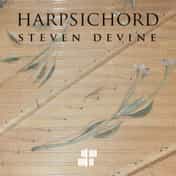
A Baroque harpsichord played by harpsichordist Steven Devine and recorded in the Hall at AIR Studios, the same space as the Symphony and Chamber libraries. With Chamber Strings it gives you a Baroque string orchestra and its continuo.

Flutes from around the world, played by flautist Andy Findon, including the bansuri, a bamboo flute from India, and the Chinese bamboo flute. They were recorded dry, without the sound of a room, which leaves the choice of reverb to you.

A concert harp played by Skaila Kanga, a first-call London harpist whose film work includes Harry Potter. Besides plucked and damped notes, it has harmonics, bisbigliando (a soft, fluttering tremolo) and près de la table (played close to the soundboard). The free Muse Harp also covers the concert harp. Spitfire Harp is the one recorded in the same hall as the Symphony series.

Four electric keyboards, namely a Clavinet, a Wurlitzer 200A, a Suitcase electric piano and an electric piano bass. It is the one Spitfire library aimed at soul, funk and pop, for a lead sheet or band arrangement that needs the bite of a Clavinet or the warmth of an electric piano.
Every Spitfire library on MuseHub
| Library | What it covers | In MuseSounds Pro |
|---|---|---|
| Symphony Strings | Large string section, 60 players | Yes |
| Symphony Brass | Orchestral brass, from solo players to large sections | Yes |
| Symphony Woodwind | Orchestral woodwinds, soloists and a2 sections | Yes |
| Symphony Percussion | Tuned and unpitched orchestral percussion | Yes |
| Chamber Strings | Small string section, 16 players | Yes |
| Union Chapel Organ | Victorian pipe organ, three manuals and pedals | Yes |
| Felt Piano | Felt upright piano | No |
| Harpsichord | Baroque harpsichord | No |
| Rare Flutes | Flutes from around the world | No |
| Spitfire Harp | Concert harp | No |
| Vintage Keys | Electric pianos and Clavinet | No |
The Spitfire Symphony Orchestra Bundle contains the first four, Symphony Strings, Brass, Woodwind and Percussion, in one purchase.
MuseSounds Pro or buy?
MuseSounds Pro is a subscription that includes 34 partner libraries, six of them from Spitfire. It costs £19.99 a month or £199.99 a year, and there is no free trial.
- You want the Symphony orchestra and nothing else. Buy the bundle, which costs £149.99. You pay once and keep all four.
- You want one section. Buy that library on its own, such as Symphony Strings if you mostly write for strings.
- You also want Chamber Strings, the organ or other partners’ libraries. Pro includes the six Spitfire titles, the Vienna series, Cantai and the rest of its 34.
- You want any of the five libraries outside Pro. Buy them individually, with or without a subscription.
If you cancel Pro, its libraries stop working at the end of the billing period. Libraries you bought keep working, and your scores stay as they are. What is MuseSounds Pro? lists everything the subscription includes.

Why it matters while you write
Sections recorded in the same room carry the same natural reverb, so they sound like players in one place without extra reverb to glue them together. You don’t have to own the whole series to start, though. The Mixer assigns a library to each instrument, so Symphony Brass can play over the free Muse Strings and Muse Woodwinds while you replace one section at a time.
Vienna Symphonic Library’s Vienna series covers the same four sections and is also in Pro, so a subscriber can try both makers on one score and choose by ear. Vienna Symphonic Library on MuseHub describes that range.
Getting started
- Create a free MuseHub account, then download and install MuseHub on Windows or macOS.
- Install MuseScore Studio from MuseHub if you don’t have it yet.
- Install the free MuseSounds, starting with Muse Keys and Muse Strings. Muse Strings is also the free library to compare Spitfire’s strings against.
- Find Spitfire Audio in the MuseSounds section. Start MuseSounds Pro for the six included titles, or click Get on a library or the bundle to buy it.
- Restart MuseScore Studio if it was open, then open the Mixer and choose a Spitfire sound for each instrument.
On Linux, MuseSounds Manager installs only the free MuseSounds, so the Spitfire libraries need MuseHub on Windows or macOS. How to use MuseSounds in MuseScore Studio walks through each step with screenshots.
FAQ
Next steps
Play one of your own scores with the free MuseSounds first, then add the Spitfire section you write for most. For how the libraries work, read what are MuseSounds? Browse every library in MuseSounds on MuseHub, or download MuseHub free.