Best AI plugins in 2026 (free and paid)
AI stopped being a buzzword in music software the moment it started doing real jobs: setting a starting master, splitting a finished song back into its parts, cleaning noise off a home recording, and even generating drums and vocals from scratch. The trick is telling the useful tools from the hype. Here are the best AI plugins in 2026 (smart mixing and mastering assistants, stem separation, AI vocals and noise removal, plus free-tier picks you can try in one click on MuseHub), with a plain explanation of what each one actually does and where it stops.





Top picks at a glance:
- Best AI mastering assistant: iZotope Ozone 12, analyzes your mix and builds a starting master chain.
- Best AI mixing helper: Sonible smart:bundle, per-track EQ and compression that fit the source.
- Best for stem separation: Moises, split any track into vocals, drums and bass.
- Best generative pick: DrumNet, fresh AI-made drum samples, one click on MuseHub.
How we choose: we rank on what the AI actually does, how well it holds up in real sessions, and value; free and paid on merit, not by brand or hype.
What AI plugins actually do
“AI plugin” covers two very different things, and knowing which is which makes every pick below easier to judge.
Assistant (analysis) AI listens to your audio and sets controls for you: an EQ curve, a compressor, a full master chain. It speeds up the slow decisions but doesn’t create new sound; you can always override it. iZotope Ozone and Sonible smart:EQ work this way.
Generative AI makes audio that wasn’t there before: a drum one-shot, a sung line, a swapped voice. It’s a source, not a corrector. DrumNet, VocalNet and ACE Studio work this way, and because they output notes and audio you shape yourself, they sit close to the rest of your production tools (if MIDI is new, our guide to what MIDI is explains how you drive instruments with notes).
Under those two headings, the useful AI plugins fall into five jobs:
- Mixing and mastering assistants: analyze a track and suggest EQ, compression and loudness (Ozone, Sonible, LANDR).
- Stem separation: split a finished stereo track into vocals, drums, bass and more (Moises, Audioshake).
- AI vocal synthesis and cloning: generate or transform a singing voice (ACE Studio, VocalNet).
- Noise removal: separate a voice from background noise (Denoiser, iZotope RX).
- Sample and beat generation: create new drum sounds and patterns (DrumNet).
None of these replace an engineer. They shorten the boring parts so you spend your attention on the music.
The 10 best AI plugins
1. iZotope Ozone 12
Ozone is the AI mastering assistant most engineers reach for. Its Master Assistant listens to your mix, compares it against a target sound, and builds a starting master chain: EQ, multiband compression, loudness, and in the 2026 release stem-level control. The AI does the analysis; you keep the final call, which matters because an assistant can flatten a mix if you accept its first pass whole. Treat it as a fast first draft, then trust your ears. It’s a paid suite, and the reference every other AI mastering tool is measured against.
2. Sonible smart:bundle
Where Ozone works at the end of the chain, Sonible’s smart:EQ and smart:comp work during the mix. Each one analyzes the track on the channel (a vocal, a bus, a full mix) and sets a starting EQ curve or compression that fits that source, then hands control back. smart:EQ can also balance several tracks against each other so they stop masking one another. The value is speed on the routine decisions, so your attention goes to the creative ones. It’s paid, and the smartest per-track helper for people who’d rather start from a considered move than a flat plugin.
3. DrumNet

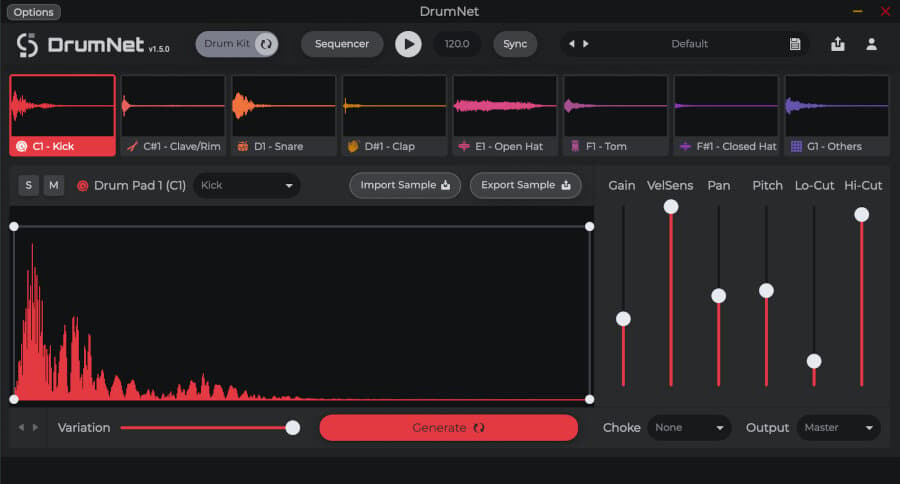
This is generative AI: instead of analyzing your audio, DrumNet creates drum samples that didn’t exist before. Ask for the kind of kick, snare or hat you want and it generates fresh one-shots you drop straight into a beat, so you’re not building on the same pack everyone else downloaded. That helps when a track needs a sound of its own, or when you’re building a kit from scratch and want variety without buying more samples. Because it makes the sounds, not a finished groove, you stay in control of the pattern. One click to install on MuseHub.
4. Denoiser

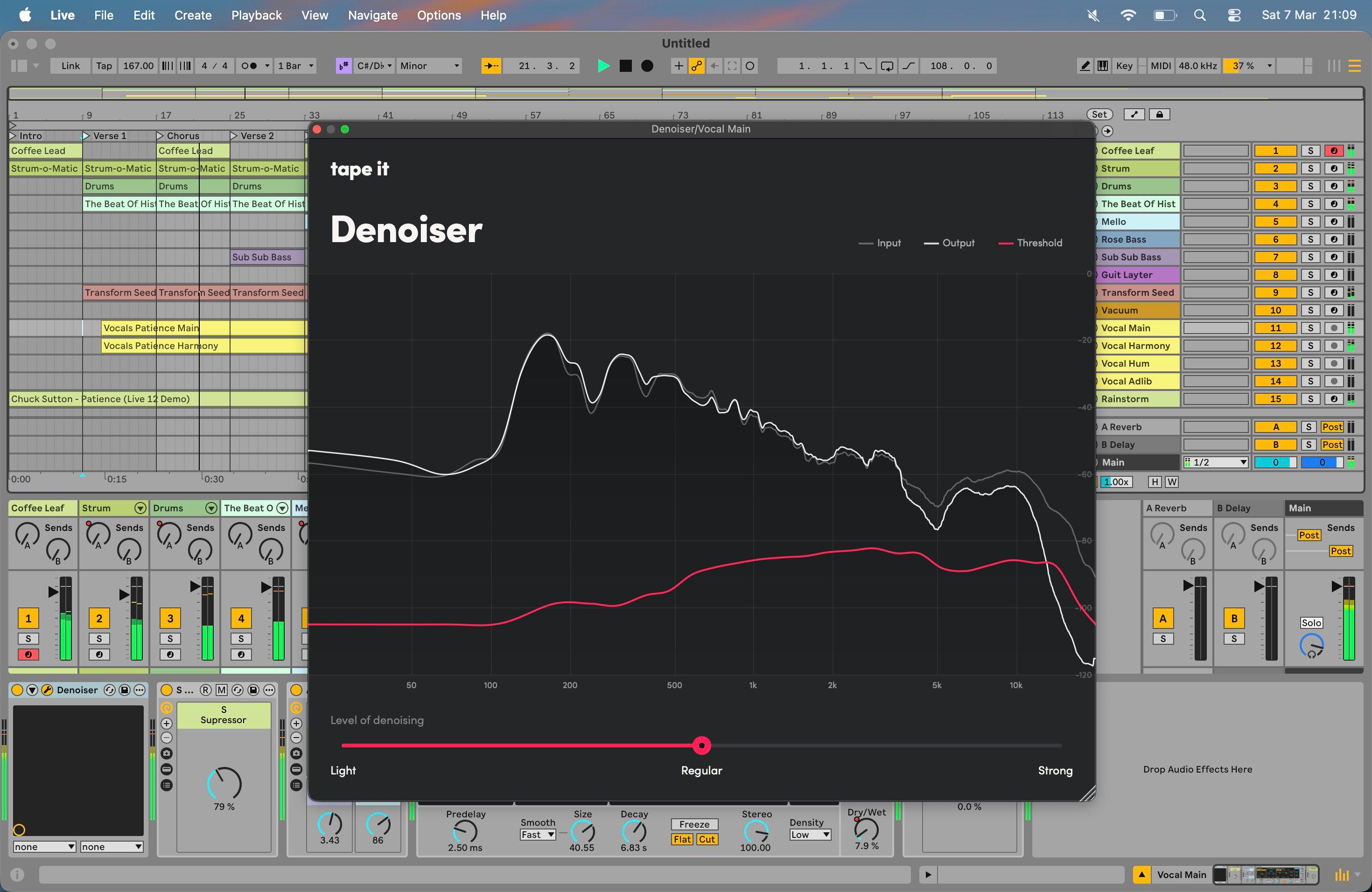
Denoiser uses AI to separate a voice from the steady background noise a home setup picks up (fans, air conditioning, street rumble, mic hiss) and lift it out while keeping the voice natural. That separation is the hard part: cut noise the blunt way and speech turns hollow and metallic. Trained noise removal targets the noise bed specifically, so the voice stays present. It’s the same job iZotope RX does inside a full repair suite, in one focused plugin, which makes it a quick fix for vocals, streams and podcasts recorded in an untreated room. It also appears in our best podcasting plugins roundup, where clean spoken voice is the whole game. One click on MuseHub.
5. Moises
Stem separation was the AI trick that first felt like magic: feed it a finished stereo track and it splits the mix back into vocals, drums, bass and other parts. Moises is the tool most musicians land on, with apps on phone and desktop plus tempo, key and chord detection layered on top, which helps for learning a part, remixing, or pulling an a cappella to sample. For film, TV and podcast work, Audioshake separates dialogue, music and effects more cleanly because it’s trained on that material. Separation is never perfectly clean, and a busy mix leaves faint bleed between parts, but it’s good enough to build on. Moises runs on a subscription, with a free tier for light use.
6. VocalNet

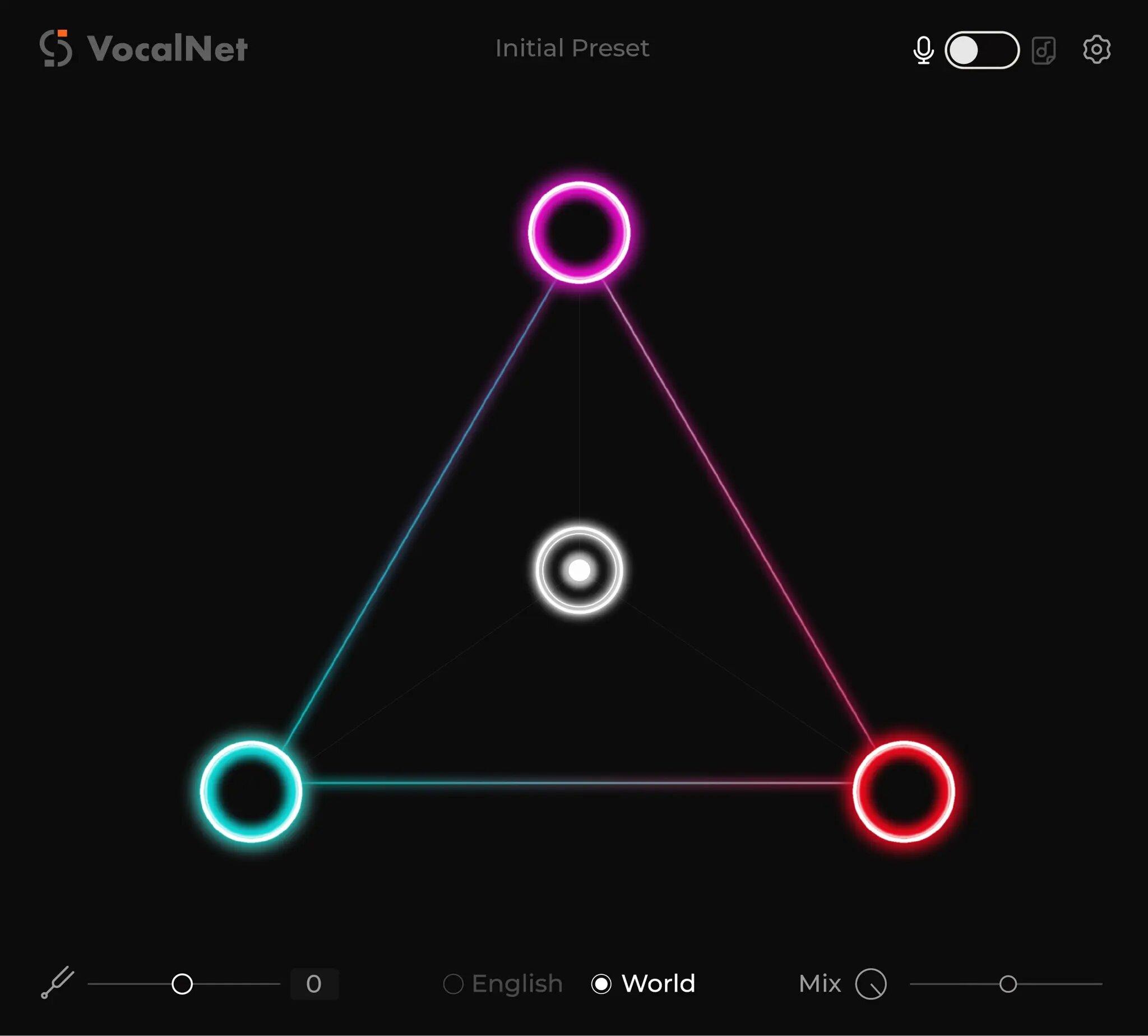
VocalNet is generative vocal AI: it clones and transforms a voice, so you can turn one take into a different-sounding singer, or build backing parts from a single lead. That opens up harmonies and character changes without booking more singers. The honest caveat is consent: cloning your own voice or a licensed one is fine, but copying a named artist’s voice without permission is a legal and ethical problem, not a feature. Used on voices you have the right to, it’s a fast way to widen an arrangement and try ideas you couldn’t record yourself. One click to install on MuseHub.
7. Antares Auto-Tune
Auto-Tune named the pitch-correction effect, and its recent versions lean on AI to track a vocal’s pitch more accurately and correct it with fewer artifacts. Auto mode snaps notes to a set key in real time for the hard modern tuned sound; the classic Graph mode still lets you redraw pitch and slides by hand. The AI here is analysis, not generation: it works out which note you meant and moves you there, it doesn’t invent a performance. It’s a paid plugin priced like the industry standard it is, and still the reference for the tuned-vocal sound. For a full look at pitch tools, see our best vocal plugins roundup.
8. ACE Studio

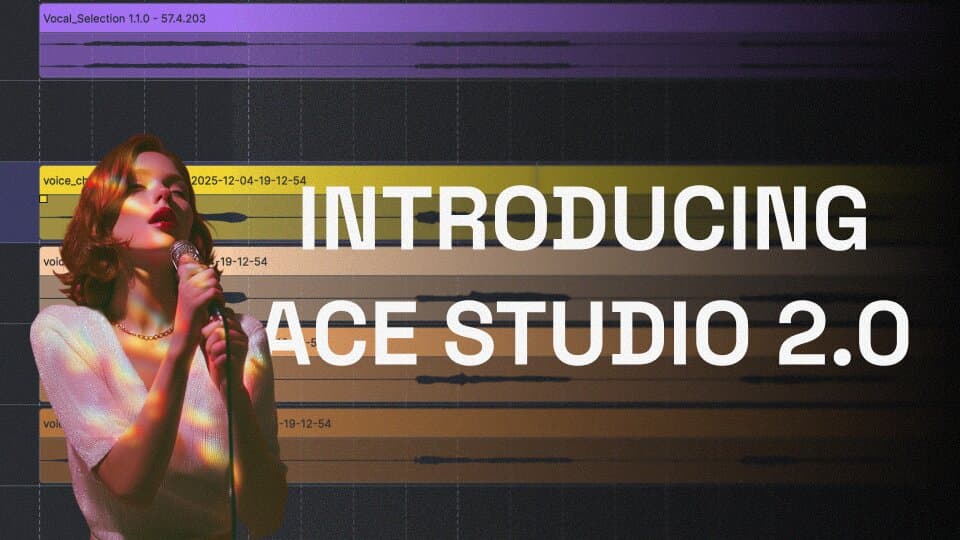
ACE Studio is a full AI vocal app rather than a plugin: you write a melody and lyrics, pick an AI singer, and it generates a sung vocal you can shape line by line. That makes it a songwriting and demo tool: hear a top line sung before you book a session, or produce finished vocals when you don’t have a singer on hand. As an app it sits alongside your DAW rather than inside it, and the same consent rule applies: use the voices it licenses, not a clone of someone who hasn’t agreed. Install it from the app section on MuseHub.
9. Auribus

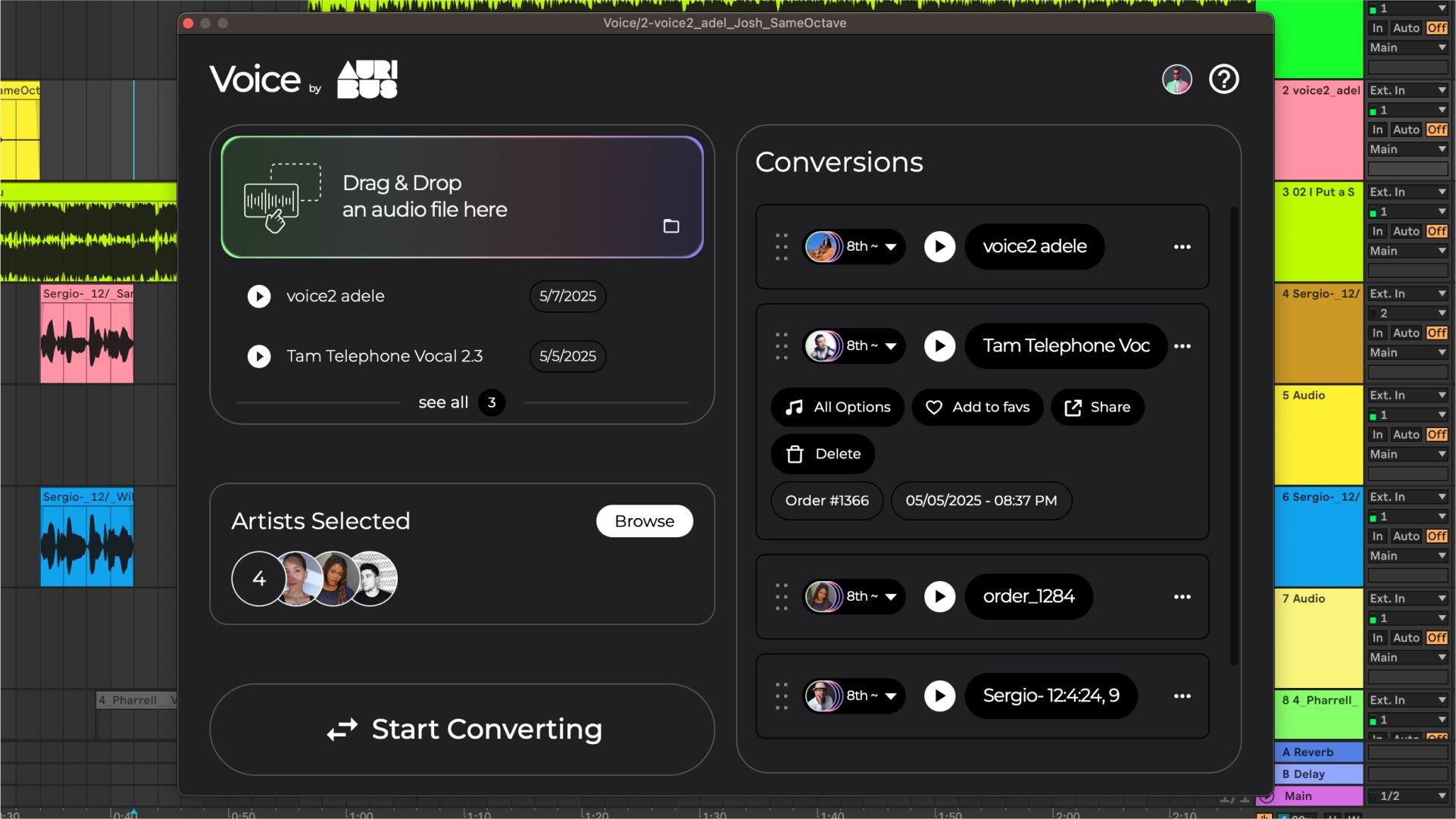
Auribus does one focused job: it swaps a recorded voice for a different, copyright-free one. Record a rough guide vocal or a line of narration, and it re-voices it while keeping your timing and delivery, so you get a usable voice without hiring talent. Because the output voices are copyright-free, it steps around the licensing question that trips up general voice cloning: you’re not imitating a real person. That makes it handy for demos, video narration and content where you want a clean, rights-safe voice fast. One click to install on MuseHub.
10. Cloudmax Breeze

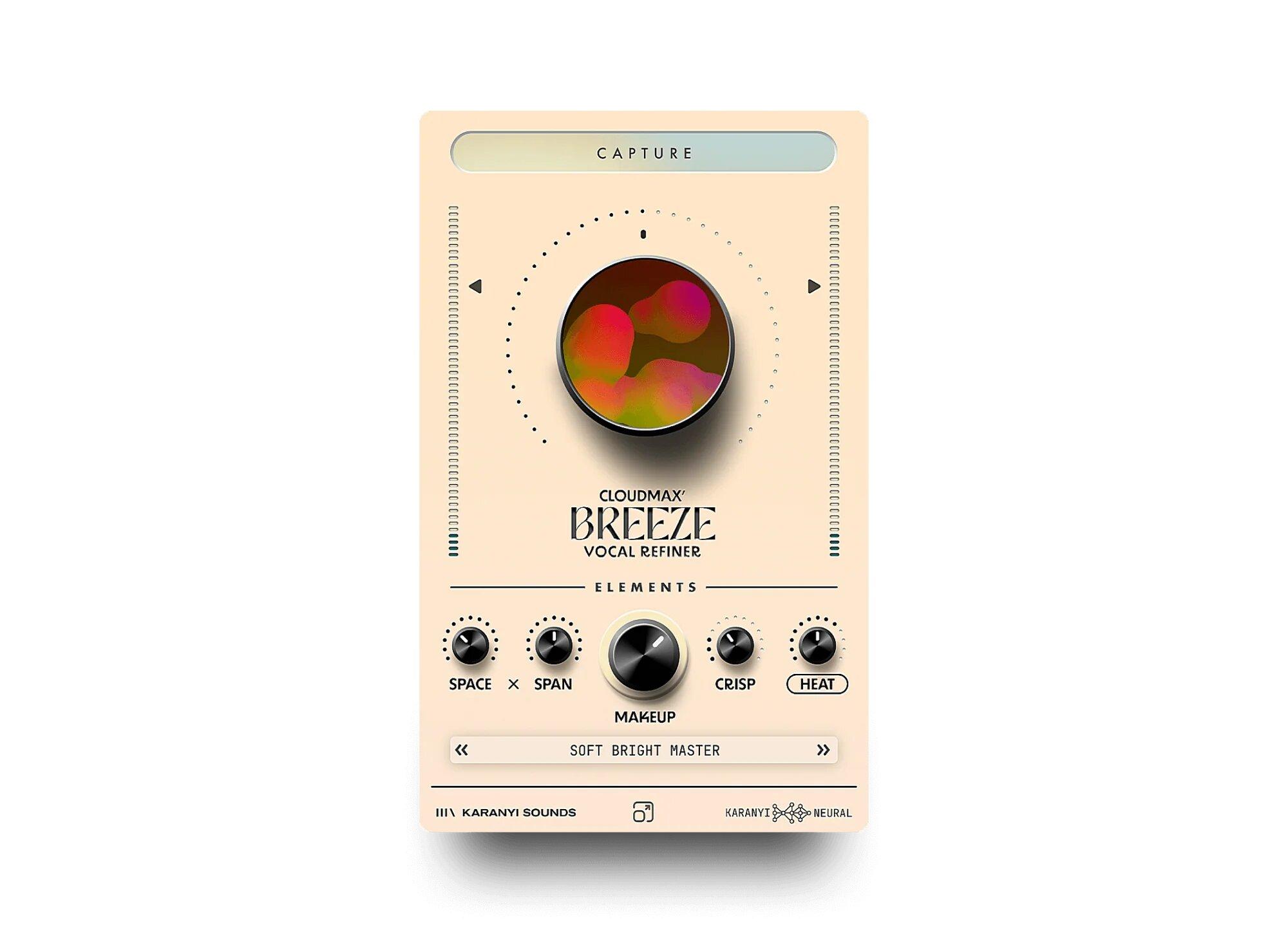
Cloudmax Breeze is an AI-assisted vocal chain: it analyzes a vocal take and sets up the core moves (level, tone and space) so a beginner gets a produced-sounding result without learning every mixing stage first, then leaves room to tweak by ear. It’s the same idea as a mixing assistant, aimed squarely at singer-songwriters and content creators who want their voice to sound finished without a mixing background. Treat its starting point as a draft rather than the final word, and adjust to taste. It’s a paid plugin, and it installs in one click on MuseHub.
Best free AI plugin
You don’t have to spend to try AI. Moises has a free tier that covers light stem separation, and several assistant plugins ship free introductory versions. MuseHub itself is a free download, so you install it at no cost and only pay for the AI plugins you keep, and several offer trials so you can hear whether a tool earns its place before buying. On a tight budget, start with a free stem separator and a free assistant, then add paid generative tools once you know which jobs you do most.
How to choose
Start from the job, not the label. If you want a track mixed or mastered faster, that’s an assistant: Ozone for mastering, Sonible smart:bundle during the mix. If you need to pull parts out of a finished song, that’s stem separation (Moises, Audioshake). If you want to generate sound that isn’t there (a drum kit, a sung line, a swapped voice), that’s the generative side (DrumNet, VocalNet, ACE Studio, Auribus). For cleanup, a focused AI denoiser beats a general one. Remember the limits: assistants give you a starting point, not a finished decision; stem separation leaves some bleed; and any voice-cloning tool is only as safe as your right to the voice you feed it. Most producers end up with a small set, one assistant, one stem tool, one generative tool, rather than a wall of plugins.
Comparison table
| Plugin | Type | Price | Best for |
|---|---|---|---|
| iZotope Ozone 12 | AI mastering assistant | Paid | A starting master chain in minutes |
| Sonible smart:bundle | AI mixing assistants | Paid | Per-track EQ and compression |
| DrumNet | Generative drum samples | Paid | Fresh, own-sounding drum one-shots |
| Denoiser | AI noise removal | Paid | Cleaning noise off home recordings |
| Moises | AI stem separation | Subscription (free tier) | Splitting a track into stems |
| VocalNet | AI vocal cloning / transformation | Paid | Harmonies and voice changes |
| Antares Auto-Tune | AI pitch correction | Paid | The tuned-vocal sound |
| ACE Studio | AI vocal synthesis (app) | Paid | Singing demos without a singer |
| Auribus | AI copyright-free voice swap | Free | Rights-safe narration and demos |
| Cloudmax Breeze | AI-assisted vocal chain | Paid | A produced voice for beginners |
FAQ
Are AI plugins any good? The best ones are useful for specific jobs. AI mixing and mastering assistants like Ozone and Sonible give you a strong starting point fast; stem separators like Moises reliably split a track; AI denoisers clean home recordings well. They work best as a first pass you refine, not a one-button finished record. Treat the output as a draft and use your ears.
What’s the best free AI plugin? For stem separation, Moises has a free tier that covers light use. Several assistant plugins offer free introductory versions, and MuseHub is a free download, so you can install it and try AI tools (many with trials) before paying. Start free, then buy the generative tools you reach for most.
Can AI mix and master a track? It can get you most of the way. An assistant analyzes your mix and builds a starting chain (EQ, compression, loudness) that often sounds good on its own. But it can over-flatten dynamics or miss the intent of a song, so a listen and a few manual moves usually make the difference between passable and finished. Use it to save time, not to skip judgment.
Is AI vocal cloning legal? It depends whose voice you use. Cloning your own voice, or a voice the tool licenses, is fine; copying a named artist’s or another person’s voice without their consent raises real legal and ethical problems. Tools like Auribus sidestep this by generating copyright-free voices that don’t imitate a real person. When in doubt, only feed a cloning tool a voice you have the right to.
Next steps
For the people behind two of the picks, read the Sonura spotlight — the text-to-sound plugin trained only on licensed material — and the ACE Studio developer spotlight.
- Working on vocals? See our best vocal plugins roundup, which covers AI vocal tools alongside classic tuning and mixing picks.
- Cleaning up spoken voice? Our best podcasting plugins guide goes deeper on AI noise removal.
- New to driving instruments with notes? Read what MIDI is.
- Browse more in the MuseHub plugins catalog and apps catalog.
For AI that helps outside the plugin format — transcription, cleanup and idea-starting apps — see the best AI tools for musicians.
Most of the plugins above, and hundreds more, install in one click with MuseHub. Download MuseHub free and try the AI tools in your own session before you commit.