Best mixing plugins in 2026 (free and paid)
A mix is built in stages — you shape tone with EQ, control level with compression, add depth with reverb, warm things up with saturation, and glue and cap the whole thing with a channel strip and a limiter. The best mixing plugins are the tools that do each of those jobs well, and you don’t need a rack of expensive ones to start. Here are the best mixing plugins in 2026, organized by the stage they handle, with a full free chain you can install in one click alongside the paid standards the pros reach for.
This is a hub, not a single-effect list — it covers the whole mixing chain stage by stage, names a free and a paid pick for each, and links out to the deep-dive roundup for every stage.
Mixing plugins on MuseHub




Top picks at a glance:
- Best EQ: FabFilter Pro-Q 4 (paid); DalEQ Core free on MuseHub, or Trinity EQ for tone-shaping with built-in warmth.
- Best compression: FabFilter Pro-C 2 (paid); Puncher 2 Lite free for punch and glue.
- Best reverb: Valhalla VintageVerb (paid); MoonVerb free for ambient space.
- Best saturation: Soundtoys Decapitator (paid); TAPE-MINI for analog warmth at pocket-money price.
- Best channel strip: VocalStrip 2 by Solid State Logic — a full SSL chain in one plugin.
- Best limiter: FabFilter Pro-L 2 (paid); Soft Limit by Apogee for warm, forgiving loudness.
- Best free chain: DalEQ Core → Puncher 2 Lite → MoonVerb, all free on MuseHub.
How we choose: we rank on sound, workflow and value across a real mix, free and paid on merit — not by brand.
What to look for in a mixing chain
If you’re short on time: the best mixing plugins form a core toolkit across stages — EQ, compression, reverb, saturation, a channel strip and a limiter — and you can build a full free chain (DalEQ Core, Puncher 2 Lite, MoonVerb) alongside paid standards like FabFilter, one-click on MuseHub. That’s the whole idea of this page: instead of one giant ranked list, we go stage by stage so you can see what each tool is for and grab a free or paid option for it.
Mixing is the step where separate recordings become one balanced track. Each stage does one job. EQ (equalization — boosting or cutting specific frequencies) sets the tonal balance so instruments stop fighting for the same space. Compression evens out the loud-and-quiet swings so a part sits steady. Reverb puts sounds in a believable space so the mix has depth instead of feeling flat and dry. Saturation adds the harmonic warmth that analog gear gave records for free. A channel strip bundles several of those into one panel for speed, and a limiter raises the overall level and stops it clipping at the very end.
One thing worth saying up front, because the forums argue about it constantly: you can get a professional mix with the plugins that already ship in your DAW, and in blind tests even engineers struggle to pick premium tools from stock. Better plugins mostly save time and add character — they don’t replace the skill. So start with a solid free chain, learn the moves, and buy the paid tools that fix a specific problem.
EQ: set the tonal balance
EQ is almost always the first move in a mix. You cut the muddy or harsh frequencies that make instruments clash, then gently boost the ones that give each part its character — that’s how a vocal, a guitar and a synth all fit in the same track without turning to sludge. The industry-standard paid EQ is FabFilter’s Pro-Q 4, loved for its clean sound and a spectrum display that makes overlapping frequencies (masking) easy to see; iZotope’s EQs cover similar ground.

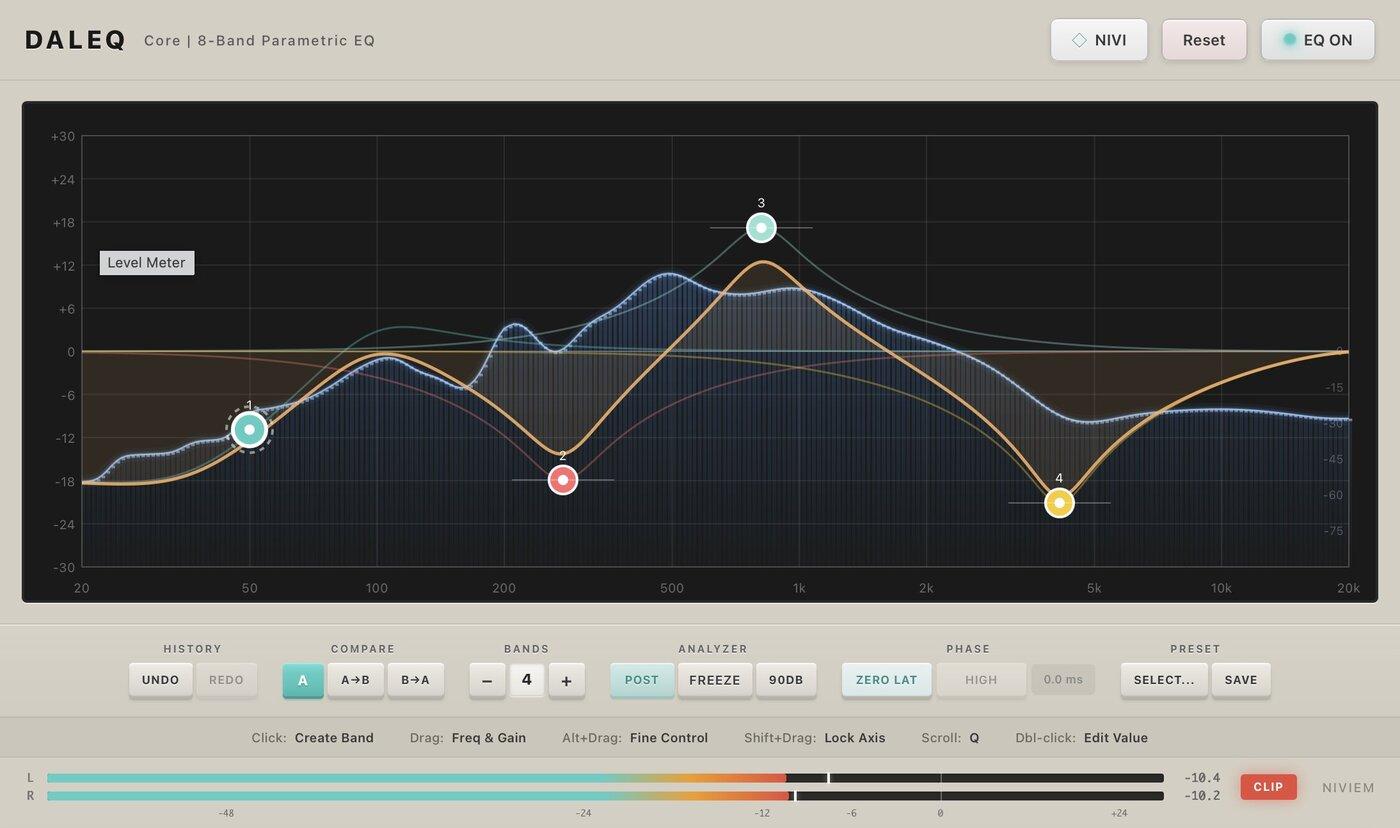
DalEQ Core is a serious free EQ, not a stripped demo. It gives you eight fully parametric bands, a real-time spectrum analyzer to see what you’re cutting, mid/side processing to treat the center and the sides of a stereo image separately, and a dynamic-EQ mode that only acts when a frequency gets loud. That’s a genuine professional feature set at no cost, which makes it the EQ to learn on.

Trinity EQ takes a different angle: each of its three bands has its own harmonic saturation, so as you shape the tone you also add a little analog-style warmth in the same move. That suits sources that sound clinical or thin — a DI bass, a stock synth — where a clean cut alone leaves them lifeless. Reach for it when you want tone and character from one plugin. For the full field, see the best EQ plugins.
Dynamics: control the level
Compression narrows the gap between a part’s loudest and quietest moments so it stays present in the mix instead of ducking under and jumping out. Used gently it adds solidity; used harder it adds punch and “glue” across a group. FabFilter’s Pro-C 2 is the do-anything paid comp, with styles that emulate several classic circuits, and Waves’ CLA compressors are the go-to for characterful, vibe-first squeeze.

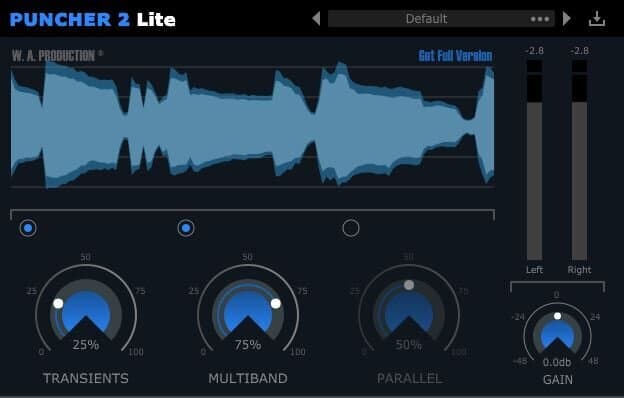
Puncher 2 Lite folds three related jobs into one simple panel: transient shaping (making the attack of a drum or pluck harder or softer), multiband compression (compressing the lows, mids and highs separately), and parallel compression (blending a heavily compressed copy under the original for weight without killing the dynamics). Getting all three free, with an interface you don’t have to study first, makes it a fast way to add punch to drums and cohesion to a bus. Compression rewards depth, so when you’re ready, our roundup of the best compressor plugins goes further.
Reverb and space: add depth
Reverb is what tells the ear a sound happened somewhere — a room, a hall, a plate. It’s how you push a part back for depth or wrap a vocal in atmosphere, and it’s usually near the end of the chain so it sits on the already-shaped sound. Valhalla’s VintageVerb is the mixer’s favorite paid pick for its musical, characterful spaces at a low price.

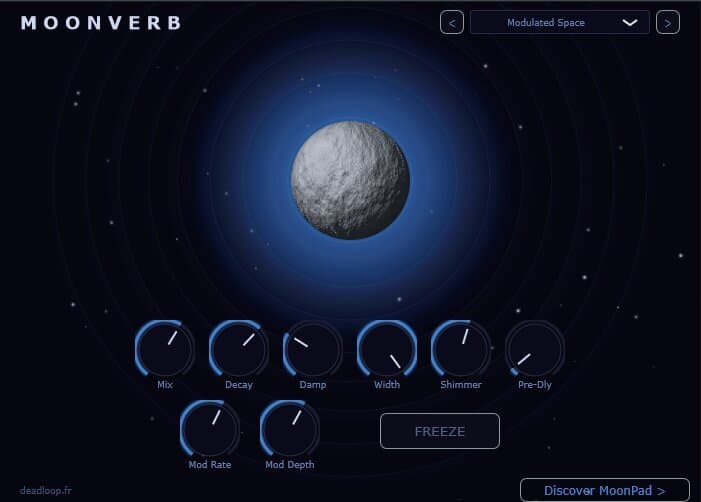
MoonVerb is a free shimmer reverb — it feeds the reverb tail back through a pitch shifter so the space slowly blooms upward into a pad-like wash, and a freeze control holds a tail forever so you can build drones and transitions from it. That makes it more than a room simulator: it’s a creative depth-and-atmosphere tool for ambient, cinematic and vocal-pad textures, and it costs nothing. For plates, halls and convolution spaces, see the best reverb plugins.
Saturation and color: add warmth
Saturation adds gentle harmonic distortion — the subtle grit and thickness that tape, tubes and transformers gave to analog recordings. A touch on a track makes it feel warmer and more present; across a bus it helps parts blend. Soundtoys’ Decapitator is the paid favorite for everything from a whisper of grit to full dirt.

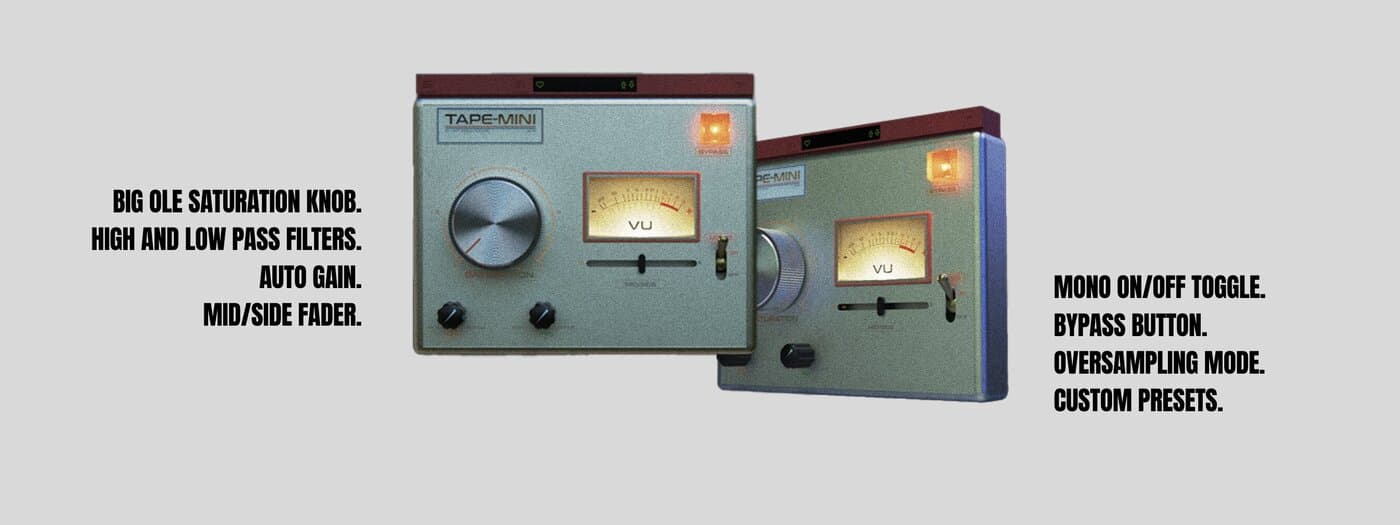
TAPE-MINI models analog tape saturation in a deliberately small, fast interface: you drive the input to add warmth and harmonics, and tape’s natural softening of transients adds punch to drums and glue to a bus. Because it’s cheap and CPU-light, you can run an instance on many tracks the way engineers used to print to tape. It’s the low-risk way to hear what saturation does. The wider field lives in the best saturation plugins.
Channel strip: several tools in one
A channel strip stacks the processors you reach for most — usually a preamp, EQ, a gate or de-esser, and a compressor — into a single plugin, in a fixed order, so you can shape a whole track fast without loading four separate windows. It trades some surgical flexibility for speed and consistency, which is why mix engineers keep one on nearly every channel. Waves’ SSL collection and Slate’s Virtual Mix Rack are the well-known paid options.

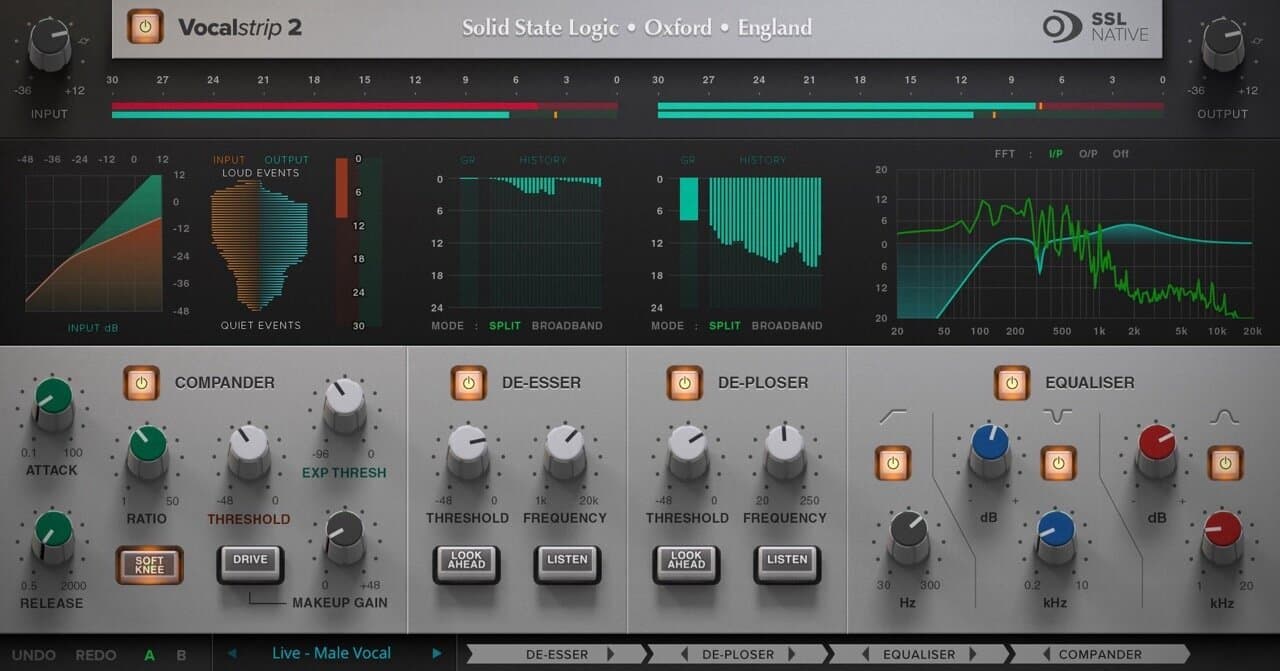
VocalStrip 2 is made by Solid State Logic, the console maker whose EQ and dynamics defined the sound of countless records — so this isn’t an emulation of SSL, it is SSL. It combines the four processors a voice almost always needs (EQ, a de-esser to tame harsh “s” sounds, a de-plosive to soften popped “p”s, and a compander for level) into one guided panel. It’s a pro-priced tool, and the fastest route to a broadcast-ready vocal from a name that engineers trust. For the whole category, see the best channel strip plugins.
Loudness and limiting: the final cap
A limiter is the last plugin in the chain. It stops the signal from ever passing a set ceiling — so it can’t clip and distort — while pushing the overall level up so your track competes with commercial releases. On the master bus it’s doing the loudness; on a single track it catches stray peaks. FabFilter’s Pro-L 2 is the transparent paid standard, and iZotope’s Ozone 12 wraps limiting into a full mastering suite.

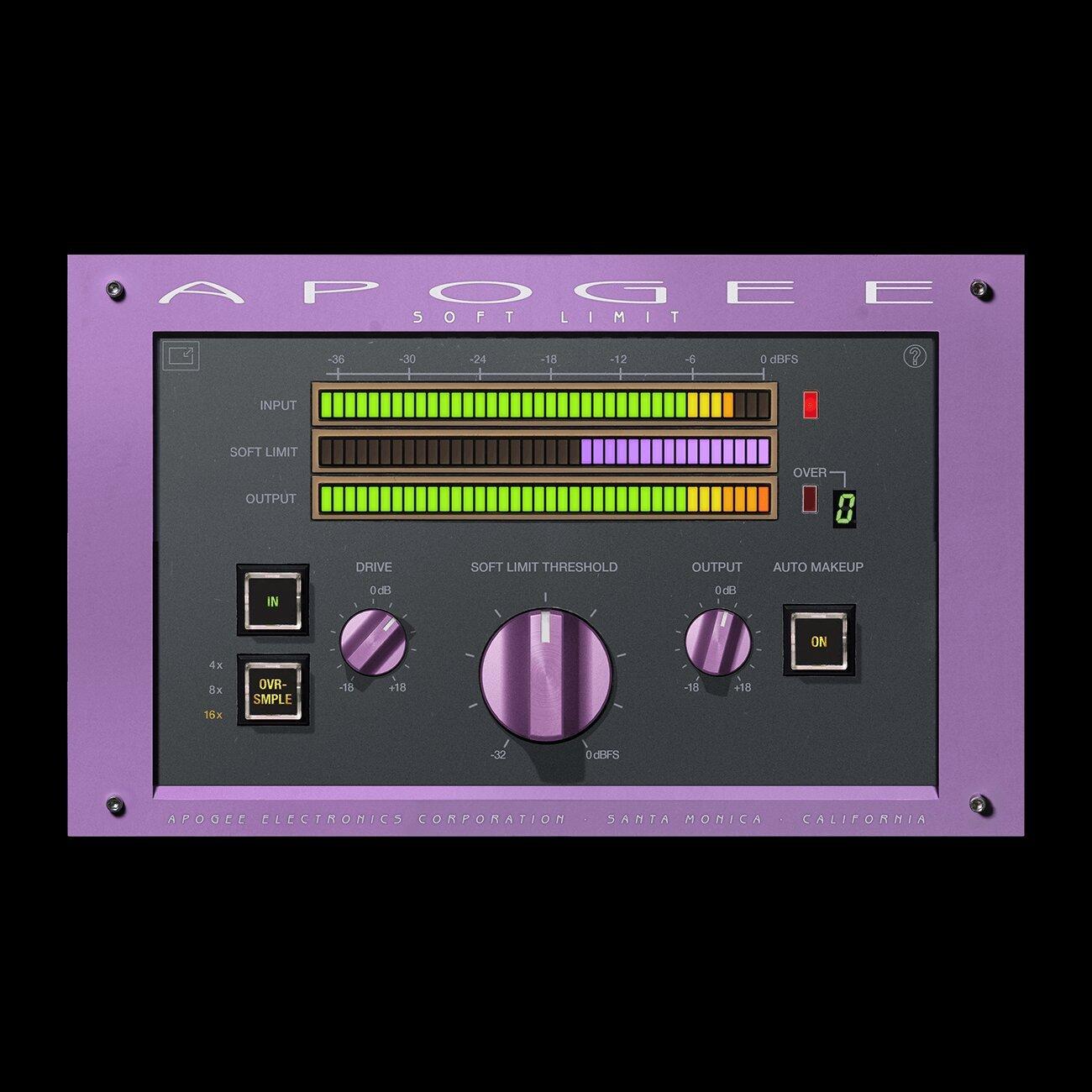
Soft Limit comes from Apogee, whose converters made the original “soft limit” a studio staple — it rounds off peaks with a little analog-style warmth instead of clamping them hard, so you gain level and a touch of tape-like glue without the brittle edge a clinical limiter can leave. It’s a forgiving way to add loudness and color, especially if you find precise digital limiters harsh. Deeper picks are in the best limiter plugins.
The best free mixing chain
You can mix a full track without spending anything. On MuseHub, DalEQ Core (EQ), Puncher 2 Lite (compression and transient shaping) and MoonVerb (reverb) cover the three core stages for free, and the MuseHub app installs free too. Outside the catalog, the freeware standards worth knowing are TDR Nova (a dynamic EQ), TDR Kotelnikov (a clean bus compressor) and Valhalla Supermassive (huge free reverbs and delays). “Free” here means price, not quality — plenty of released records were mixed on exactly these tools.
How to choose
Start with the stages you actually need, not a shopping list. Almost every mix leans on the core three — EQ, compression, reverb — so get comfortable there first, then add saturation, a channel strip and a limiter as your ears ask for them. A common signal order is subtractive EQ → compression → saturation and tone EQ → reverb and delay → limiter last, though it’s a starting point, not a rule; move things when the sound tells you to. Reach for a channel strip when you want speed and consistency across many tracks, and separate plugins when one problem needs surgical control. If mixing is new, our guide to how to mix music yourself walks through the whole process, and the best vocal plugins covers the chain for the one part listeners forgive least.
Comparison table
| Pick | Stage / Type | Price | Best for |
|---|---|---|---|
| FabFilter Pro-Q 4 | EQ | Paid | Surgical, transparent EQ |
| DalEQ Core | EQ (8-band parametric) | Free | A pro EQ to learn on, free |
| Trinity EQ | EQ + harmonic saturation | €49.99 | Tone-shaping with built-in warmth |
| FabFilter Pro-C 2 | Compressor | Paid | A do-anything mix compressor |
| Puncher 2 Lite | Compression + transient shaping | Free | Punch and glue, free |
| Valhalla VintageVerb | Reverb | Paid | Musical, characterful spaces |
| MoonVerb | Shimmer reverb | Free | Ambient depth and atmosphere, free |
| TAPE-MINI | Tape saturation | €9.99 | Analog warmth and punch, cheap |
| VocalStrip 2 | Channel strip | €199.99 | A full SSL vocal chain in one plugin |
| FabFilter Pro-L 2 | Limiter | Paid | Transparent loudness on the master |
| Soft Limit | Limiter / analog warmth | €19.99 | Warm, forgiving peak control |
FAQ
What plugins do I need to start mixing? Three cover most of the job: an EQ to balance tone, a compressor to control level, and a reverb to add space. Add saturation for warmth, a channel strip for speed, and a limiter to finish once you’re comfortable. On MuseHub you can grab DalEQ Core, Puncher 2 Lite and MoonVerb for those first three at no cost.
Do I need expensive plugins to get a good mix? No. Modern DAW stock plugins and good free tools are fully capable of a professional mix — in blind tests even engineers struggle to tell premium apart from stock. Paid plugins mostly save time and add character; the skill matters far more than the price. A sensible path is to mix mostly on stock or free tools and buy a paid plugin only when it solves a specific problem.
What’s the best free mixing plugin chain? For a free chain that covers the core stages: DalEQ Core for EQ, Puncher 2 Lite for compression and punch, and MoonVerb for reverb — all free on MuseHub. TDR Nova, TDR Kotelnikov and Valhalla Supermassive are excellent free options too.
What order should mixing plugins go in? A reliable default is subtractive EQ first, then compression, then saturation and any tone-shaping EQ, then reverb and delay, with a limiter last. It’s a guideline rather than a law — compressing before EQ, or saturating first, is fair game when the material calls for it.
Is a channel strip better than using separate plugins? It depends on the job. A channel strip is faster and keeps your processing consistent across many tracks, which is why engineers keep one on most channels. Separate plugins give you more precise, flexible control when a single track needs special attention. Many mixers use both — a strip for the bulk of the mix, individual plugins where it counts.
Next steps
- New to the process? Read how to mix music yourself.
- Polishing a lead vocal? See the best vocal plugins.
- Going deeper on a stage? Start with EQ, compression and reverb.
- Browse every EQ, compressor, reverb and more in the MuseHub plugins catalog.
DalEQ Core, Puncher 2 Lite, MoonVerb, TAPE-MINI, VocalStrip 2, Soft Limit and hundreds more install in one click with MuseHub. Download MuseHub free and build your mixing chain in your own session.