Replay by Weights, the AI app for cloning and swapping voices, is no longer available on MuseHub. The best alternatives to try are VocalNet for real-time voice cloning, Auribus for swapping in licensed singers’ voices and ACE Studio for AI singing voices, with five more tools outside MuseHub worth knowing.
Replay let you clone a voice and swap vocals using pre-made voice models. The tools below cover the same jobs. Each one handles consent and licensing differently, and that matters more than any feature on the list.
AI voice tools on MuseHub


Top picks at a glance:
- Closest to Replay: VocalNet, real-time voice cloning and transformation inside your DAW.
- Best for licensed voices: Auribus, a vocal swap with voices from real, compensated singers.
- Best for a sung vocal from a rough idea: ACE Studio, more than 80 AI vocalists and custom voices.
- Best for live voice morphing outside MuseHub: Dreamtonics Vocoflex.
- Best to try without installing anything: Audimee, in the browser.
How we choose: we rank on what each tool does with a voice, whether the voices are licensed and how well it fits a music workflow. MuseHub picks and outside picks are judged on the same terms.
What to look for in a Replay alternative
A voice tool does one of two jobs. A cloning tool learns a voice from recordings and then makes new audio sound like it. A swap tool takes your recording and re-sings it in a voice the tool already has. Replay did both, so the right replacement depends on which one you were using.
Four questions sort the field. Are the voices licensed, or can you feed it anyone’s recordings? Does it run in real time or render afterwards? Does it live inside your DAW as a plugin or beside it as an app? And can it use your own voice? Licensing is the one to settle first. Cloning your own voice, or a voice a tool licenses, is fine. Copying a named artist’s voice without their permission is a legal and ethical problem, whatever the software allows. This is not legal advice, so read the terms of any tool before you release music made with it.
The 8 best Replay alternatives
1. VocalNet

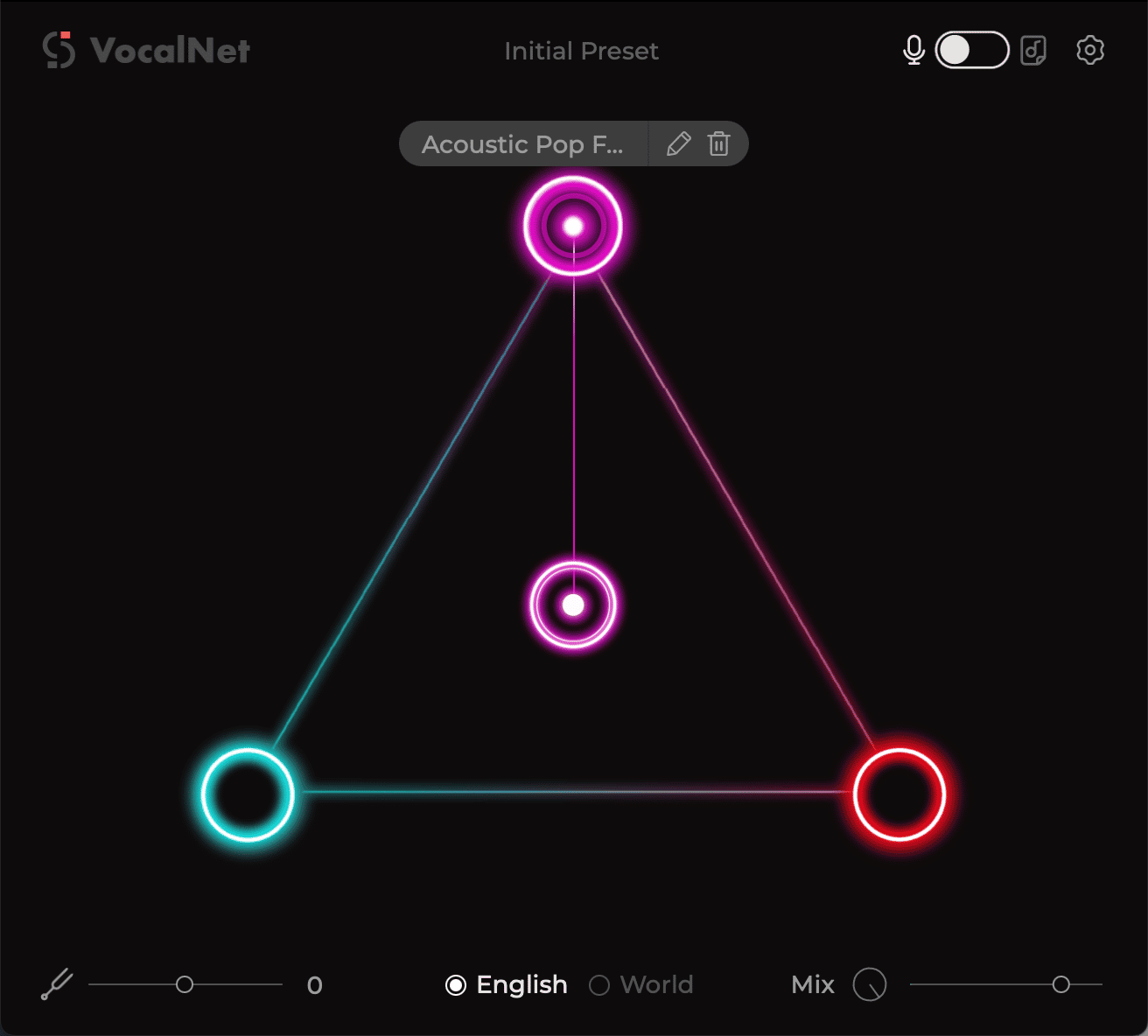
VocalNet is a real-time voice cloning and transformation plugin from Session Loops. It converts a vocal as it plays and builds voice models from clean input samples. Its standout move is morphing. Load up to three voice models, then drag a cursor to blend them into a tone of your own, live. That makes it the closest MuseHub match to what people used Replay for, with the work happening inside your DAW on macOS or Windows. The caveat is consent. Clone your own voice or one you have the right to use, because copying a named artist without permission is the part that causes trouble. The screenshot shows the plugin with a voice model loaded and the blend cursor visible.
2. Auribus

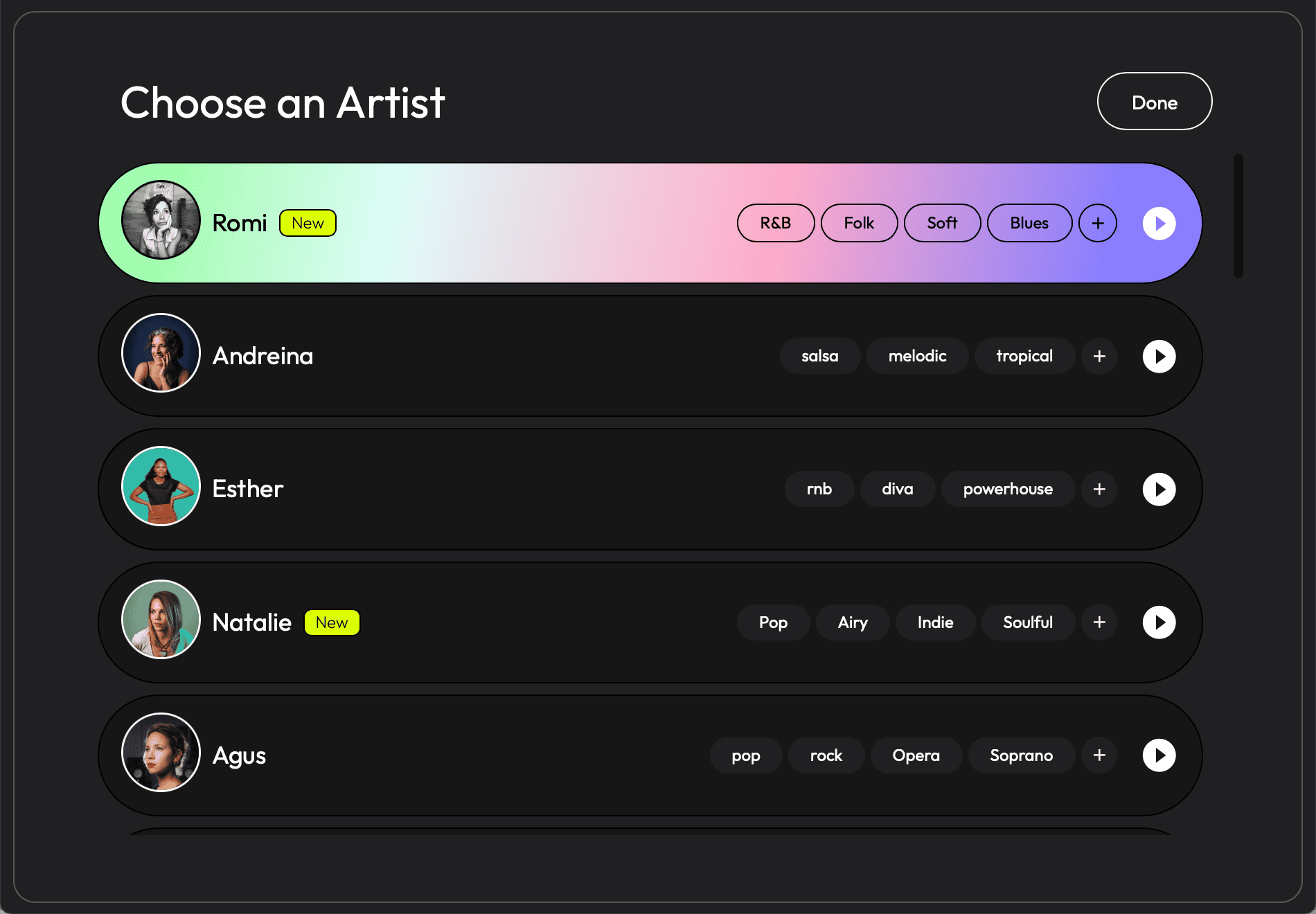
Auribus, sold as Voice by Auribus, is a plugin that swaps a recorded vocal for a different singer’s voice inside your DAW. You preview your track with AI vocalists before committing to a conversion, and pitch, prosody, tone and accent controls shape the performance. Its voices come from real singers who are licensed and fairly compensated, and the voices are commercially licensed, so the rights question that hangs over most voice cloning has an answer built in. It runs as VST, AU and AAX. Pick it when you want a swapped vocal you can plan to release. The screenshot shows the artist list with one voice selected.
3. ACE Studio

ACE Studio is an AI singing voice app with more than 80 AI vocalists. You can write a melody and lyrics and pick a singer to perform them, convert your own demo vocal into one of those voices, or build a custom voice. It is an app that sits beside your DAW rather than a plugin inside it. That makes it the right pick when you need a finished sung part from a rough idea, not a swapped recording. Hear from its makers in the ACE Studio developer spotlight.
4. Dreamtonics Vocoflex
Dreamtonics Vocoflex is a real-time voice morphing plug-in. It transforms an incoming vocal through a simple visual interface, and Sound On Sound reports that you can train your own voice models from as little as ten seconds of source audio and run them locally on your own computer. It is the nearest rival to VocalNet for live transformation. Try both on your own voice before you buy either, because the results depend heavily on the source.
5. Voice-Swap
Voice-Swap is built around voice models that the singers themselves have authorized. When it launched its plugin, it said artists receive a share of the revenue each time their voice is used. The plugin connects your DAW to its platform, and each conversion spends credits from a subscription or a one-off purchase. Whether you can release a track depends on the voice, because some voices need a licence from Voice-Swap, so read its current terms first. It is the closest in spirit to Auribus.
6. Kits AI
Kits AI is a web platform for creators with singing voices, voice conversion and text-to-singing. Some of its artist voices come from a partner artist community, and a commercial release that uses one needs the original artist’s agreement. It is a comfortable place to experiment when you do not want to install anything, and it also offers a free autotune tool for tidying a take first.
7. LALAL.AI Voice Cloner
LALAL.AI is best known for splitting songs into stems, and its Voice Cloner replaces the vocal on an existing track with a clone of your own voice or someone else’s. Because it starts from your recording, you keep control of the melody and the source audio, which a song generator does not give you. The usual consent rule applies to the voice you feed it.
8. Audimee
Audimee is an online AI singing voice generator. You upload or record audio, choose from royalty-free voices and styles, and can mix two voices to make a new one. It runs in the browser, so nothing needs installing, which makes it a quick way to test whether voice conversion works for your song before you commit to a plugin.
Which one to choose
If you want to change your own voice live and blend several voices, start with VocalNet, and compare Vocoflex. If the voice has to be licensed so you can release the track, start with Auribus or Voice-Swap. If you need a sung vocal and have no singer, ACE Studio is built for that. If you only want to hear an idea quickly, a browser tool such as Audimee or Kits AI is the fastest test. Whatever you pick, start from a clean, dry take with no reverb or backing track in it, because every one of these tools converts one voice at a time. Mixing vocals covers what to do with the converted result.
Comparison table
| Pick | Type | Price | Best for |
|---|---|---|---|
| VocalNet | Real-time cloning plugin | Paid | Live voice transformation and morphing |
| Auribus | Voice swap plugin | Subscription | Licensed voices you can plan to release |
| ACE Studio | AI singing voice app | Paid | A sung vocal from a melody or demo |
| Dreamtonics Vocoflex | Real-time morphing plug-in | Paid | Training your own voice model |
| Voice-Swap | Plugin and platform | Credits | Artist-authorized voice models |
| Kits AI | Web platform | Free and paid | Trying voices without installing |
| LALAL.AI Voice Cloner | Web tool | Paid | Replacing the vocal on an existing track |
| Audimee | Web tool | Free to start | Quick online tests |
FAQ
Next steps
- See the wider field in the best AI plugins.
- Working with a converted vocal? Mixing vocals covers EQ, compression and space.
- Looking for AI help beyond voices? Read the best AI tools for musicians.
- Browse more in the MuseHub plugins catalog.
Get VocalNet, Auribus and ACE Studio in one place. Download MuseHub free and try them on your own vocal.