Best chord progression generators in 2026 (free and paid)
A chord progression generator suggests chords that fit together, so you can stop guessing and start writing. Some are plugins that play inside your DAW and send MIDI to any instrument, and others are free web pages you open in a tab. The best chord progression generators in 2026 are Scaler 3 for the deepest toolkit, Chord Prism 2 and the free Genesis on MuseHub for plugin-based writing, and free browser tools like Autochords when you only need ideas.
Chord and MIDI plugins on MuseHub
Top picks at a glance:
- Best overall: Scaler 3.
- Best for playing chords by hand: Chord Prism 2 on MuseHub.
- Best free plugin: Genesis on MuseHub.
- Best for fast, usable progressions: Captain Chords.
- Best all-in-one songwriting kit: LANDR Composer.
- Best for basslines: Bassliner on MuseHub.
- Best free in a browser: Autochords and Musicca’s chord player.
How we choose: we rank on how useful the chords are in a real song, how easily they reach your instrument as MIDI, and value, and we place free and paid tools on merit.
What to look for in a chord generator
Key and scale control. A good generator lets you set the key and scale first, so every chord it offers fits. Our guide to how to find the key of a song helps if you are starting from an existing track.
MIDI output. A plugin that sends MIDI can drive any instrument in your DAW, so the chords can become piano, pads or strings. New to MIDI? Read what MIDI is and how it works.
Editing. Suggestions are a start. Look for tools that let you change a chord’s voicing, swap notes or shift the rhythm.
Beyond chords. Some tools add basslines, melodies and arpeggios. That is handy when you want a complete sketch in minutes.
The 11 best chord progression generators
1. Scaler 3
Scaler 3 is the most complete chord tool for producers. It suggests chords in the key and scale you choose, and it can detect the chords in audio or MIDI you already have, then build on them. That detection is what sets it apart, because it turns a loop or a sample into a progression you can edit. It is a paid plugin and the pick when chords are central to how you write.
2. Chord Prism 2

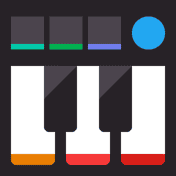
Chord Prism 2 is a MIDI effect plugin built around playing chords by hand. It splits your keyboard into two sections, so one side picks the chord and the other plays it with shifter keys and a step sequencer. A Chord Generator, Chord Editor, Smart Scale and Pattern Generator sit alongside, so you can build a progression, edit each chord, and keep every note in key. It syncs key, scale and chord between instances and exports your result as MIDI. It runs on Windows and macOS and installs in one click through MuseHub. Reach for it when you want a hands-on tool that feels like an instrument.
3. Genesis

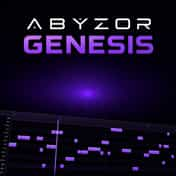
Genesis, by ABYZOR, is a free MIDI generator that creates melodies, basslines, chord progressions and arpeggios, with the notes kept in a scale you choose. It runs as a VST3 and AU plugin, so you load it in your DAW and drag the generated MIDI onto any instrument. Because it covers four kinds of part for free, it is the easiest way to see how a generator fits your workflow before paying for a bigger toolkit. It installs through MuseHub in one click.
4. Captain Chords
Captain Chords, from Mixed In Key, is built for speed. It suggests progressions that sound good together and lets you drag them into your DAW as MIDI. It is part of the Captain Plugins bundle. It suits producers who want usable chords fast, with less theory to learn.
5. LANDR Composer
LANDR Composer, formerly ChordJam, goes beyond chords. It generates chords along with basslines, melodies and arpeggios, which makes it a quick way to sketch a whole idea. It is included with LANDR Studio, so it is a good fit if you already use that service.
6. Filament

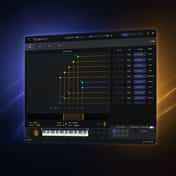
Filament, by Forma Labs Audio, is a real-time MIDI orchestration plugin. It hosts up to 64 VST3 and AU instruments inside one plugin and revoices the chords you play across them as you play, so a single keyboard part becomes a full arrangement. That makes it a different kind of tool from a progression generator. You bring the chords, and it decides how an ensemble would play them. It installs through MuseHub and offers a free trial.
7. Bassliner

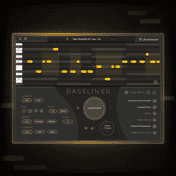
Bassliner, by dreeemwave, is a MIDI bassline generator. You can drop a MIDI file that contains your chords or melody into the plugin and it generates bass patterns that fit the harmony, then lets you tweak them in a built-in piano roll and drag the result into your DAW. Once your chords are down, a bassline that follows them is the next thing a song needs, so this plugin covers the step right after the progression. It runs on Windows and macOS and installs through MuseHub.
8. Cthulhu
Cthulhu, by Xfer, assigns chords to single keys, so you can play full chords with one finger. It is a good performance tool for players who prefer to build progressions by feel instead of from a menu.
9. Hookpad
Hookpad, from Hooktheory, is a songwriting tool where you place chords and melody notes against a grid and hear them immediately. It is popular with beginners who want to learn how chord progressions work as they write.
10. Autochords
Autochords is a free browser tool that suggests chord progressions in the key you pick. There is nothing to install and no account to create, which makes it the quickest way to test an idea.
11. Musicca chord player
Musicca’s chord player is a free browser tool for hearing chords and progressions. It is useful for checking how a progression sounds before you build it in your DAW.
Best free chord progression generator
For a free plugin inside your DAW, install Genesis through MuseHub. For a free start with nothing to install, use Autochords or Musicca in your browser. Pair any of these with our guide to adding chord symbols in MuseScore when you want to write the result down.
How to choose
Want the deepest toolkit? Scaler 3. Want to play chords by hand? Chord Prism 2 or Cthulhu. Want to try a generator free? Genesis. Want fast ideas with little theory? Captain Chords. Want chords plus bass and melody? LANDR Composer. Want a bassline for your chords? Bassliner. Want to hear an arrangement as you play? Filament. Learning as you write? Hookpad. Just need an idea now? Autochords. Whichever you choose, send the result to an instrument, and our list of the best vocal plugins helps if you are writing a song with a voice on top.
Comparison table
| Pick | Type | Price | Best for |
|---|---|---|---|
| Scaler 3 | Plugin | Paid | Deep chord toolkit, audio and MIDI detection |
| Chord Prism 2 | MIDI plugin | PEN 199.90 | Playing and editing chords by hand |
| Genesis | MIDI generator plugin | Free | Trying generated MIDI at no cost |
| Captain Chords | Plugin | Paid | Fast, usable progressions |
| LANDR Composer | Plugin | Included with LANDR Studio | Chords, bass and melody sketches |
| Filament | MIDI orchestration plugin | PEN 299.99 | Hearing an arrangement as you play |
| Bassliner | Bassline generator plugin | PEN 74.99 | Basslines that follow your chords |
| Cthulhu | Plugin | Paid | One-finger chord playing |
| Hookpad | Songwriting tool | Free and paid | Learning as you write |
| Autochords | Browser | Free | Quick ideas |
| Musicca chord player | Browser | Free | Hearing chords |
FAQ
What is the best chord progression generator? Scaler 3 is the most complete for producers, Chord Prism 2 is the best hands-on plugin on MuseHub, and Genesis and Autochords are the best free options.
Is there a free chord progression generator? Yes. Genesis is a free plugin on MuseHub, and Autochords and Musicca’s chord player run in a browser at no cost.
Can a chord generator send MIDI to my instrument? Plugin generators such as Chord Prism 2, Scaler 3 and Captain Chords send MIDI to any instrument in your DAW, which turns the chords into piano, pads or strings.
Do I need to know music theory to use one? No. A generator that locks to a key and scale keeps every chord in tune with the song, which lets you learn the theory as you go.
Next steps
What MIDI is and how it works explains how chords travel from a generator to an instrument.
- Not sure which key you are in? Read how to find the key of a song.
- Writing the chords down? See how to add chord symbols in MuseScore.
- Adding a vocal on top? Compare the best vocal plugins.
- Browse more tools in the MuseHub plugin catalog.
Chord Prism 2, Genesis, Filament and Bassliner install in one click with MuseHub. Download MuseHub free and start writing progressions today.