
-28%
Learn tips on how to create effective HyperPop productions with these informative video tutorials.
If you're looking to start producing lofi-sounding productions, this lofi production video course is a must-see! Studio production expert Gary Hiebner covers a multitude of tips, ideas, and techniques for recasting your track with a lofi sound, adding the vibe and character associated with this popular genre in a completely transformative way. You'll learn about lofi sound design, processing, tweaking chord progressions and melodies, and much more. These videos are for users with some basic mixing experience.
“Creating a Lofi Remix Explained®” explores the techniques and production choices behind crafting a lofi-style track with character, texture, and mood. In this tutorial series, Gary Hiebner demonstrates how to transform an existing production into a lofi remix by reshaping harmony, rhythm, sound design, and mix processing. The course begins with an overview of the defining traits of the lofi genre, followed by a preview of the original track and the finished remix created throughout the lessons. You’ll learn how to analyze and adapt chord progressions for a more nuanced feel and convert melodic material to MIDI for further development. From there, the focus shifts to building a hip-hop-inspired drum foundation and applying processing techniques that give the drums their distinct lofi tone. Additional sections cover keyboard sounds such as piano, Rhodes, and vintage-style synths, along with the effects used to shape them. Further lessons explore MIDI humanization, melodic layering, ambient noise elements including vinyl-style effects, sidechain techniques, and final mix processing. By the end, you’ll understand how to reshape your own productions into cohesive, vibe-driven lofi tracks.
Learn tips on how to create effective HyperPop productions with these informative video tutorials.
In this practical video course, Stephen O’Connell shows you how to write better chords and arrange them beautifully for strings, giving your productions depth, clarity, and emotion.
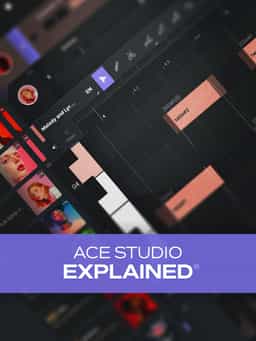
Learn how to use this AI-powered virtual vocalist app to generate, edit, and process professional-sounding vocals in virtually any style. All parameters and controls are explained, and numerous examples demonstrate it in action.
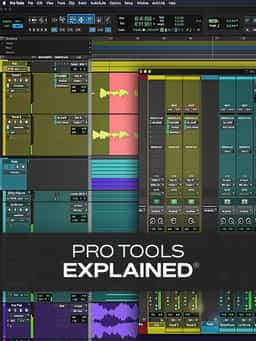
Take a deep dive into the functionality of Pro Tools with this comprehensive video tutorial series.
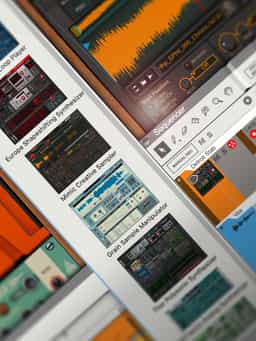
Learn all you need to know about getting started with Reason in these in-depth video tutorials!

Training Videos on how to Podcast

Creating Epic Heroic Themes by Gary Hiebner

Learn about Creating Game Audio

Professional techniques for tracking, editing, tuning, and mixing studio-quality vocals
Larry Holcombe breaks down building a full drum & bass track from start to finish.


