Interesting tool, free, offline, no AI slop — just raw stochastic processes dressed in Schoenberg and Hindemith clothes. Refreshing in a weird way. Outputs are rarely usable as-is but occasionally throw up something interesting worth poking at. Needs patience! go in without reading the docs and you'll uninstall it in five minutes.
Stochastic Music Generation for Contemporary Composers. A local, offline compositional engine for testing musical ideas before you commit to notation.
Prototype art music in seconds
SONATUM
Stochastic Music Generation for Contemporary Composers. A local, offline compositional engine for testing musical ideas before you commit to notation.
Prototype art music in seconds
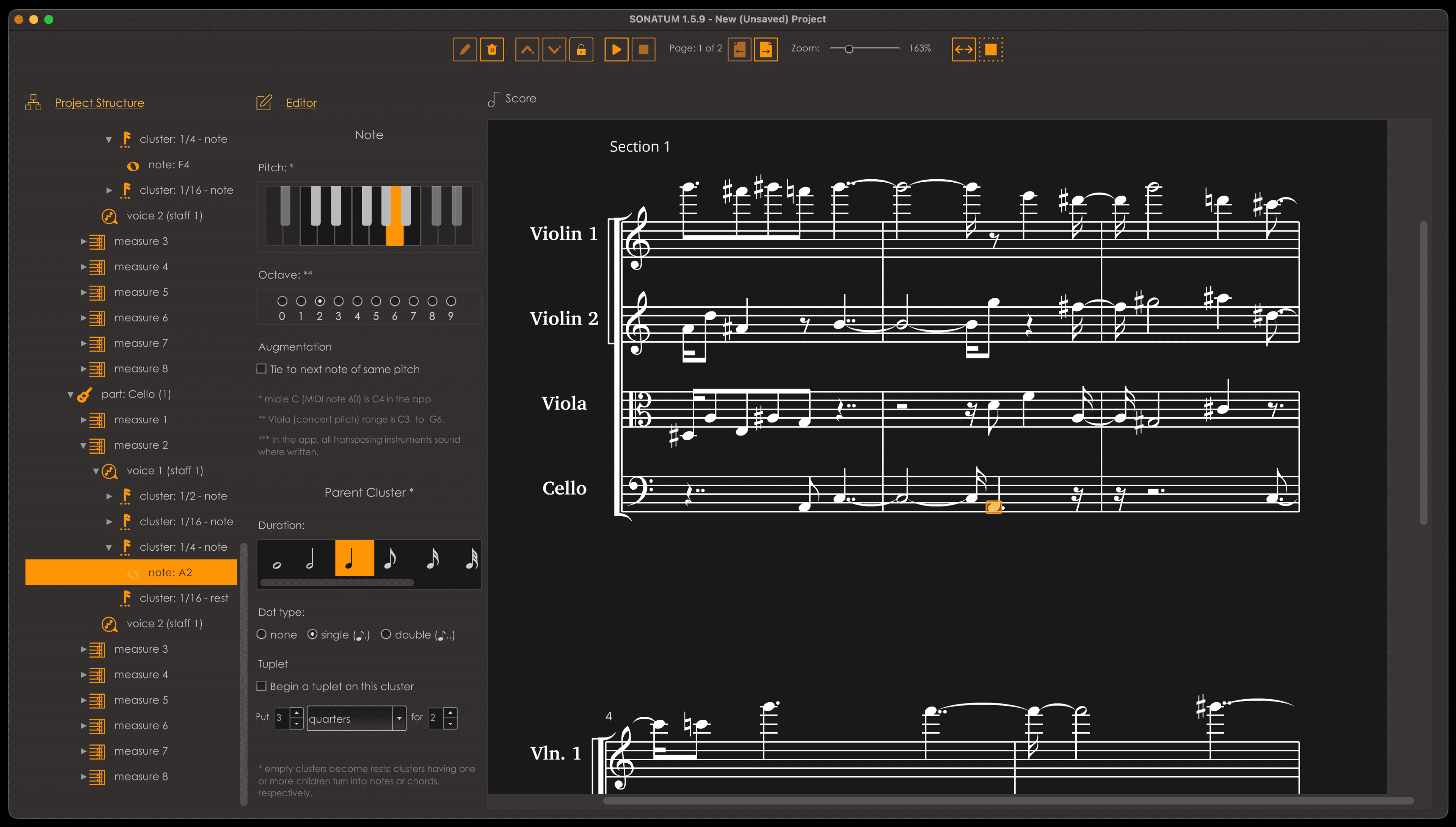
Previews
SONATUM generates art music using explicit theoretical models (Hindemith, Palestrina, Schoenberg, Persichetti) — no corpus training, no style imitation, no cloud inference. You define structure, density, direction, and constraint; SONATUM renders it immediately, with controlled variation. Made for composers working in experimental, research-driven, or art-music contexts who need to hear whether a process sustains interest, whether tension builds correctly, or whether a textural idea scales — before spending hours writing it out by hand. This is not a finished-piece generator. It's a decision surface: prototype fast, iterate by ear, export when the material proves itself. The score editor is minimal by design; once you're thinking about engraving, you've already moved past what SONATUM is for. If you work with structure, process, and intention rather than improvisation or preset loops, and you value speed in the ideation phase, SONATUM will fit your workflow immediately.
What SONATUM offers
What’s new
- NEW
- Engine version shown in the Multiline progress dialog and Info sheet.
- With the nudge lock off, measures nudge across section boundaries.
- IMPROVED
- Multiline Generator ~11x faster.
- Metric Placement rebuilt: weighs syncopation, beat division and preparation; all beats treated alike.
- Seeds saved with earlier versions may produce different music.
- Measures copy and paste whole, across all parts, time signature included.
- Larger text in prompts, progress windows and the Project/Section fields.
- Hovering the score shows an element at once, faintly, and leaves selected ones alone.
- Selected elements show solid, with the music under them clearly visible.
- FIXED
- Pasting a measure before/after grew one part only, breaking the layout.
- Pasted measures lost their time signature.
- Wrong accidentals where two voices share a staff.
- A measure inserted before a wider one showed its width until reload.
- Prompt dialogs dropped their last line of text.
- Selecting measures across several parts could crash the app.
- Deleting adjacent elements left the Project selected.
- Cut was offered on a section's only measure.
- A nudge that moved nothing still added an undo step.
- Deleting measures across sections could leave a section empty.
- Nudging same-name instruments (e.g., two violins) misbehaved, and sections disagreed on their order.
- Range selection in some older projects also picked a stray element, pages away.
- Selecting in the score no longer sends the view to another page.
- Every selected element stays highlighted, across page turns, edits and undo.
- The selection is hidden during playback and comes back, in view, when playback stops.
- Selecting in the score, including a part's name or a right-click, no longer scrolls the score.
- Fit Selection and Fit Width go to the selection's page first.
- Fitting the selection zooms out until all of it shows, e.g. a part's name on every system.
- During playback, the score keeps every sounding note in view, zooming out if needed.
- An edit that moves the selection to another page now follows it there and brings it into view.
- The Multiline Generator's settings no longer crash when its presets folder holds other files.