MuseSounds for video game music
You can make video game music in MuseScore Studio by writing each cue as a score and exporting it as audio. MuseSounds play that score with recorded orchestral instruments, and the WAV files you export become the loops, stingers and layers the game plays.
Below you’ll find what a game asks of its music, one loop and stinger played three ways, and how to write loops, export layers and choose free or Pro libraries.
MuseSounds for game music


The short answer
MuseScore Studio can write and render the music for a game. You write the cue as a score, MuseSounds play it with recordings of real players, and you export the result as WAV files for the game.
MuseScore Studio stops at the audio file. It has no connection to a game engine, so loop points, transitions and triggers are set up in the engine or in audio middleware after you hand the files over.
What game music needs
Film music runs from start to finish once. Game music has to last as long as the player stays in one place, and react when something happens. That turns one piece into several kinds of file.
- Loops. A loop is a cue that repeats for as long as the game needs it. Its end has to join its start without a gap, a click or a jump in volume.
- Stingers. A stinger is a short cue, a single hit or a few bars, that the game plays when something happens. An enemy spots the player, a door opens, a level ends.
- Layers. Layers are separate recordings of one cue, such as the strings on their own and the percussion on its own. The game fades them in and out as the action changes, which is called adaptive music.
- Consistent loudness. Every cue should sit at a predictable level, so a new area doesn’t suddenly sound louder than the last one.
Here is how each need maps to MuseScore Studio and to the libraries on MuseHub.
| Need | In MuseScore Studio | Free library | Paid library |
|---|---|---|---|
| A loop without a seam | Write the last bar to lead into the first, check it with loop playback, export WAV | Muse Strings, whose pizzicato, col legno and speed-controlled staccatos keep an ostinato moving | Nucleus |
| Stingers | A few bars in the same key and tempo as the loop, exported as a file of their own | Muse Percussion, with taiko drums and tam-tams, and Muse Brass | LA Modern Percussion, Cerberus |
| Layers for adaptive music | One score, exported once per instrument group | Muse Strings, Muse Woodwinds, Muse Brass, Muse Percussion | Nucleus |
| A synth or hybrid layer | A synth staff next to the orchestra | No synth bass in the free set, so MS Basic plays it | Scoring Synths |
| Instruments from outside the orchestra | Staves added like any other instrument | None in the free set | East Asia |
| Consistent loudness | The same Mixer settings for every cue, and a peak check on every export | Any | Any |
Hear it: a loop and a stinger
We took the opening of Edvard Grieg’s “In the Hall of the Mountain King” from Peer Gynt and kept the first eight bars of its theme as a loop. Everything around the theme was arranged for this article. A synth bass sits under the loop, as a layer a game could fade in, and a two-bar stinger for the full orchestra ends the cue. The loop plays twice so you can hear the join, then the stinger follows. We played it in MuseScore Studio three times, changing only the sounds:
- MS Basic, the soundfont that comes with MuseScore Studio.
- Free MuseSounds: Muse Strings, Muse Woodwinds, Muse Brass and Muse Percussion. The synth bass stays on MS Basic, because there is no synth bass in the free set.
- MuseSounds Pro: Nucleus from Audio Imperia for the orchestra and for the stinger’s snare, timpani and cymbals, and LA Modern Percussion from Audio Ollie for its bass drum. Scoring Synths from Audio Ollie plays the synth bass. All three are included in MuseSounds Pro.
The tempo, the mixer, the reverb and the export settings stayed the same each time, all at their defaults. The dynamics match across the three as well, but they are softer than first written. The stinger had accents and a louder marking at first, and at that level it went over what the audio file can hold and distorted in MS Basic and in the free MuseSounds. This is called clipping. The stinger is now marked mp, with no accents, in all three renders.
Look at the score before you listen. Grieg gives the theme to the cellos, double basses and bassoons, pizzicato (plucked) and pp, at a quiet, steady march. He repeats this tune for the whole piece, louder and faster each time, so its last bar already leads back into its first. Under it sits the synth bass, and after the second pass comes the stinger, with snare, timpani, cymbals and bass drum. Imagine the loop running under a stealth level and the stinger landing when the player is caught, then press play.
1. MS Basic
First, the soundfont MuseScore Studio uses until you install anything else. Listen to the pizzicato and notice whether it sounds plucked or only short, and whether the opening is as quiet as pp asks. When the loop comes round the second time, listen to the join at the bar line. The synth bass is MS Basic here and in the next render, so remember how it sounds. In the stinger, listen to how much weight the drums carry at mp, the level that keeps this soundfont from clipping.
MS Basic
2. Free MuseSounds
Now the same bars with Muse Strings, Muse Woodwinds, Muse Brass and Muse Percussion. Muse Strings has its own pizzicato recordings, so listen to how each plucked note starts and dies away, and to how the bassoons sit on top. At the join, notice whether the last notes of the loop ring over into the first bar. Then listen to the synth bass. It is still MS Basic here, because there is no synth bass in the free set, so pay attention to whether it blends with the recorded orchestra or sits apart from it.
Free MuseSounds
3. MuseSounds Pro
Finally, Nucleus for the orchestra, LA Modern Percussion for the bass drum and Scoring Synths for the synth bass. Scoring Synths was recorded in a live room, so listen to whether the synth bass now sounds as if it shares a space with the orchestra. In the stinger, the bass drum is LA Modern Percussion’s taiko, and the snare, timpani and cymbals are Nucleus, because LA Modern Percussion has no snare or timpani. Listen to how the taiko sits under them.
MuseSounds Pro
Only the library changed between the three renders. A finished game cue isn’t made that way. Each library responds a little differently to the same notes and dynamics, and composers adapt their writing to the library they use, for example by voicing the stinger for the drums a library actually has.
Write a loop that loops
A loop works when the game can jump from its last moment back to its first without the player noticing. Most of that is decided in the score.
- Use whole bars and one tempo. Then the loop has an exact length. Its length in seconds is bars × beats per bar × 60 ÷ tempo, so eight bars of 4/4 at 120 beats per minute last 16 seconds. Keep tempo changes, fermatas and ritardandos out of it.
- Write the last bar into the first. The harmony at the end should lead back to the opening chord, and the melody can end with a pickup into bar 1. Match the dynamic at the end to the dynamic at the start, so the level doesn’t jump when the loop restarts.
- Listen to the join in MuseScore Studio. Turn on loop playback over the loop’s bars and let it run several times.
- Plan for the tails. Recorded notes and reverb keep sounding after the last bar line, and the game cuts that sound off when it restarts the loop. One common approach is to write the loop twice in a row, export it, and keep only the second pass, which starts with the tail of the first already ringing. Tail length depends on the library and the reverb, so judge the join by ear.
- Trim the file to the exact length. An exported file can carry extra time at the start or the end, so cut it to the length you calculated.
Audacity, the free audio editor from Muse Group, is enough for the last step. Select the loop’s exact length, click Trim in the toolbar to keep only the selection, and turn on loop playback so the clip repeats while you listen to the join. If you hear a click at the join, move the cut to the nearest point where the waveform crosses zero.

Layers and stingers from one score
Write every layer of a cue in the same score, so the layers share one tempo and one length and stay in time when the game plays them together.
To export one layer, export the score with only that layer’s instruments sounding, and repeat for each layer. Leave the faders, the reverb and the master level alone between exports, so the layers add up to the full mix when the game plays them all. Name each file after the cue and the layer, such as mountain-king_loop_strings.wav.
Write stingers in the same key and tempo as the loop, because the game may play one on any bar. They can sit at the end of the loop’s score or in a short score of their own.
Grieg’s piece works the same way. Each time the tune comes back, more instruments join it. In a game, those instruments would be separate layers that fade in as the danger grows.
Set it up
- Create a free MuseHub account, install MuseHub on Windows or macOS, and install MuseScore Studio from it.
- Install the free MuseSounds. Start with Muse Keys, the most downloaded MuseSounds library, and Muse Strings, then add Muse Woodwinds, Muse Brass and Muse Percussion.
- Build a template score with a string section, flute, oboe, clarinet and bassoon, horns, trumpets, trombones and tuba, timpani, snare drum, cymbals and bass drum, plus a synth staff for hybrid cues. Save it empty and start every cue from a copy, so all your cues share the same instruments and Mixer settings.
- Open the Mixer (View ▸ Mixer, or F10) and pick the sound for each instrument. With MuseSounds Pro, this is where you switch the strings to Nucleus or give the synth staff Scoring Synths. How to use MuseSounds in MuseScore Studio covers the Mixer step by step.
- Export with File ▸ Export and choose WAV. MP3 encoding adds a short silence at the start of the file, which turns into a gap every time a loop restarts. If the game project needs 44.1 or 48 kHz, choose it under Sample rate in the same dialog. For any other rate, set it in Audacity’s export dialog when you trim the file.
- Keep the master level the same for every cue, and check the peak level of every export. A clipped file stays clipped in the game.
Libraries for game music
The free Muse libraries cover the orchestra in the example. These paid ones add weight, synths and instruments from outside the orchestra, and four of them are in MuseSounds Pro, which costs HUF 8,990 a month or HUF 89,990 a year.
| Library | Partner | What it adds to game music | In MuseSounds Pro |
|---|---|---|---|
| Nucleus | Audio Imperia | A whole cinematic orchestra, plus pads, drones and sub booms | Yes |
| LA Modern Percussion | Audio Ollie | Film-score percussion for stingers and battle loops | Yes |
| Scoring Synths | Audio Ollie | Analogue synths recorded in a live room, for hybrid layers | Yes |
| East Asia | Native Instruments | Traditional instruments of China, Japan and Korea | Yes |
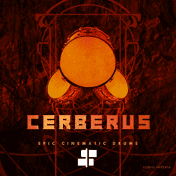
| Cerberus | Audio Imperia | Cinematic drum ensembles, hits and loops | No |

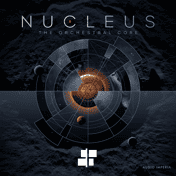
Nucleus is a complete cinematic orchestra in one library, with strings, woodwinds, brass, percussion, a choir, harp and celeste. It also has sound-design patches (pads, drones and sub booms), which are ready-made material for tension layers and stingers. Audio Imperia’s Nucleus and Solo covers the library in more detail.

LA Modern Percussion is Audio Ollie’s blockbuster percussion collection. Alan Meyerson recorded and mixed it at the Warner Bros. Eastwood Scoring Stage and produced the drums the way he does on high-budget film scores. Use it for the hits in a stinger and the drums in a combat loop.

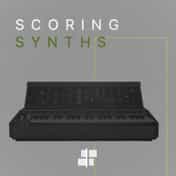
Scoring Synths is made to blend with an orchestra. Audio Ollie played two classic analogue synthesizers through speakers into the live room at Ocean Way studios and recorded them again, so the synths carry the sound of a real room, as your strings do. The tones are organised into sound flags in the score. Both Audio Ollie libraries are also sold together as the Audio Ollie Bundle.

East Asia, from Native Instruments, brings traditional Chinese, Japanese and Korean instruments into MuseScore Studio. Among them are the shakuhachi, erhu, koto, pipa and gayageum. Use it when a region or a character needs a sound from outside the orchestra. It needs MuseScore Studio 4.7.5 or later.

Cerberus is Audio Imperia’s cinematic drum library, named after the trio of drummers on its recordings, each hitting two drums at once. It adds drum ensembles, stacked presets, sound-design hits, a drum kit and 20 loop presets. Cerberus isn’t in MuseSounds Pro. Buy it on its own or in the Audio Imperia Bundle, with Nucleus, Solo, Chorus and Klavier.
The limits
MuseScore Studio writes and renders the music. The rest happens in other tools.
- MuseScore Studio isn’t a DAW. It doesn’t record or edit audio, so sound effects, dialogue and edits to the music happen in an audio editor or a DAW. What is a DAW? explains what a digital audio workstation adds.
- MuseSounds play only in MuseScore Studio. They aren’t VST, AU or AAX plugins, so to finish a cue in a DAW, export each layer as WAV. Some partners sell DAW versions of their recordings, which are different products, intended for different platforms. The best orchestral VSTs compares both kinds.
- It has no connection to a game engine. Loop points, crossfades between layers and stingers that wait for the next beat are set up after export, in the engine or in audio middleware such as FMOD or Wwise.
- MuseHub runs on Windows and macOS. On Linux, MuseSounds Manager installs only the free MuseSounds, so the paid libraries need MuseHub on Windows or macOS.
FAQ
Next steps
Write an eight-bar loop of your own, export it as WAV and listen to it repeat in Audacity. For what the free and paid libraries cover, start with what are MuseSounds?. For a closer look at the orchestra in the Pro render, read Audio Imperia’s Nucleus and Solo. You can browse every library in MuseSounds on MuseHub, or download MuseHub free.