Best Audacity plugins in 2026
Audacity 4 loads VST3 and Nyquist plugins, plus Audio Units on macOS and LV2 on Linux. VST2, LADSPA and Vamp no longer load, which makes most older lists of Audacity plugins wrong, because their favorites were VST2. Here are twelve picks, free and paid, ranked on what they do for a podcast or a track, with the format of each.
This roundup covers the picks at a glance, the formats Audacity 4 accepts, twelve ranked plugins with a comparison table, the built-in alternatives, how to choose, and common questions.
Tested on Audacity 4.0.1 on macOS Sequoia; the screenshots are from that install. Where a pick needs Audacity 3, its entry says so.
Plugins for Audacity on MuseHub




Top picks at a glance
- Best starter set: MuseFX — a free collection from Audacity’s own developer, VST3 and AU.
- Best EQ: TDR Nova — a free dynamic EQ that only cuts when a frequency spikes.
- Best reverb: Valhalla Supermassive — free, VST3 and AU, from small rooms to endless tails.
- Best pitch correction: Graillon 3 — free edition, and the only pick with a Linux build.
- Best for podcast voice, free: Viator Voice Denoiser — one knob, no setup.
- Best for podcast voice, paid: Soap Voice Cleaner — three knobs and presets for common microphones.
- Best noise removal: Denoiser — paid, learns the noise itself.
- Best AI tools: OpenVINO AI Tools — free, and for Audacity 3 only for now.
How we choose. Every pick is ranked on what it does for a real recording, whether it loads in Audacity 4, and what it costs, with free and paid judged on equal terms.
What loads in Audacity 4
A plugin is a small program that adds an effect to Audacity. Audacity 4 loads four kinds. VST3 and Nyquist work on every platform, Audio Units (AU) on macOS and LV2 on Linux. VST2, LADSPA and Vamp, which Audacity 3 accepted, do not load; the release notes say LADSPA and Vamp support is planned to return. A plugin sold as “VST” with no “3” will not appear.
Installed plugins appear in the realtime effects panel (press E, or click a track’s Effects button) under Add effect, grouped by format and then by maker.

Audacity validates new plugins when it next starts. If one is still missing, Effect ▸ Plugin manager opens the Manage plugins dialog, where you can check that it is listed and enabled. How to use effects and plugins in Audacity covers the install step by step.

The easiest route to these plugins is MuseHub. The Get effects button, in the top bar between Share audio and Workspace, opens its catalog in a window inside Audacity. MuseHub installs each plugin into the folder Audacity scans and keeps it updated. It runs on Windows and macOS, and plugins install against a free account; on Linux, get a plugin’s LV2 or VST3 build from the developer.

The 12 best Audacity plugins
1. MuseFX

MuseFX is Muse Group’s free effects collection for Audacity and MuseScore Studio, usable in any VST3 or AU host. One install covers two EQs, a compressor, a de-esser, a noise gate, PitchFix for a single voice, reverb, delay, chorus, a rotary-speaker effect and a Master effect for the mix bus. Each has one main control plus presets, so you learn what compression or de-essing does by turning one knob and listening.
In Add effect, its compressor is called Compress, under VST3 ▸ MuseFX; Compressor is the built-in one.

2. TDR Nova
TDR Nova by Tokyo Dawn Records is a free dynamic equalizer. A normal EQ cuts a frequency all the time. A dynamic band cuts only when that frequency crosses a threshold, so it tames a harsh “s”, a boomy note or a spiking cymbal and leaves the rest untouched. It also works as a plain four-band EQ with a spectrum display. It ships as VST3 and AU for Windows and macOS, and the paid Gentleman’s Edition adds bands and features. New to EQ? The principles of EQ explains each band.
3. Valhalla Supermassive
Valhalla Supermassive is a free reverb and delay from Valhalla DSP. Its modes are different networks of delays and feedback. Turned down, it gives a room or a plate for a vocal; turned up, the swelling, drifting tails of ambient and cinematic music. It is light on the processor, so it runs live on several tracks at once, and it needs no registration. It ships as VST3 and AU for Windows and macOS, with no Linux build.
4. Graillon 3

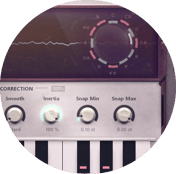
Graillon 3 by Auburn Sounds is a realtime pitch corrector and vocal transformer. Audacity 4’s Change Pitch shifts a whole selection, and no built-in realtime effect corrects pitch note by note, so Graillon fills that gap. The free edition has the correction (natural or hard-tune), pitch and formant shifting, and a built-in compressor, gate, chorus, preamp and bitcrusher; the full edition adds pitch-tracking modulation, tunings beyond equal temperament and a doubler. It is the only pick with a Linux build (LV2 and VST3), besides VST3 and AU for Windows and macOS. How to autotune in Audacity covers the settings.
5. MFreeFXBundle
MFreeFXBundle by MeldaProduction is 38 free effects in one installer, covering analysis, saturation, dynamics, EQ, mastering, mixing and pitch. Its analyzer, stereo tool, compressor and saturator share one interface and preset system, so learning one teaches the rest. The trade for that much for nothing is dense interfaces and an upgrade prompt in the free versions. It ships as VST3, plus AU on macOS, with no Linux build.
6. Viator Voice Denoiser

Viator Voice Denoiser is a free, one-knob noise reduction plugin by Viator DSP for spoken voice. It lowers fans, hiss, room tone and hum under a home recording and keeps the voice natural. Audacity’s Noise reduction is a one-off effect that needs a noise profile first; this one runs live, so you hear the result as you set it. Turn it up until the noise drops, then back off until the voice stops sounding hollow. It ships as VST3, plus AU on macOS, and Add effect lists it as voice-denoiser under Viator DSP. Noise reduction in Audacity compares it with the built-in route.
7. Tape It Denoiser

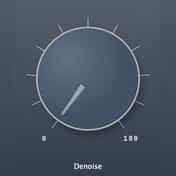
Denoiser by Tape It is the paid step up for noise. A machine-learning model detects the noise profile and a conventional multi-band expander does the reduction, so the AI never touches the sound and you avoid the warbly artifacts of AI-processed audio. It adapts as the noise changes, with no noise-only section to learn from, which suits a weekly show or field recordings. It ships as VST3 and AU plus a standalone app, for Windows and macOS.
8. Soap Voice Cleaner

Soap Voice Cleaner by Soap Audio is a paid all-in-one plugin for spoken voice, with three knobs and presets for common microphones, from a Shure SM7B to a Blue Yeti to AirPods. Pick your microphone and it applies a chain tuned for it, for intelligibility, controlled dynamics and fewer of the resonances that tire long listening. That is a full podcast voice chain in one realtime effect, no EQ knowledge needed. It ships as VST3 and AU for Windows and macOS. How to edit a podcast in Audacity shows where it goes in the chain.
9. Youlean Loudness Meter
Youlean Loudness Meter measures loudness the way streaming platforms do, in LUFS (loudness units relative to full scale), with loudness range and true peak alongside. Audacity 4’s Loudness Normalization sets a level once, and no built-in realtime effect is a meter. A meter tracks the level as you play and after every edit, which keeps an episode on a platform’s target. The free version has the core readings and film, TV and gaming presets; Pro adds streaming presets, a dynamics graph and export. It ships as VST3 and AU for Windows and macOS. Put it last in the Master section so it reads the whole mix. How to make audio louder in Audacity gives platform targets.
10. iZotope RX Elements
iZotope RX Elements is the paid entry edition of the repair suite used in post-production. De-click, De-clip, De-hum, De-reverb and Voice De-noise each fix one fault, and a Repair Assistant analyzes a file and proposes a chain. Audacity’s Click removal and Clip fix handle light cases; RX earns its price on a clipped interview or an echoey room, where they run out. It ships as VST3 and AU for Windows and macOS.
11. Kilohearts Essentials
Kilohearts Essentials is a free set of more than thirty single-purpose effects, from filters and dynamics to delay, reverb, modulation and distortion. Each does one job with a handful of controls, so a beginner can hear what a phaser or a transient shaper does without a manual. They are light on the processor and ship as VST3 and AU for Windows and macOS. With MuseFX and Melda, that fills a realtime chain for free; the best free VST plugins lists more.
12. OpenVINO AI Tools (Audacity 3)

OpenVINO AI Tools is a free set of AI effects from Muse Group and Intel. It offers Noise Suppression, Music Separation into drums, bass, vocals and other, Whisper Transcription to a label track, Audio Super Resolution, and Music Generation and Continuation. Nothing else does stem separation or transcription inside Audacity for free; it ranks last only because it does not support Audacity 4 yet. It requires Audacity 3.7.4 to 3.7.9 (stable on Windows, beta on macOS) and installs alongside Audacity 3, which can sit next to Audacity 4. AI audio editing in Audacity walks through each effect.
Comparison table
| Plugin | What it does | VST3 | AU (macOS) | LV2 (Linux) | Price | Best for |
|---|---|---|---|---|---|---|
| MuseFX | Starter set of mix effects | Yes | Yes | No | Free | First install, every job |
| TDR Nova | Dynamic EQ | Yes | Yes | No | Free (paid GE edition) | Harshness, boom, sibilance |
| Valhalla Supermassive | Reverb and delay | Yes | Yes | No | Free | Vocals, ambient, sound design |
| Graillon 3 | Pitch correction | Yes | Yes | Yes | Free (paid full edition) | Vocal tuning, also on Linux |
| MFreeFXBundle | 38 effects | Yes | Yes | No | Free | A full toolkit from one maker |
| Viator Voice Denoiser | One-knob noise reduction | Yes | Yes | No | Free | Podcast cleanup, beginners |
| Tape It Denoiser | AI-guided noise reduction | Yes | Yes | No | SEK 937 | Regular, demanding cleanup |
| Soap Voice Cleaner | Voice chain with mic presets | Yes | Yes | No | SEK 562 | A finished podcast voice fast |
| Youlean Loudness Meter | LUFS and true-peak meter | Yes | Yes | No | Free (paid Pro) | Hitting platform loudness |
| iZotope RX Elements | Audio repair | Yes | Yes | No | Paid | Clicks, clipping, hum, echo |
| Kilohearts Essentials | 30+ single-purpose effects | Yes | Yes | No | Free | Learning effects one at a time |
| OpenVINO AI Tools | Stems, transcription, AI noise | Audacity 3 module | Audacity 3 module | No | Free | Stem separation, transcripts |
Audacity 4 needs VST3 on Windows, VST3 or AU on macOS, and VST3 or LV2 on Linux.
What Audacity 4 does without a plugin
Audacity 4’s own realtime effects are Bass and Treble, Compressor, Limiter and Reverb. The Effect menu adds Amplify, Normalize, Loudness Normalization, six fades, and Click removal, Noise reduction, Repair, Clip fix and Noise gate for cleanup. The Audacity 4 manual index lists the rest, including Graphic EQ, Filter Curve EQ, Delay and Truncate Silence. For a voice recording, Noise reduction, Filter Curve EQ, Compressor, Limiter and Loudness Normalization get the episode out.
A plugin earns its place when you need a one-off tool live, or when quality matters, as with a vocal reverb or a mastering limiter. It is the only route where Audacity has nothing, such as note-by-note pitch correction, a live loudness meter, dynamic EQ or AI stem separation. Otherwise, try the built-in first.
Best free and best for the job
- All free, any job: MuseFX, TDR Nova and Valhalla Supermassive cover EQ, dynamics, reverb, delay and pitch.
- Podcast: Viator Voice Denoiser or Soap Voice Cleaner on the voice track, Youlean Loudness Meter in the Master section. The best podcasting plugins goes deeper.
- Vocals and music: Graillon 3 for tuning, the MuseFX de-esser and compressor, Supermassive for space, and the MuseFX Master effect or the built-in Limiter on the mix.
- Repair: Tape It Denoiser for noise, RX Elements for everything else.
How to choose
- Check the format first. A plugin offered only as VST, with no VST3, AU or LV2 build, will not load in Audacity 4.
- Name the job. Noise, level, tone, space, pitch or repair. One plugin per job is easier to hear and adjust than a suite.
- Start free. Every job here has a free pick good enough to finish a recording; pay for a specific gain, such as microphone presets or repair tools.
- Prefer realtime for mixing. Realtime effects stay adjustable until export, while one-off effects change the waveform, so put compression, EQ and reverb in the realtime stack.
- Watch the processor. Realtime plugins use CPU while you play, so bypass the ones you are not adjusting with the power button in the stack.
- Still on Audacity 3? Your VST2, LADSPA and Vamp plugins keep working there, and OpenVINO needs it; everything else here also loads in Audacity 4.
FAQ
Next steps
Set the picks up with how to use effects and plugins in Audacity. If the installer offered Audacity with or without MuseHub, do you need MuseHub for Audacity? explains the choice. The plugin section on MuseHub has the picks above and the rest of the catalog. Get Audacity and the plugins in one place — download MuseHub free.