Orchestral Tools’ Berlin Series on MuseHub
Orchestral Tools’ Berlin Series is on MuseHub as eight MuseSounds libraries for MuseScore Studio, covering strings, brass, woodwinds, percussion, harps, pianos, solo woodwinds and solo strings. None of them is included in MuseSounds Pro. You buy each library once and keep it, or get the four main sections together in the Berlin Series Orchestral Bundle.
Below you’ll hear one horn call played three ways, then see what each library covers, what Berlin Soloists and First Chairs add, and how buying Berlin compares with subscribing to MuseSounds Pro.
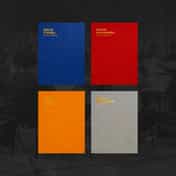
How the Berlin Series was recorded
The Berlin Series is Orchestral Tools’ flagship orchestral collection, produced over eight years. The four main sections were recorded at Teldex Studio in Berlin, a scoring stage used for both sample libraries and live recordings, and so were Berlin Harps, Berlin Pianos and First Chairs.
Every section was recorded in its usual seat in a symphony orchestra, and the natural dynamics were left as they were played. So each instrument keeps its place on the stage and its level relative to the others. A horn at forte stays louder than a flute at forte, as it would in a concert hall. Orchestral Tools builds the libraries to be combined for this reason, and says the sections balance out of the box.
Berlin Percussion and First Chairs use the Decca Tree perspective. A Decca Tree is three microphones on a T-shaped frame above the conductor’s position, the classic way to record a whole orchestra from one listening point.
What a MuseSounds Edition is
The Berlin libraries on MuseHub are MuseSounds Editions. Orchestral Tools and Muse Group reprogrammed them for the playback engine in MuseScore Studio. An edition usually has one mixed microphone position and a selection of the articulations that work best from notation. Instruments recorded with true legato use the MuseSounds legato engine, so slurred notes connect without any setup.
There is no separate interface for each library. You add an instrument to your score, choose its Berlin sound in the Mixer, and press play. Orchestral Tools also sells the Berlin Series for DAWs (digital audio workstations). Those are different products, intended for different platforms. The MuseSounds Editions play only in MuseScore Studio.
Hear Berlin against the free libraries
We took the horn call from the slow introduction to the last movement of Brahms’s Symphony No. 1, bars 30–38, from the horn’s first note to the end of its tune. The flute’s echo of the tune, which begins in bar 38, is left out, and so is a single contrabassoon note at the start. Then we played the excerpt in MuseScore Studio three times, changing only the sounds:
- MS Basic, the soundfont that comes with MuseScore Studio.
- Free MuseSounds: Muse Brass, Muse Strings, Muse Woodwinds and Muse Percussion.
- The Berlin Series: Berlin Brass, Berlin Strings and Berlin Woodwinds. These are three libraries you buy. None of them is in MuseSounds Pro.
The tempo, the mixer, the reverb and the export settings stayed the same each time, all at their defaults.
Look at the score before you listen. The movement opens slowly in C minor. At the Più andante the key turns to C major, and the strings begin a soft tremolo marked pp. Over it a solo horn plays a long, open melody that imitates an alphorn, the wooden horn of Swiss mountain herders. For these bars the melody has nothing to compete with, so every note of the horn is exposed. Try to imagine how that should sound, then press play.
1. MS Basic
First, the soundfont MuseScore Studio uses until you install anything else. It has only a few recordings per instrument, so a dynamic marking mostly changes the volume. MS Basic also has no bass trombone, so the bass trombone part plays with its Trombone sound. Listen to whether the tremolo stays quiet under the horn, as the pp asks. Pay attention to the horn’s long notes, too, and notice whether a held note changes as it sounds or stays one flat tone. Next to the other two renders, this one sounds a bit muffled.
MS Basic
2. Free MuseSounds
Now the same bars with the free Muse Brass, Muse Strings, Muse Woodwinds and Muse Percussion. These libraries were recorded at several dynamic levels, and MuseScore Studio plays a slur with legato recordings. Listen to how the horn moves from one note to the next where the melody is slurred. Notice whether the tremolo sounds like a section of players or like a single sound. This render is clearer than MS Basic.
Free MuseSounds
3. The Berlin Series
Finally, Berlin Brass, Berlin Strings and Berlin Woodwinds. Remember that this render uses libraries you buy, not MuseSounds Pro. The timpani still plays on Muse Percussion, one of the free libraries, as in the second render. The Berlin players were recorded in their orchestra seats, so the room is part of every note. Listen to where the horn seems to stand compared with the strings, and whether it sounds further back. Compare the tremolo with the free version, too. Of the three renders, this is the clearest.
Berlin Series
Only the library changed between the three renders. We didn’t adjust the score for any of them, and in a real mock-up you would. Each library responds a little differently to the same notes and dynamics, so arrangers adapt their writing to the library they use.
The four orchestral sections
Strings, brass, woodwinds and percussion are the core of the series. They are also the four libraries in the Berlin Series Orchestral Bundle.

Berlin Strings has the five string sections of an orchestra, which are the first violins, second violins, violas, cellos and basses. It includes legato and portamento interval samples, which are recordings of the players actually moving from one note to the next. A portamento is the audible slide between two notes that string players use for expression. There are also many repetition samples for short notes, so a run of repeated staccatos doesn’t replay the same recording each time.

Berlin Brass has both solo instruments and ensemble patches. Every instrument was recorded at the same natural gain, with the players in traditional orchestra seats. Use a solo instrument for an exposed line like the Brahms horn call, and an ensemble when a whole section plays chords together.

Berlin Woodwinds has 12 individual instruments with a wide range of articulations, recorded on the Teldex stage. Because each instrument is separate, you build solo lines, doublings and custom ensembles the way you would voice them for real players.

Berlin Percussion covers the full percussion section of a symphony orchestra, from celesta to gongs. It includes seven snare drums of different sizes and types and four sizes of gran casa, the orchestral bass drum. You choose mallets and playing styles with staff text in MuseScore Studio.
The bundle groups these four sections. The harps, the pianos, Berlin Soloists and First Chairs are sold separately.

Soloists and First Chairs
Two of the Berlin libraries are about solo players. Their names are easy to mix up, and they cover different families.
In an orchestra, each string part is played by a section. A dozen or more violinists may play the same line, and their small differences in pitch and timing make the wide, blended sound of a string section. The player who leads each section sits in the first chair. When a part is marked solo, that player plays it alone, with one tone and one vibrato that you can follow.

First Chairs is five solo string instruments played by section leaders. They were recorded at Teldex with the same setup and seating as Berlin Strings, so a solo matches the section behind it. Use it for solo passages, or add it on top of the full section when a melody needs more definition. The five instruments also work as a string quintet on their own.

Berlin Soloists is woodwinds, despite the name. Its nine solo instruments are flutes, oboe, English horn, clarinet and bassoon, plus bass flute, bass oboe and bass clarinet. They have a close, intimate sound, while the main Berlin Woodwinds library sounds more spacious and further into the room. Choose Berlin Soloists when a woodwind melody should step forward from the orchestra.
Harps and pianos

Berlin Harps has two symphonic harps, each with its own character, recorded in their orchestral position at Teldex. The articulations include sustains, bisbigliando (a soft, rapid shimmer on repeated notes), près de la table (plucked near the soundboard for a drier, guitar-like tone), nail glissando, damped notes, staccato and harmonics.

Berlin Pianos has two Steinway grands, a model D and a model B, both placed for orchestral use at Teldex. Sustains and staccatos have several round robins, which are alternate recordings of the same note played in turn, so repeated notes sound less mechanical. It also includes “The Intimate Piano”, a solo grand processed through an analog chain for quieter, more personal music.
The whole Berlin range
All eight libraries together are about 12.8 GB to download.
| Library | What it covers | In the Orchestral Bundle | In MuseSounds Pro |
|---|---|---|---|
| Berlin Strings | Five string sections | Yes | No |
| Berlin Brass | Solo and ensemble orchestral brass | Yes | No |
| Berlin Woodwinds | 12 orchestral woodwind instruments | Yes | No |
| Berlin Percussion | Pitched and unpitched orchestral percussion | Yes | No |
| Berlin Harps | Two symphonic harps | No | No |
| Berlin Pianos | Steinway D and B, plus a processed solo grand | No | No |
| Berlin Soloists | Nine solo woodwinds with a close sound | No | No |
| First Chairs | Five solo strings played by section leaders | No | No |
Berlin or MuseSounds Pro?
MuseSounds Pro is a subscription to 34 of the paid libraries. It includes three complete orchestras from other makers: the Vienna Strings, Brass, Woodwinds and Percussion from Vienna Symphonic Library, the Symphony series from Spitfire Audio, and CineStrings, CineBrass, CineWinds and CinePerc from Cinesamples. Vienna and Spitfire also sell theirs as a four-section bundle. Of the four orchestral lines, Berlin is the only one you can’t get by subscribing.
| Line | Partner | Four-section bundle | In MuseSounds Pro |
|---|---|---|---|
| Berlin Series | Orchestral Tools | Berlin Series Orchestral Bundle | No |
| Vienna | Vienna Symphonic Library | Vienna Orchestral Bundle | Yes |
| Symphony series | Spitfire Audio | Spitfire Symphony Orchestra Bundle | Yes |
| Cine orchestra | Cinesamples | None, sold as four libraries | Yes |
So the choice is between owning and subscribing. A library you buy keeps working for good. Pro libraries stop working at the end of the billing period if you cancel. The Berlin bundle costs ₫3,999,000, and a year of Pro costs ₫4,999,000. The bundle gives you four Berlin sections to keep. Pro gives you all 34 of its libraries, the Vienna, Spitfire and Cinesamples orchestras among them, for as long as you subscribe.
The two also combine. The Mixer assigns a library to each instrument, so Berlin Strings can play under Vienna Brass from Pro in the same score. Which orchestra suits your music is for your ears to decide. The render above plays Berlin, and What are MuseSounds? plays the Vienna libraries. MuseSounds Pro or buy the libraries? works through the costs in detail.
Why it matters while you write
Balanced playback helps you decide while the score is still open. You hear whether the horns cover the violas, or whether a woodwind doubling adds color or only thickens the sound, before a rehearsal does it for you. When the sections were recorded in their seats, a balance problem in the playback is more likely to be a balance problem in the writing.
You don’t need the whole series to start. Many scores need one section more than the rest, and any Berlin library sits alongside the free MuseSounds for everything else.
How to get started
- Create a free MuseHub account, then download and install MuseHub on Windows or macOS.
- Install MuseScore Studio from MuseHub if you don’t have it yet.
- Install the free MuseSounds, starting with Muse Keys and Muse Strings, so every instrument has a MuseSounds sound.
- Open the MuseSounds section and get the Berlin Series Orchestral Bundle or the library you write for most.
- Restart MuseScore Studio if it was already open.
- Open a score, open the Mixer, and choose the Berlin sound for each instrument you want it on.
How to use MuseSounds in MuseScore Studio walks through each step with screenshots and the most common mistakes.
FAQ
Next steps
To see where Berlin fits among all 72 libraries, start with what MuseSounds are. To weigh a Berlin purchase against a subscription, read MuseSounds Pro or buy the libraries?. To compare Berlin Strings and Berlin Percussion with libraries from other makers, see the best strings libraries, the best percussion libraries and the best orchestral libraries. Browse every library in MuseSounds on MuseHub, or download MuseHub free.