Guitar signal chain: what order your pedals and plugins go in
Put guitar effects in this order: tuner first, then compression and filters such as a wah, then drive and distortion, then modulation, with delay and reverb last. In a DAW the order stays the same, and the amp and cabinet simulation slot in after the drive and before the modulation.
This guide explains why that order works, walks through each stage with typical settings and a free and a paid plugin on MuseHub, and shows when breaking the order is worth it.
Guitar chain plugins on MuseHub




Why the order of effects matters
Every effect processes whatever the one before it hands over. A compressor in front of a distortion pedal evens out your picking before it gets distorted. Put the same compressor after the distortion and it squeezes an already dense sound, which mostly raises the noise. Delay after distortion gives you clean repeats of a distorted note. Delay before distortion feeds every repeat through the drive, so the echoes smear into each other.
None of this is a rule you can break by accident and damage something. It is a set of reasons, and once you know them you can move a stage on purpose.
The guitar signal chain, step by step
1. Tuner
The tuner goes first, so it hears the guitar before anything colors it. On a pedalboard, many tuners also mute the signal while you tune. In a DAW, put it on the track input or the first slot. Some players put the tuner at the very end of the chain instead, and that works too.
- Free: ARTUNER from Ajanss Records, a chromatic tuner with needle and strobe displays, 10 tunings, an adjustable reference pitch and silent tuning for live use.
2. Compressor
A compressor evens out the difference between soft and hard picking and adds sustain. Early in the chain it shapes your playing before the drive does, and it stays clear of the hiss that drive pedals add, which a compressor after them would raise. Start with a gentle ratio, around 3:1 to 4:1, and a slower attack so the pick still clicks. For how each control changes the sound, see how to use a compressor.
- Free: the compressor in MuseFX, set with a single amount control.
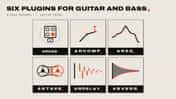
- Paid: ARCOMP, part of Ajanss Records’ Guitar Chain bundle, where you set the threshold by looking at the waveform of your take.
3. Filters, wah and pitch
Filters sit at the start of the chain too, usually right after the compressor. A wah or an envelope filter reacts to how hard and where you play, so it works best on the plain guitar signal. After a drive pedal, the sweep has a dense, compressed signal to work with and sounds harsher. Octave and pitch pedals belong here as well, because they track better with the steady signal the compressor gives them.
- Free: Uè Uè from Clack.DIGITAL, a vocal wah: assign vowels to the heel and toe positions and sweep between them to make the guitar talk.
4. Drive, distortion and fuzz
Overdrive, distortion and fuzz add harmonics and sustain by clipping the signal. Stack two drives with the lighter one first, so it pushes the heavier one instead of the other way round. Keep the gain lower than feels exciting when you play alone; a mix needs less than you think.
- Free: BYOD from Chowdhury DSP lets you build your own distortion from modules, with emulations of classic and modern circuits and tone shaping.
- Paid: Guitarstrip from Solid State Logic has a drive module with guitar amp and bass amp emulations, from subtle saturation to trashy distortion.
5. Noise gate
High gain raises hiss and hum between notes. A noise gate after the drive closes when you stop playing, so the silence stays silent. Set the threshold just above the noise and check that note tails do not get cut off.
- Free: the noise gate in MuseFX.
6. Amp and cabinet
On a pedalboard, everything so far goes into the amp. In a DAW, the amp simulation and the cabinet or impulse response take that place: the amp sets the core tone and gain, and the cabinet with its microphone shapes the final sound the most. Change the cabinet before you reach for EQ.
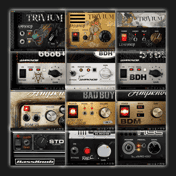
- Paid, all in one: AmpKit has 29 amps with 50 channels, 30 pedals, 26 cabinets and 8 microphones, for clean and high-gain sounds.
- Paid, heavy tones: the Ampknob Complete Collection gathers every Bogren Digital amp and bass plugin, each built around a few knobs.
- Paid, cabinet and pedals: ARCAB, the rig in the Guitar Chain bundle, combines a modelled cabinet with 25 pedals you drag into any order, and it loads your own impulse responses.
7. Modulation
Chorus, phaser, flanger and rotary effects move the sound over time. After the amp they modulate the finished tone, which sounds clearer than modulating a signal that is about to be distorted. On an amp with an effects loop, modulation can go in the loop too.
- Free: Phase One from NIVIEM, a six-stage phaser inspired by the 1971 PS-1A Phase Shifter, with three speed presets. The chorus and rotary effects in MuseFX cover the rest.
- Paid: Phase Garden from folina audio, three phaser voices that drift against each other instead of repeating one sweep.
8. Delay
Delay comes near the end, so each repeat is a copy of your finished tone. On an amp with an effects loop, delay and reverb go in the loop, after the preamp, for the same reason. This matters most when your drive comes from the amp: in front of it, the repeats would run into the distortion and turn muddy. Sync the delay to the song’s tempo and keep the repeats lower than the dry signal.
- Free: the delay in MuseFX, which syncs to the host tempo.
- Paid: ARDELAY in the Guitar Chain bundle, with the echoes drawn on a timeline you can drag.
9. Reverb
Reverb goes last, because it puts the whole sound in a space. Before the delay, every echo would carry its own room and the sound turns cloudy.
- Free: the reverb in MuseFX.
- Paid: ARVERB in the Guitar Chain bundle, with four room types and a freeze.
Where the volume pedal goes
A volume pedal works in two places. Near the start, before the drive, it acts like the guitar’s volume knob: rolling it back cleans up the overdrive. Near the end, just before delay and reverb, it changes the level of the finished sound, so you can fade a fully driven tone in and out without cleaning it up.
The order at a glance
| Step | Effect | Why here | Free pick | Paid pick |
|---|---|---|---|---|
| 1 | Tuner | Hears the plain guitar | ARTUNER | – |
| 2 | Compressor | Evens out picking before the drive | MuseFX | Guitar Chain (ARCOMP) |
| 3 | Wah, filters and pitch | React to your playing | Uè Uè | – |
| 4 | Drive and distortion | Adds gain and sustain | BYOD | Guitarstrip |
| 5 | Noise gate | Silences hiss between notes | MuseFX | – |
| 6 | Amp and cabinet | Sets the core tone | – | AmpKit, Ampknob Complete Collection, Guitar Chain (ARCAB) |
| 7 | Modulation | Moves the finished tone | Phase One, MuseFX | Phase Garden |
| 8 | Delay | Repeats the finished tone | MuseFX | Guitar Chain (ARDELAY) |
| 9 | Reverb | Places it all in a space | MuseFX | Guitar Chain (ARVERB) |
Pedalboard vs plugins: what changes
The order is the same, but a few things work differently in a DAW:
- There is no cable to drive. Buffers and true bypass matter on a pedalboard because long cables dull the tone. Plugins pass digital audio, so you can skip that decision.
- The cabinet is a separate stage. A real amp has its speaker built in. In a DAW, the cabinet or impulse response is its own step, and it changes the tone more than any pedal.
- You can reorder without unplugging. Try a stage in two places and keep the one that sounds better. Most amp sims let you drag pedals into a new order.
- The studio comes after the rig. Once the guitar is recorded, EQ, compression and reverb in the mix do the same jobs again with finer control. The Guitar Chain bundle is built this way, with ARCAB as the rig and five studio plugins after it.
When to break the order
- Fuzz before the wah. Some vintage fuzz circuits only behave when they see the guitar directly, so players put them first.
- Compressor after the drive. For a squashed, sustained lead, compress the distorted sound instead of the clean one.
- Delay before the drive. For a wash of distorted echoes in ambient or noise music, feed the repeats into the gain.
- Reverb before the delay. For pads and soundscapes, delaying a reverb tail can sound bigger, at the cost of clarity.
Break the order when you can say what you want from it, and compare against the standard order before you commit.
FAQ
Next steps
Find the plugins for each stage in the best guitar plugins and the best guitar amp plugins, or browse the plugin catalog.
Get MuseFX free, and the rest of your chain in one place — download MuseHub free.