What is a de-esser and how to use one
Record a vocal close to a bright microphone and the “s” sounds can cut through the mix like a hiss. A de-esser softens them, and most vocal chains include one.
This guide explains what a de-esser does, the types you’ll come across, the settings that matter and how to dial one in, with a before-and-after to listen to.
De-esser plugins on MuseHub


What is a de-esser?
A de-esser is a compressor that turns down harsh “s,” “sh” and “t” sounds in a vocal, usually between about 4 and 10 kHz, when they cross a threshold you set. It listens only to that high band and stays idle between those consonants, so the vocal keeps its brightness and only the sharp sounds get softer.
Engineers call this process de-essing. Harsh esses are one of the first problems you hear on a home vocal recording, and one of the easiest to fix once you know what the controls do.
What is sibilance?
Sibilance is the bright, hissy energy in consonants like s, z, sh, ch and t. Every voice has some, and a little of it keeps words clear. It becomes a problem when it is louder than the rest of the vocal and starts to sound piercing, especially on headphones and earbuds.
Several things push sibilance over the edge:
- The microphone. A bright condenser placed close to the mouth captures more of the top end.
- EQ. A high-frequency boost that adds air to a vocal lifts the esses with it.
- Compression. Heavy compression raises the quieter parts of a performance, and the consonants come up with them.
- The voice itself. Mouth shape, accent and language change how strong and how high the esses are.
Where sibilance sits depends on the voice. It is often around 3–6 kHz on male voices and 6–8 kHz on female voices, and with some voice and microphone combinations it reaches below 2 kHz. A de-esser has a frequency control for this reason, so you can point it at the voice in front of you.
How a de-esser works
Inside a de-esser, a copy of the vocal goes through a filter that keeps only the sibilant band. This copy is called the detector, or sidechain. It never reaches your speakers and only measures how loud the esses are.
When the detector’s level rises above the threshold, the de-esser applies gain reduction, then lets go as soon as the consonant ends. The reaction has to be fast, because an ess lasts only a fraction of a second, so most de-essers set their attack and release automatically.
How much the de-esser turns down, and which part of the signal it turns down, depends on the type.
Types of de-esser
Wideband
A wideband de-esser turns down the whole vocal for the moment an ess triggers it. It is simple and handles pronounced sibilance well. Because the entire signal moves, it can’t be pushed as hard as other types before the processing becomes audible.
Split-band
A split-band de-esser reduces only the frequencies above or around the point you choose and leaves the body of the voice alone. It generally sounds more transparent than a wideband de-esser, because the vowels and low mids never move.
Dynamic EQ and multiband
A dynamic EQ de-esser uses one or more EQ bands that cut only when the sibilance in their range crosses a threshold. Each band can target its own problem frequency. This helps with a singer whose esses sit higher when they sing softly and lower, around 3 kHz, when they belt.
Spectral
A spectral de-esser splits the top end into many narrow bands and compresses each one on its own. Because each slice moves only as much as it needs to, the result can stay smoother on a harsh, brittle voice than a single band would.
Manual de-essing
Manual de-essing needs no plugin. In your DAW, find each ess in the waveform, where it shows up as a short, dense burst. Split it into its own clip, lower its gain by a few dB and add a short crossfade on each side. It takes longer, but every consonant gets exactly the treatment it needs.
De-esser vs EQ
An EQ cut is static. Lower 7 kHz on a vocal and it stays lower through every word, so the voice gets duller even where nothing was harsh. A de-esser is dynamic. It cuts only while an ess is louder than the threshold, and the rest of the time the top end stays as bright as you recorded it.
The two work well together for the same reason. Once the esses are under control, you can add air to a vocal with an EQ boost without making them harsh again.
De-esser settings at a glance
| Setting | What it does | Where to start |
|---|---|---|
| Frequency | Tells the detector which band to listen to | Sweep between 4 and 10 kHz with the listen or solo button on |
| Threshold | Sets how loud an ess must be before the de-esser reacts | Lower it until only the harsh esses trigger gain reduction |
| Range or amount | Caps how far any ess can be turned down | 3–4 dB for most vocals, up to about 10 dB for very loud esses |
| Mode | Chooses wideband or split-band processing | Split-band for a transparent result, wideband for firmer control |
| Attack and release | Set how fast it grabs an ess and lets go | Leave them on automatic if the plugin offers it |
How to use a de-esser, step by step
- Loop the harshest line. Pick a few seconds where the esses bother you most and set them to repeat.
- Find the frequency. Turn on the listen or solo button, which plays only what the detector hears, and sweep the frequency until the esses are at their loudest. Some de-essers have a learn button that finds the band for you.
- Lower the threshold. Bring it down until the gain-reduction meter moves on the esses and stays still on the vowels.
- Limit the range. Cap the reduction so the esses get softer without disappearing, because they are part of the words.
- Listen in the mix. Switch the solo off, check the vocal against the track, then check it again on headphones. Take a short break before you decide, because tired ears hear harshness everywhere.
- Fix what’s left by hand. If one line still hits too hard, automate the threshold for that line or lower the clip gain of the loudest ess before the plugin.
Hear a de-esser before and after
The players below use the same spoken phrase, “and so it begins,” read three ways. Its top end is lifted the way a bright EQ would lift it, so the esses are easy to hear.
First, the phrase with the de-esser bypassed. Listen for the hiss on “so” and the buzz at the end of “begins.”
De-esser bypassed
Now the same phrase with the de-esser on and nothing else changed. Listen to the same two words again. The esses are still there, only softer, and the vowels keep their level.
De-esser on
Last, only the sound the de-esser took out. Listen for short bursts of hiss on each “s” and “z,” and almost nothing in between.
What the de-esser removed
Where the de-esser goes in a vocal chain
The most common place is after EQ and before the compressor. A compressor in front would flatten the peaks the de-esser needs to detect, and an EQ boost after it could bring the harshness straight back.
Other orders work too, because the three processes affect each other. A de-esser after the compressor catches esses that the compression made louder. Two light de-essers, one early in the chain and one late, often sound more natural than one working hard. For how a compressor reacts to peaks, see how to use a compressor.
Where de-essers help in practice
- Lead and backing vocals. The main job, on any sung or rapped part where the esses stand out.
- Podcasts and voice-over. Spoken word sits close to the microphone for long stretches, and harsh esses tire listeners over a whole episode. A de-esser sits alongside EQ and noise reduction among the best podcasting plugins.
- Reverb and delay sends. A bright vocal can make a reverb hiss on every ess. A de-esser on the send, before the reverb, keeps the space smooth while the dry vocal stays untouched.
- Guitars through amp simulators. Amp simulators can sound harsh in the upper midrange. A de-esser set around 4 kHz softens that edge without dulling the whole tone.
- Cymbals and overheads. When crashes splash too hard, a de-esser turns down the peaks and leaves the rest of the kit alone.
Signs you’ve gone too far
Listen for these signs of too much de-essing, and raise the threshold or reduce the range if you hear them:
- A lisp. The “s” sounds start to sound like “th,” and the singer seems to have a slight lisp.
- A dull vocal. The whole top end sinks, and the voice loses the presence you recorded.
- Smudged words. Consonants soften so much that the lyrics get harder to follow.
For what a finished vocal should sound like around the de-esser, see mixing vocals.
De-esser plugins on MuseHub
MuseHub lists de-esser plugins from a free one-knob option to spectral processing. MuseFX is free, and several of the others offer a free trial, so you can test them on your own vocals before you decide.

MuseFX is a free set of 12 mix effects from Muse Group, and one of them is a de-esser. Each effect has a single amount control and presets, so it’s a quick way to try de-essing before you need finer control.

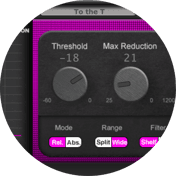
The De-esser filters and compresses the sibilant band, with a visualizer that shows how much it takes off. You set the frequency first, then the threshold, and watch the display to judge the reduction. Its filter cuts either with a bell around one frequency or with a shelf across the whole top end, which helps when the harshness spreads wider than one spot. It is also included in Gooey Audio’s Podcaster Delight bundle.

S1 De-Esser by Parish Audio targets the frequency range where the harsh consonants sit instead of dulling the whole top end. Its settings run from light, transparent control to firmer de-essing for difficult recordings, and it suits lead and backing vocals as well as dialogue, podcasts and voice-over.

Shane DS has two modes. Split mode turns down only the sibilant band so the vowel keeps its weight, and Broad mode gives the simpler wideband behavior. Its detector is tuned for voice, so it reacts to sibilance rather than to whatever is loudest. Alongside threshold, range, frequency, attack and release, it adds a Q control, a sidechain high-pass filter and a listen switch. A constant-reduction mode applies the same cut to every ess, which helps on an uneven performance.

Chamfer De-Esser by Vitric Audio sets itself up from the voice. Play a few seconds and click LEARN, and it places its band where that voice’s esses live, calibrates its threshold and suggests a starting amount. The threshold then follows the performance, so quiet and loud phrases share one setting. Its three styles match the types above: Split works like a classic split-band de-esser, Smooth turns down everything from the band upward, and Surgical reshapes each ess frequency by frequency.

ARDESS by Ajanss Records is a spectral de-esser, so it reduces only the part of the spectrum that is actually hissing rather than a whole band. Its detection is relative to the recording, which helps it tell real sibilance from bright vowels and cymbals, and its DELTA switch plays only what it removes.
Audio in the examples: “Female Voice: And so it begins” by LadyImperatrix on Pixabay, used under the Pixabay Content License.
FAQ
Next steps
Once the esses are under control, shape the rest of the tone with how to EQ vocals, or browse more mixing tools in the plugin catalog.
Get MuseFX and the rest in one place — download MuseHub free.