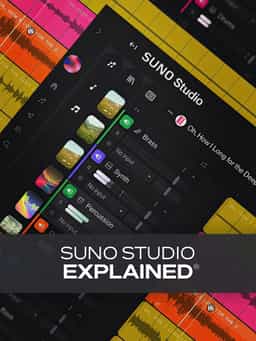
The use of AI for music production is a hot topic these days, with some users protesting it, while others embracing it. "Suno Studio Explained®" is designed for producers, composers, and songwriters who want to explore the power of AI-assisted music creation and see how they can selectively use it as another tool in their computer-based music-making workflow. In this Suno Studio video course, production guru Larry Holcombe takes you on a tour of Suno Studio, demonstrating how to combine human creativity with intelligent generation tools to spark inspiration, enhance ideas, and build full arrangements quickly and intuitively. You’ll learn how to navigate the interface, edit and layer tracks, and use Suno’s AI features to create entirely new musical parts from audio recordings and loops. These Suno Studio videos are aimed at new Suno Studio users.
Description
“Suno Studio Explained®” is a structured video course designed to teach producers, composers, and songwriters how to use Suno Studio for AI-assisted music production.
In this in-depth video training series, Larry Holcombe walks you through Suno Studio’s interface, workflow, and creative tools. The course begins with a complete overview of the layout and timeline, demonstrating how to start a session, navigate efficiently, and perform precise edits.
Throughout the video lessons, you’ll learn how to add and layer tracks, organize larger arrangements, and manage projects effectively. Export workflows are covered in detail, including creating stems and full mixes, as well as transferring projects between Suno Studio and other DAWs.
The course also demonstrates Suno Studio’s AI-powered features, showing how to generate new musical parts from existing audio and loops and how to transform vocal recordings into full arrangements. Each lesson builds on the previous one, giving you a clear understanding of how Suno Studio can function within your music production workflow.
By the end of this video course, you’ll have a solid grasp of Suno Studio’s tools and how to incorporate them into your creative process.
Suno Studio Explained hasn’t received any reviews yet.
Edit, Comp, Tune, and Produce Professional-Quality Vocals in Your DAW

Learn tips on how to create effective HyperPop productions with these informative video tutorials.

Modern Vocal Effects and Creative Processing Techniques for Contemporary Productions
Build Expressive String Arrangements Through Strong Harmony, Voice Leading, and Realistic Ensemble Writing
Learn how to use this AI-powered virtual vocalist app to generate, edit, and process professional-sounding vocals in virtually any style. All parameters and controls are explained, and numerous examples demonstrate it in action.
Take a deep dive into the functionality of Pro Tools with this comprehensive video tutorial series.
Launch a Professional Audio or Video Podcast from Recording to Final Export
Learn everything you need to start using the incredibly powerful virtual sampler from Native Instruments and more!
Master Toontrack’s Flagship Drum Instrument with Luke Oswald
Learn how to take your mixes to the next level with this awesome collection of plugin tools from Cableguys!