Best plugins for FL Studio in 2026 (free and paid)
FL Studio ships with a deep set of stock plugins, but the moment you want a specific sound — a Serum-style wavetable, a FabFilter-grade EQ, a Valhalla-sized reverb — you reach outside the box for third-party tools. Here are the best plugins for FL Studio in 2026, a mix of paid staples and free picks across every job a track needs: synth, EQ, compression, reverb, vocals and drums. Many install in one click on MuseHub, drop straight into FL’s VST3 folder, and show up in your plugin database ready to load.
Plugins for FL Studio



Top picks at a glance:
- Best synth: Xfer Serum 2 (paid) — the wavetable standard, or BA-1 for analog warmth.
- Best EQ: FabFilter Pro-Q 4 (paid) or Trinity EQ for a musical, saturated tilt.
- Best free FL plugin: Graillon 3 — real-time tuning and voice FX, free.
- Best for space: Valhalla Supermassive (free) or MoonVerb for shimmer.
How we choose: we rank on sound, workflow and value — every pick tested in real projects and chosen on merit, not by brand. All plugins here load in FL Studio as VST/VST3.
FL stock plugins vs third-party — and how plugins load in FL
FL Studio’s built-in plugins are better than their reputation — Sytrus and Harmor for synthesis, Gross Beat for time and volume tricks, Fruity Parametric EQ 2 for everyday tone. For a lot of tracks they are enough. Producers add third-party plugins for two reasons: a specific sound the stock tools don’t make, like a Serum wavetable or a hardware-modeled EQ, and portability, so the same plugin follows you into any DAW.
The one thing to know is format. FL Studio hosts VST and VST3 plugins (not AU or AAX, which are for Logic and Pro Tools). VST3 is the modern 64-bit standard and the one to install when a plugin offers both. Getting a plugin into FL is a two-step routine: install it, then open Options → Manage plugins → Find plugins so FL scans the VST3 folder. Newly found plugins are added to your plugin database and appear in the picker, ready to drop onto a channel or mixer insert.
That scan step is where MuseHub helps. It is a free app that installs plugins in one click and puts them in the correct VST3 folder automatically, so a single “Find plugins” pass surfaces them in FL, with no chasing installers across a dozen sites and no wrong folder paths. Building a whole setup this way? Our roundup of the best free VST plugins covers the cross-DAW toolkit these picks belong to.
The 10 best plugins for FL Studio
1. Xfer Serum 2
Serum is the wavetable synth most FL producers install first, and version 2 keeps it the reference. You build sound by scanning through wavetables (banks of waveforms you morph between), then shape them with a clean, drag-and-drop modulation system where any control can be driven by any source. What makes it stick in FL is the ecosystem: a vast library of preset packs made for it, so you load a genre-ready patch and tweak from there. It is paid and priced like an industry tool, but for modern bass and leads little else matches its clarity and the sheer weight of presets around it. Vital is the free alternative worth grabbing if price is a barrier.
2. BA-1

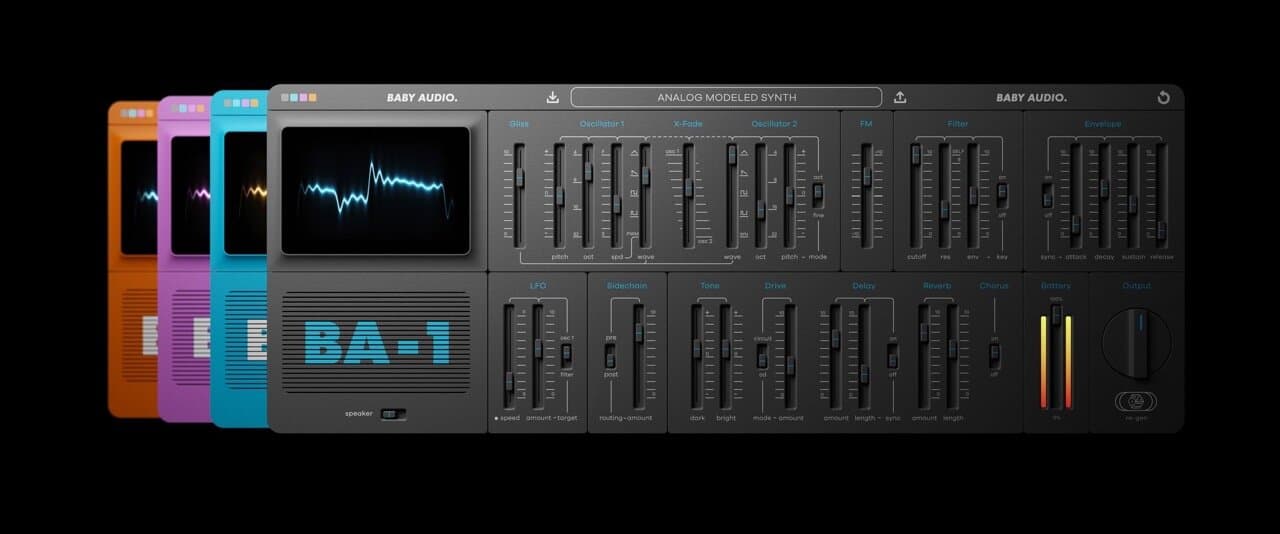
Where Serum is precise and digital, BA-1 goes the other way. It is an analog-modeled synthesizer built on the sound of a vintage 1980s home keyboard, so its oscillators drift and detune slightly the way old hardware did, which is the imperfection that makes pads and basses feel warm rather than sterile. That character is hard to program into a clean digital synth from scratch, so it fills a real gap next to Serum in an FL setup. It stays easy to drive, with a handful of controls you dial by ear, and it installs in one click on MuseHub, landing in FL’s plugin database ready to play.
3. FabFilter Pro-Q 4
Pro-Q is the EQ most engineers name when asked for one, and it earns it with speed and precision. You drop bands directly on a live spectrum analyzer, so you see the frequency you are hearing and fix it fast, and each band can work as a dynamic EQ that only moves when a frequency spikes, the transparent way to tame a harsh vocal or a boomy note without a permanent cut. Mid-side mode lets you EQ the center and the sides separately, which cleans a busy mix without thinning it. It is paid, and it is the surgical tone tool most FL producers graduate to from the stock parametric EQ.
4. Trinity EQ

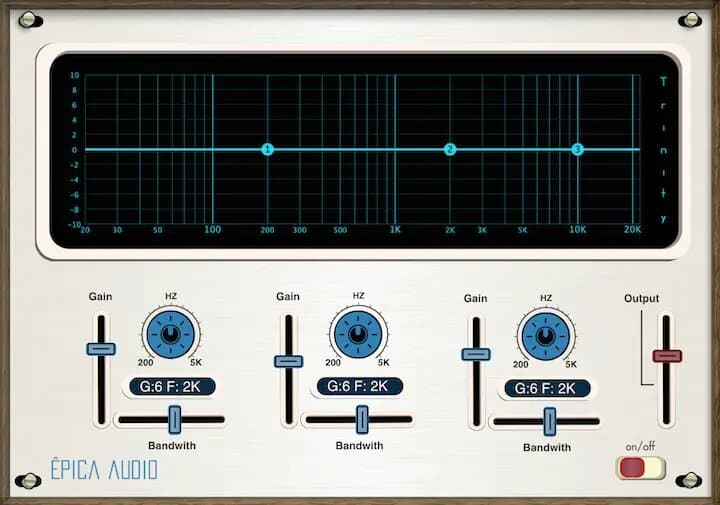
Not every EQ move should be surgical. Trinity EQ pairs a precision equalizer with harmonic saturation, so as you boost a band it can add a little analog-style color instead of a clinical lift. That matters when you want a sound to feel richer and more forward, not just louder in one range — think brightening a vocal so it also sounds warmer, or thickening a bass without a separate saturator. It sits between FL’s clean stock EQ and a full mastering EQ, and it is the one to reach for when tone shaping should sound musical. Install it in one click on MuseHub.
5. Puncher 2 Lite

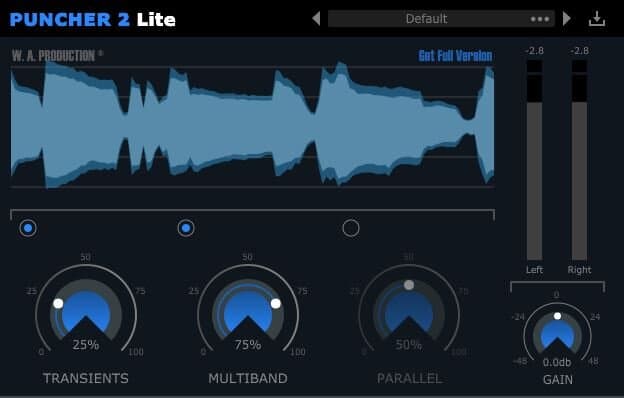
Puncher 2 Lite is a transient shaper and compressor in one, and it is free. A normal compressor evens out level; a transient shaper works on the attack and sustain of a sound directly, so you can make a kick hit harder or pull the room off a snare without hunting for the right threshold. Having both in one window makes it fast to give drums and bass the punch FL’s stock compressor can leave flat. It runs light enough to sit on every drum channel, and it installs free in one click on MuseHub, a genuine upgrade over the stock dynamics for anyone producing beats.
6. OTT
OTT is the free multiband compressor from Xfer, the makers of Serum, and it is practically a rite of passage in FL Studio. It applies aggressive upward and downward compression across three bands at once, pulling quiet detail up and loud peaks down so a sound gets denser, brighter and more finished in a single move. That upfront, glued result is baked into countless EDM, trap and pop productions, which is why so many FL templates have it on a bus by default. It is free and light, and worth using with restraint, since a little goes a long way before it flattens dynamics.
7. Valhalla Supermassive
Supermassive is proof that free can be world-class. It is a reverb-and-delay hybrid built around modes named after celestial objects, each a different network of delays, feedback and modulation. Where most reverbs aim for a realistic room, this one aims for the enormous: long, swelling tails and echoes that drift toward infinity, with Warp and Density controls to thicken or animate the cloud. That makes it the go-to for ambient pads, cinematic risers and vocal throws that turn into texture. It runs light, costs nothing, and gives FL a sense of space its stock reverb can’t reach on its own.
8. MoonVerb

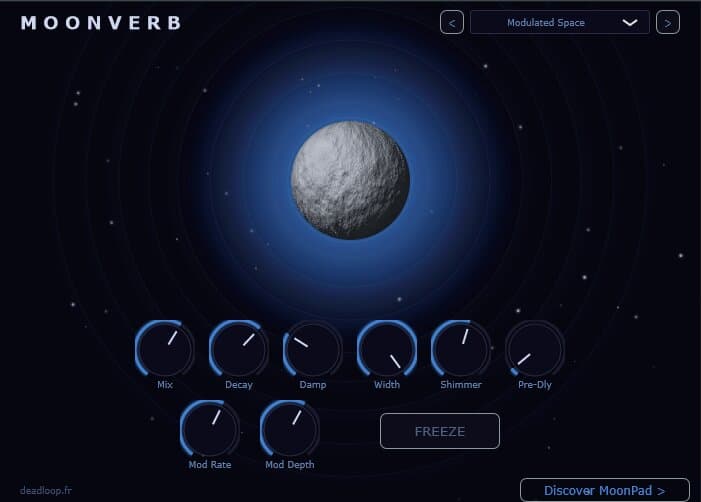
MoonVerb is a shimmer reverb and it is free. The tail regenerates an octave up for a glassy, choir-like sheen, a freeze control holds a sound forever, and deep modulation keeps the texture moving so the wash never sits still. Under the hood is a feedback delay network with granular pitch shifting, which is why the shimmer stays smooth instead of ringing. It is built for evolving atmospheres, ambient beds and ethereal pads — the kind of sound designers usually pay for. Drop it on a send in FL and print pads that become landscapes. It installs in one click on MuseHub.
9. Graillon 3

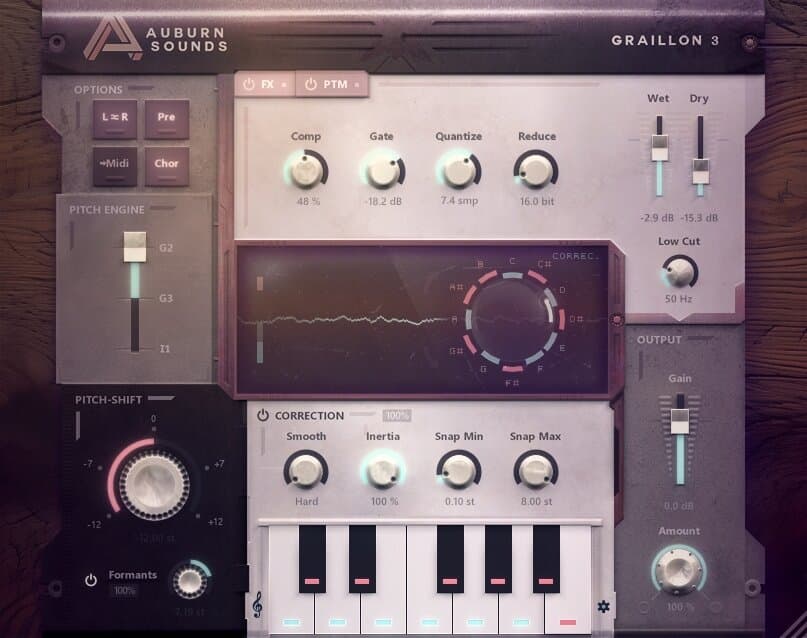
Auburn Sounds’ Graillon 3 is a real-time vocal tuner that doubles as a creative voice box, which is why producers who want character reach for it. The pitch engine tracks fast and clean for tight modern tuning, and a bitcrusher, octave generator and formant shifter sit alongside it for hard-tuned hooks, thickened stacks and pitched-down ad-libs. It is light enough to run on every vocal track at once, and it is fully free on MuseHub. For getting the modern tuned-vocal sound in FL without buying a full pitch suite, it is the easiest starting point, and it installs in one click.
10. BYOD

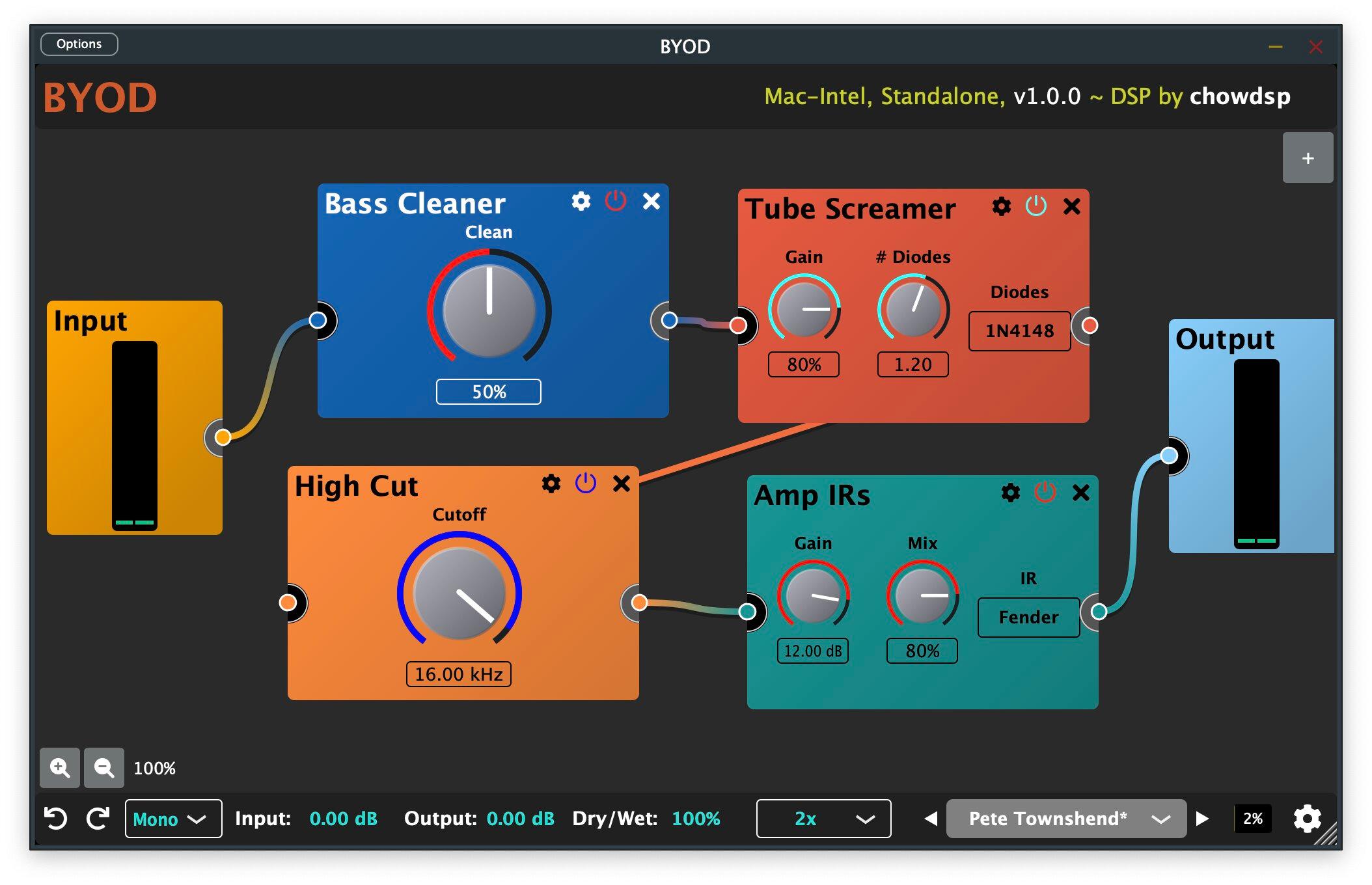
BYOD — short for Build Your Own Distortion — is a free, modular distortion plugin, and it turns saturation into a playground. Instead of one fixed drive, you chain distortion, saturation, tone and effect blocks in any order, so you can go from a subtle tape-style warmth to a full fuzz-and-filter mangle on the same channel. That flexibility suits FL’s sound-design side: reach for it to add grit to a bass, roughen a synth lead, or destroy a drum loop on purpose. It is open-source and free, installs in one click on MuseHub, and gives you distortion tones the stock Fruity effects don’t cover.
Best free FL Studio plugin
You can add a lot to FL without spending anything. On MuseHub, Graillon 3 (tuning and voice FX), Puncher 2 Lite (transient and compression), MoonVerb (shimmer reverb) and BYOD (modular distortion) are all free and install in one click. Beyond MuseHub, Vital and Surge XT are free synths that rival paid ones, TDR Nova is a free dynamic EQ, and OTT and Valhalla Supermassive are staples nearly every FL producer keeps installed. Together they cover synthesis, EQ, dynamics and space — a free upgrade over the stock set. Filling out a synth rack? Compare the best synth plugins.
How to choose
Start from the job, not the plugin. Missing a sound? That’s a synth — Serum or Vital for wavetables, BA-1 for analog warmth. Shaping tone? An EQ, surgical (Pro-Q 4) or musical (Trinity EQ). Controlling dynamics? A compressor or transient shaper like Puncher 2 Lite, or OTT for that dense multiband sheen. Adding depth? A reverb such as Supermassive or MoonVerb. The trap with FL is collecting a hundred plugins and using six, so grab one strong tool per job and learn it before adding more. Two practical checks: install the VST3 version when a plugin offers both, and run Find plugins after installing so FL adds it to the database. For mastering, iZotope Ozone builds a chain from an analysis of your track; for creative color, Soundtoys is the character-FX bundle FL producers reach for. Shaping tone specifically? Our roundup of the best EQ plugins goes deeper.
Comparison table
| Plugin | Type | Price | Best for |
|---|---|---|---|
| Xfer Serum 2 | Wavetable synth | Paid | Modern bass, leads, preset-driven sound design |
| BA-1 | Analog-modeled synth | Paid | Warm analog pads and basses |
| FabFilter Pro-Q 4 | Dynamic / surgical EQ | Paid | Precise, transparent tone-shaping |
| Trinity EQ | EQ + harmonic saturation | Paid | Musical, colored EQ moves |
| Puncher 2 Lite | Transient shaper + comp | Free | Punchy drums and bass |
| OTT | Multiband compressor | Free | Dense, upfront EDM/trap sound |
| Valhalla Supermassive | Reverb / delay | Free | Huge ambient and cinematic space |
| MoonVerb | Shimmer reverb | Free | Ethereal pads and textures |
| Graillon 3 | Vocal tuner + FX | Free | Modern tuned vocals in FL |
| BYOD | Modular distortion | Free | Custom saturation and lo-fi mangling |
FAQ
Are third-party plugins better than FL Studio’s stock plugins? Not automatically — FL’s stock plugins (Sytrus, Harmor, Gross Beat) are more than capable. Producers add third-party plugins for a specific sound the stock tools don’t make, like a Serum wavetable or a Valhalla reverb, and for portability across DAWs. Use stock where it works and reach outside for the sounds it can’t cover.
Can I use VST plugins in FL Studio? Yes. FL Studio hosts VST and VST3 plugins (it doesn’t use AU or AAX). Install the plugin, then open Options → Manage plugins → Find plugins so FL scans the folder and adds it to your plugin database. Install the VST3 version when a plugin offers both.
What is the best free FL Studio plugin? For a single free upgrade, Graillon 3 (vocal tuning and voice FX) or OTT (multiband compression) are the easiest wins. For synths, Vital; for EQ, TDR Nova; for reverb, Valhalla Supermassive. On MuseHub, Graillon 3, Puncher 2 Lite, MoonVerb and BYOD are all free and install in one click.
Do MuseHub plugins work in FL Studio? Yes. MuseHub plugins install as VST/VST3 into the standard plugin folder, so after one Find plugins scan they appear in FL’s plugin database like any other plugin. The advantage is the one-click install — no manual installer per plugin and no wrong folder paths.
Next steps
- Building a full free setup? See our roundup of the best free VST plugins.
- Filling out the synth rack? Compare the best synth plugins.
- Shaping tone? Read the best EQ plugins and, for vocals, the best vocal plugins.
- Browse everything in the MuseHub plugins catalog.
The free MuseHub picks above — and hundreds more plugins — install in one click and drop straight into FL Studio. Download MuseHub free and add a whole toolkit to your next session.