Best podcasting plugins in 2026 (free and paid)
A good episode lives or dies on the voice, and the plugins you add after recording are what turn a raw home take into something broadcast-clear. A plugin is a small piece of software that processes your recorded voice inside a DAW (a digital audio workstation, the app you record and edit in), each doing one job well: removing noise, evening out the volume, smoothing harsh sounds. Here are the best plugins for podcasting in 2026 — a mix of professional tools and free picks you can install in one click on MuseHub — for cleaning, leveling and finishing spoken voice.
Podcasting plugins on MuseHub





Top picks at a glance:
- Best overall: iZotope RX 12 — the repair-and-cleanup standard.
- Best for one-click cleanup: Soap Voice Cleaner.
- Best free: Viator Voice series — denoise, level and sweeten a voice.
- Best for de-essing: FabFilter Pro-DS.
How we choose: we rank on sound, workflow and value — tested in real mixes, free and paid on merit, not by brand.
What a podcast voice chain does
“Podcast plugin” covers several jobs, and knowing the order they run in makes every pick below easier to place. A typical spoken-voice chain goes: remove noise (hum, room tone, the hiss of a cheap mic), EQ to clear low-end rumble and add clarity, compress and level so quiet and loud words land at the same volume, de-ess and control plosives so sharp “s” sounds and popped “p” bursts don’t spit, then normalize loudness to a set target. Some plugins do one of these stages extremely well; others, like the all-in-one voice cleaners, roll several into a single window.
That last stage matters more than beginners expect. Loudness is measured in LUFS (Loudness Units relative to Full Scale, the yardstick streaming platforms use), and podcast platforms expect roughly -16 LUFS for a stereo file or -19 LUFS for mono. Hit that number and your episode sits at the same volume as every other show; miss it and listeners reach for the dial. If mixing a spoken track is new, our guide to how to mix your podcast walks through the whole chain.
And budget isn’t the barrier it used to be — several of the picks below are completely free.
The 10 best podcasting plugins
1. iZotope RX 12
iZotope RX is the tool professional dialogue editors reach for, and it has been the repair standard for years across film, TV and podcasting. It’s a suite rather than a single effect: Voice De-noise uses a trained neural network to strip hum, hiss and room tone; De-reverb pulls back the boxy sound of an untreated room; De-click removes the pops and lip smacks a close mic exaggerates. The reason it earns its price is that it fixes problems no EQ or gate can touch, separating the voice from the noise instead of just turning everything down. It’s a deep, paid tool, but nothing else rescues a damaged take as well.
2. Soap Voice Cleaner


Soap Voice Cleaner takes the opposite approach to iZotope RX’s depth: it cleans a spoken take in one pass, no engineering required. Point it at a raw voice recording and it removes background noise, tames room reverb and evens out the tone, so the result sounds like it was recorded in a treated booth. That single-step approach is what most podcasters and voiceover artists actually want — a clean voice now, not a mixing session. Because it’s built for spoken word rather than music, its processing keeps speech natural and intelligible instead of chasing a stylized vocal sound. It installs in one click on MuseHub.
3. Waves Clarity Vx
Clarity Vx is the quickest route to a quiet background. It uses a neural network to separate your voice from noise in real time, with one main control for how much noise to remove, so you dial it by ear in seconds. Background noise is the single most common problem in home recordings, and Clarity Vx handles it with remarkably few artifacts, keeping the voice smooth where an older noise gate would leave a robotic, underwater edge. The standard version covers everyday hum and hiss; the Pro version adds finer control for tougher rooms. It’s a paid plugin, and the one to reach for when you want strong noise removal without learning a full repair suite.
4. Denoiser


Denoiser removes background noise at studio quality while keeping the voice intact, which is the hard part: cut too aggressively and speech turns hollow and metallic. It targets the steady bed of noise a home setup picks up — air conditioning, computer fans, street rumble, mic hiss — and lifts it out from under the voice rather than clamping the whole signal. For a podcaster in an untreated room, that means a clean, present voice without the tell-tale pumping of cheap noise reduction. It belongs early in your chain, so every stage after it works on a clean signal. One click to install on MuseHub.
5. Viator Voice Denoiser


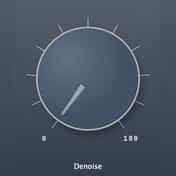
Where Denoiser is the full-featured option, the Viator Voice Denoiser is the one-knob version for people who don’t want to think about it. It’s voice noise reduction built around a single control: turn it up until the hiss and room tone drop away, stop before the voice starts to thin. Under that one knob sits processing tuned specifically for spoken voice, so it knows what to protect and what to remove. That makes it ideal for streamers and podcasters who want a quieter background without opening a repair suite. It’s free and installs in one click on MuseHub.
6. FabFilter Pro-DS
Pro-DS is a de-esser, the tool that tames the harsh “ess”, “sh” and “t” sounds a close mic and a little compression push forward. Sibilance is one of the most fatiguing problems in spoken audio: fine on a single word, painful over an hour-long episode. Pro-DS listens for those sibilant bursts and ducks only them, only when they spike, so the voice stays bright and clear without the lisp a heavy EQ notch would add. It works out of the box with a single threshold, and switches to a manual mode when you need surgical control. It’s paid, and the cleanest fix for a spitty microphone.
7. Viator Voice Leveler


A podcast voice needs consistent volume — the listener shouldn’t touch the dial when you lean back from the mic or get animated. The Viator Voice Leveler handles that with a single knob: it’s voice compression and leveling that pushes quiet phrases up and holds loud ones back, so every word lands at a steady level. Compression on voice is easy to overdo and hard to set by feel, so folding it into one control tuned for speech gives you even, broadcast-style dynamics without wrestling with threshold, ratio and attack. Free, and one click to install on MuseHub.
8. Auphonic
Auphonic is the finishing stage most podcasters skip and then wish they hadn’t. It analyzes a finished episode and normalizes it to a target loudness — the -16 LUFS stereo or -19 LUFS mono that platforms expect — while smoothing level differences between speakers and applying gentle noise reduction. Getting loudness right is why some episodes sound quiet on Spotify or blast in the car, and Auphonic makes the number consistent without you watching a meter. It runs as a web service and a plugin, with a free tier that covers a couple of hours of audio a month. It’s the easiest way to ship episodes at a consistent, professional loudness.
9. Viator Voice Sweetener


Not every voice needs a full EQ session, and the Viator Voice Sweetener is built for that reality: it’s a one-knob voice EQ that applies a balanced, broadcast-style tone curve as you turn it up. Under the single control sits a tuned combination of low-end cleanup, a presence lift for clarity and a touch of air — the moves an engineer would set across several EQ bands by hand. That makes it ideal for spoken word, voiceover and quick demos, anywhere you want a fuller, clearer voice without knowing which frequencies to touch. It pairs with the Leveler and Denoiser as a complete one-knob voice chain. Free, one click on MuseHub.
10. Accentize dxRevive
dxRevive solves the problem the others can’t: a voice that was recorded badly in the first place. It uses AI trained on studio speech to rebuild a thin, muffled or distant recording — a guest on a laptop mic, a phone interview, an old voice memo — into something that sounds close and full. Where a denoiser removes what shouldn’t be there, dxRevive adds back what a good recording would have had, restoring body and presence. That makes it the rescue tool for remote interviews and archival audio, where re-recording isn’t an option. It’s paid, and the closest thing to un-recording a bad take.
Best free podcasting plugin
You can build a whole podcast voice chain without spending anything. The Viator Voice series — Denoiser, Leveler and Sweetener — covers noise, level and tone with three one-knob plugins, which is most of what a clean spoken voice needs. Beyond MuseHub, Adobe Podcast Enhance is a free cloud cleaner, and Krisp strips background noise before it even reaches your DAW. “Free” here means price, not quality — these are used on real, published shows.
Best for taming harshness and resonance


Some voices and rooms have a specific ringing resonance or nasal honk sitting behind every word, the kind of thing a de-esser doesn’t catch. TP-1 Tone Purifier combines noise reduction with adaptive resonance suppression: it listens for those problem frequencies and ducks them only as they build up, instead of carving a permanent notch that dulls the whole voice. That keeps the tone natural while removing the edge that makes long-form listening tiring. Reach for it when a voice sounds harsh or boxy and you can’t quite EQ the problem away. One click on MuseHub.
How to choose
Start from the problem, not the plugin. If the background is noisy, that’s a denoiser first — Denoiser or the one-knob Viator Voice Denoiser for most rooms, iZotope RX or Waves Clarity Vx when the noise is severe. If the volume jumps around, you need leveling (Viator Voice Leveler). If the “s” sounds are harsh, reach for a de-esser like FabFilter Pro-DS, or TP-1 for broader resonance. If you’d rather do the whole job at once, Soap Voice Cleaner cleans a take in a single pass. Whatever you use, finish by normalizing loudness to about -16 LUFS so your episode matches every platform. Most podcasters settle on a small chain: one cleanup tool, one leveler, one tone tweak, and a loudness check. Recording music for an intro or bed too? Our guide to how to mix music yourself covers the rest.
Comparison table
| Plugin | Type | Price | Best for |
|---|---|---|---|
| iZotope RX 12 | Repair suite | Paid | Rescuing damaged recordings |
| Soap Voice Cleaner | All-in-one voice cleaner | Paid | A clean spoken voice in one pass |
| Waves Clarity Vx | AI noise removal | Paid | Fast, artifact-free noise removal |
| Denoiser | Noise reduction | Paid | Studio-quality background-noise removal |
| Viator Voice Denoiser | One-knob noise reduction | Paid | Simple noise cleanup for streamers |
| FabFilter Pro-DS | De-esser | Paid | Taming harsh sibilance |
| Viator Voice Leveler | One-knob leveling | Free | Consistent, even voice volume |
| Auphonic | Loudness / leveling | Freemium | Normalizing to podcast LUFS targets |
| Viator Voice Sweetener | One-knob EQ | Free | Fast, clear spoken-voice tone |
| Accentize dxRevive | AI dialogue restoration | Paid | Fixing thin or remote recordings |
FAQ
Next steps
- Ready to put these to work? Read how to mix your podcast for the full step-by-step chain.
- Adding music or intros? See how to mix music yourself.
- Removing noise with AI? See the best AI plugins.
- Browse more tools in the MuseHub plugins catalog.
Most of the plugins above — and hundreds more — install in one click with MuseHub. Download MuseHub free and build your podcast voice chain in your own session.