How to transpose in MuseScore Studio
To transpose a score in MuseScore Studio, select the notes you want to change (Ctrl+A for the whole score), choose Tools ▸ Transpose…, pick the new key or an interval, and click OK. MuseScore Studio moves the notes and the key signature together, and the chord symbols too.
This guide covers transposing a whole score, a passage or single notes, by key or by interval, and how concert pitch works for transposing instruments.
Tested on MuseScore Studio 4.7.6 on macOS. Shortcuts are given for Windows and Mac.
MuseScore Studio tools on MuseHub



How to transpose a whole score
- Select everything with Ctrl+A (Mac: Cmd+A). To transpose only part of a score, select that passage instead.
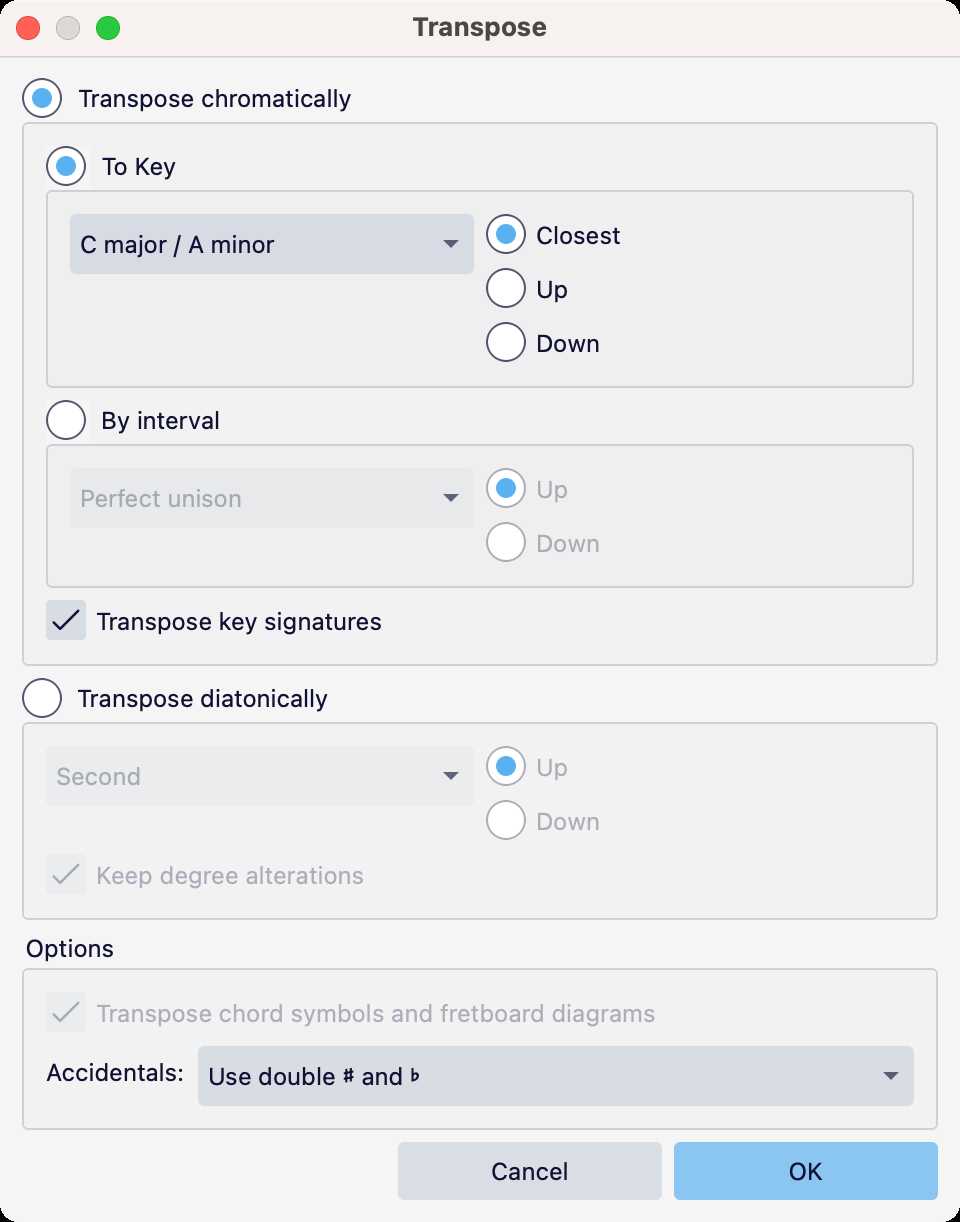
- Choose Tools ▸ Transpose… It is the first item in the Tools menu.
Under Transpose chromatically, choose how to transpose:
- To Key: pick the new key and whether to go to the Closest one, Up or Down.
- By interval: pick an interval, such as a major second, and Up or Down.
- Check the options. Transpose key signatures is on by default, and so is Transpose chord symbols and fretboard diagrams. Accidentals sets how sharps and flats are spelled.
- Click OK.
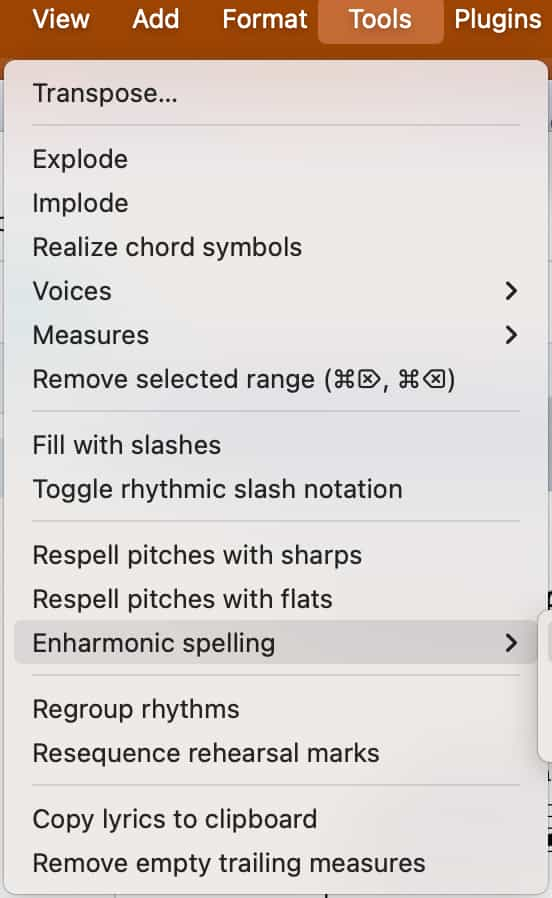
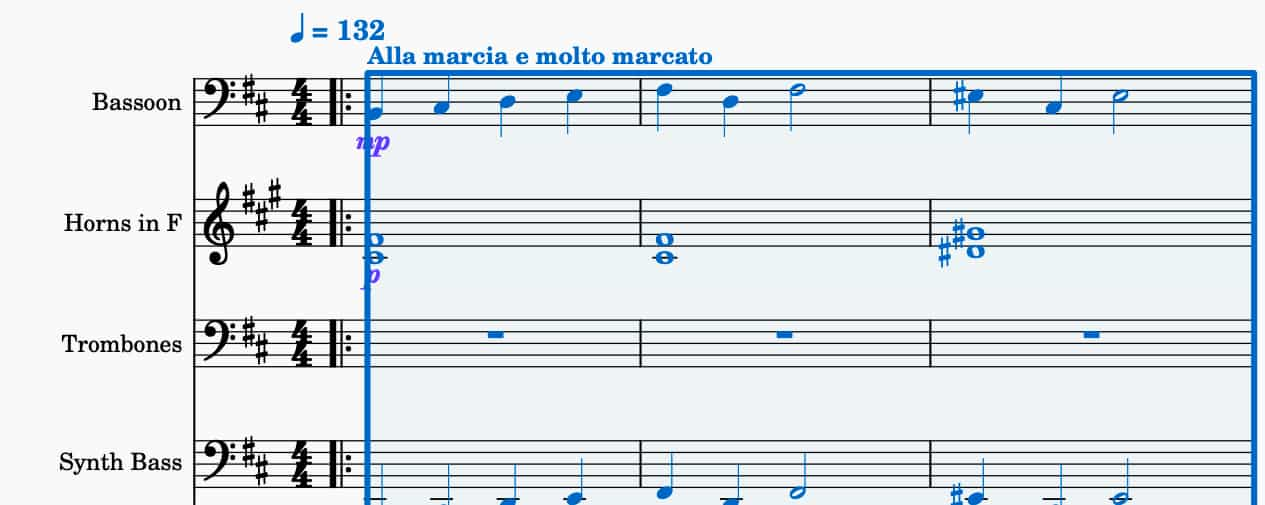
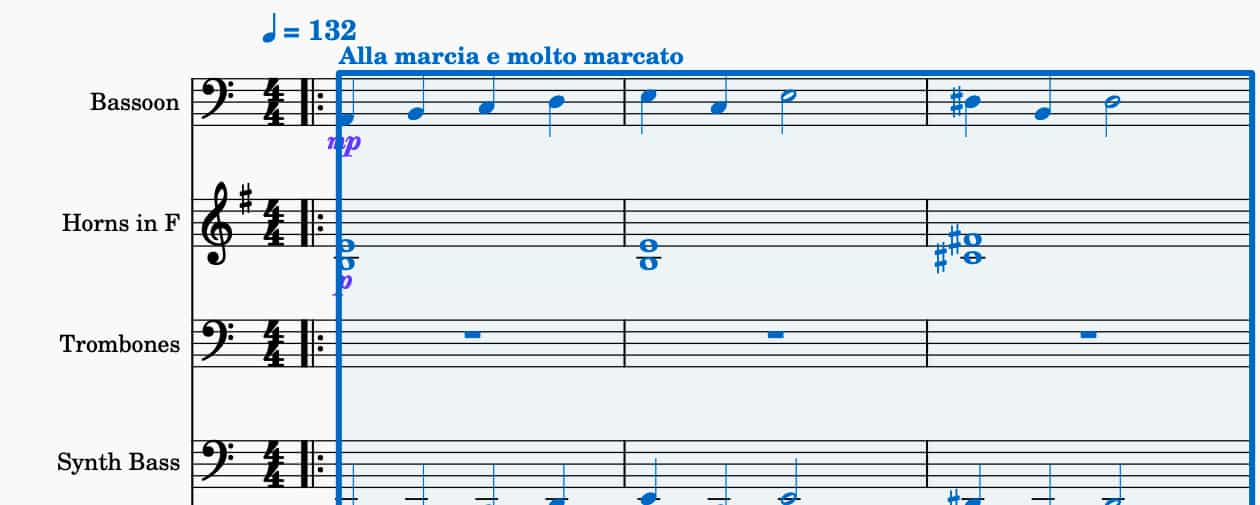
Here is the start of an orchestral score before and after transposing from D major down to C major. The key signatures change with the notes.
Transpose diatonically
The second mode in the window, Transpose diatonically, moves the notes by steps of the current key, a Second or a third for example, Up or Down, without changing the key signature. Keep degree alterations keeps any sharps or flats the notes already had. Use it to shift a melody within its key, for example to write a harmony a third above.
How to transpose a few notes
For a quick change, select the notes and use the arrow keys:
| Move | Windows and Linux | Mac |
|---|---|---|
| Up or down a semitone | Up / Down | Up / Down |
| Up or down an octave | Ctrl+Up / Ctrl+Down | Cmd+Up / Cmd+Down |
| Up or down a step in the key | Alt+Shift+Up / Alt+Shift+Down | Option+Shift+Up / Option+Shift+Down |
These move only the selected notes. The key signature stays as it is.
Transposing instruments and concert pitch
Some instruments, such as the B♭ clarinet, trumpet and alto sax, are written in a different key from the one they sound in. MuseScore Studio handles this for you: add the instrument and its part is written at the right transposition.
The Concert pitch toggle, in the status bar at the bottom right next to the tuning-fork icon, switches the whole score between written pitch and the pitch everyone actually sounds. Turn it on to read every part in one key while you write, and off again to print parts.

Transposing vs changing the key signature
Dragging a new key signature from the palette changes only the signature. The notes stay at the same pitch, with accidentals added where needed. To move the music itself into a new key, use Tools ▸ Transpose… instead.
Common mistakes
- Transposing only part of the score by accident. Check the selection first; Ctrl+A selects everything.
- Dropping in a new key signature to change key. That keeps the notes where they are. Use Transpose.
- Transposing a part instead of switching to concert pitch. For a transposing instrument, the part is already written in its key.
FAQ
Next steps
Put lyrics under the new melody with how to add lyrics in MuseScore Studio, or bring a printed score in first with how to convert a PDF to MuseScore. New to MuseScore Studio? MuseScore Studio with Tutorial pairs it with a beginner video course.
Get MuseScore Studio and MuseSounds in one place — download MuseHub free.