What is a limiter?
A limiter is a dynamics processor that stops audio from going above a set ceiling — effectively a compressor with an almost infinite ratio. It sits at the end of a mastering chain to raise loudness without letting peaks clip, and on a master bus as a safety net that guarantees nothing escapes above your chosen level.
If you already understand compression, you understand limiting: it is the same mechanism with the dial turned all the way up. Most of the confusion around limiters comes from that relationship being explained badly.
Limiters on MuseHub

The short version:
- What it does: stops the signal exceeding a ceiling you set.
- How it differs from a compressor: ratio near ∞:1 instead of 2:1 or 4:1.
- Where you use it: last in a mastering chain, or as master-bus protection.
- What it is not: a clipper, and not a substitute for a good mix.
How we choose: we explain the mechanism before the tools, and we state the price of anything we name.
How a limiter works
Every dynamics processor asks the same question many times a second: is the signal louder than the level I was told to watch for? That level is the threshold, and what happens above it is the difference between one processor and another.
A compressor turns down what crosses the threshold by a proportion — its ratio. At 4:1, four decibels above the threshold come out as one decibel above it. The signal still gets louder as the input gets louder, just less so.
A limiter takes that idea to its limit. Its ratio approaches or reaches ∞:1, which means that no matter how far the input goes above the threshold, the output does not rise past it. Anything crossing the line is clamped down immediately.
That is the whole mechanism, and it explains the two things limiters are used for.
As a ceiling, it guarantees a maximum. Set the ceiling and nothing gets out above it, whatever the material does. This is why a limiter is standard protection on a master bus: the output can never exceed 0 dB and clip, no matter what you do while working.
As a loudness tool, it lets you turn everything up. Once the peaks cannot escape, you can raise the whole signal into the limiter. The quiet parts get louder, the peaks stay pinned at the ceiling, and the track’s average level rises — which is what people mean when they say a limiter “makes it louder”.
Limiter vs compressor
The mechanism is shared, so the difference is one of degree and, following from that, of purpose.
| Compressor | Limiter | Clipper | |
|---|---|---|---|
| Ratio | Moderate — 2:1 to about 10:1 | Near ∞:1 | No ratio; the waveform is cut |
| What it does to peaks | Reduces them proportionally | Stops them at a ceiling | Flattens the tops off |
| Typical job | Shape and even out dynamics | Guarantee a maximum, raise loudness | Squeeze out extra level, add edge |
| Usual place | On individual tracks and buses | End of the master chain | Before or instead of a limiter |
| What it costs you | Punch, if overdone | Transients and depth, if overdone | Distortion — deliberate or otherwise |
The practical distinction: you use a compressor to change how something feels, and a limiter to make sure something never happens. A compressor on a vocal is a creative decision about how consistent that vocal should be. A limiter on your master is an engineering guarantee about the file you are about to export.
If you want the compressor side in depth, see what is audio compression for the concept and how to use a compressor for the controls.
Limiting is not clipping
This confusion is worth clearing up, because both stop a signal exceeding a level and they sound completely different.
A limiter turns the signal down as it approaches the ceiling, using a very fast but real gain change. Done gently, you hear a track that got louder.
A clipper cuts the top off the waveform. There is no gain reduction — the peak simply cannot be drawn, so it is flattened. Flattening a waveform generates harmonic distortion. In small amounts that can be desirable, and clippers are used deliberately on drums and on masters. In large amounts it is the crunchy, fizzy sound of something recorded too loud.
Neither is better. They fail differently: an overworked limiter sounds squashed and lifeless, while an overworked clipper sounds distorted.
The controls you will actually touch
Ceiling (or output). The maximum level the limiter will allow. Set it just under the maximum for your delivery format so nothing clips downstream.
Threshold, input or gain. How hard you push the signal into the limiter. Pushing harder means more gain reduction and a louder, more compressed result. This is the loudness knob, whatever it is labelled.
Release. How quickly the limiter stops reducing gain once the signal drops back. Too fast can cause distortion on low frequencies; too slow can make the whole track duck after every loud moment.
Lookahead. Many digital limiters delay the audio very slightly so they can see peaks coming and react before they arrive, rather than catching them a fraction late. It makes limiting more transparent at the cost of a tiny latency — normally irrelevant when mastering, occasionally relevant when tracking.
True peak. Some limiters measure peaks the way a digital-to-analogue converter will actually reconstruct them, catching overshoots between samples that a standard meter misses. Useful when your audio will be converted to a lossy format.
When limiting goes too far
A limiter can raise loudness. It cannot raise loudness for free, and the costs appear in a predictable order.
Transients go first. The initial snap of a snare or the attack of a piano note is, by definition, the loudest instant. A limiter attacks exactly those instants, so the first thing lost is percussive impact — the track gets louder and less exciting at the same time.
Then depth. Push further and the difference between the loud and quiet parts shrinks toward nothing. A chorus no longer lifts, because the verse is already at the same level.
Then pumping. With heavy reduction and a badly set release, you hear the limiter working — the whole mix breathing in time with the kick drum.
The test is simple and reliable: bypass the limiter, turn your monitoring down until the two versions are the same perceived loudness, and A/B. If the limited version still sounds better, you are fine. If it sounds flatter, you have gone too far. Comparing without matching levels is worthless, because louder always sounds better for the first few seconds.
Where a limiter goes
Last in a mastering chain, after EQ and compression. Everything before it shapes the sound; the limiter sets the final ceiling and level. Putting it earlier means later processors can push peaks back above the ceiling you just set.
On the master bus while you mix, with the ceiling set and barely any gain reduction happening. Here it is a safety net, not a sound. Some engineers prefer to mix without one so that clipping is audible rather than hidden — both positions are defensible; what matters is knowing which one you have chosen.
Occasionally on individual tracks, to catch a single rogue peak — a stray loud consonant, one hit that jumped. For that job a limiter is more surgical than a compressor, because you are addressing one moment rather than reshaping the whole performance.
Limiter plugins
A few from the MuseHub catalogue, with prices as they stand:
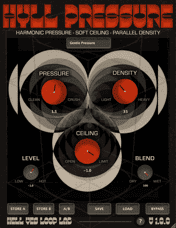
HYLL Pressure is free, which makes it a sensible first limiter.

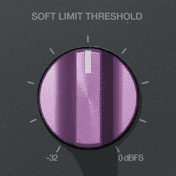
Soft Limit by Apogee is $19.99 and comes from a company whose hardware converters made this style of gentle limiting familiar.

UBERLOUD by BOOM Library is $89.99, aimed at people doing this regularly rather than occasionally.
For the wider field, see the best limiter plugins.
FAQ
Is a limiter just a compressor? Mechanically, close to it — a limiter is a compressor with a near-infinite ratio. In use they serve different purposes: a compressor shapes dynamics, a limiter enforces a maximum.
Do I need a limiter on every track? No. Most tracks need no limiting at all. It belongs on the master, and occasionally on a single track with one problem peak.
Will a limiter make my track as loud as a commercial release? It will make it louder, but commercial loudness comes mostly from arrangement and mixing decisions made long before the limiter. A limiter applied to a poorly balanced mix produces a loud, poorly balanced mix.
Limiter or clipper? A limiter reduces gain; a clipper cuts the waveform and adds distortion. Many mastering engineers use both — a little clipping to shave the hardest transients, then a limiter for the ceiling.
What ceiling should I set? Just below your format’s maximum, leaving a little room so that conversion to a lossy format cannot push peaks over. Exact practice varies by platform, so check the current guidance for wherever you are publishing.
Where does the limiter go in the chain? Last, after EQ and compression.
Next steps
A limiter is the final stage of a process. What is mastering covers what that process is for, and how to master a song walks through the whole chain in order.
For the mechanism underneath limiting, what is audio compression explains the concept and how to use a compressor covers the controls. When you are ready to pick tools, see the best limiter plugins and the best mastering plugins.
Get these plugins and the rest of the catalogue in one place — download MuseHub free.